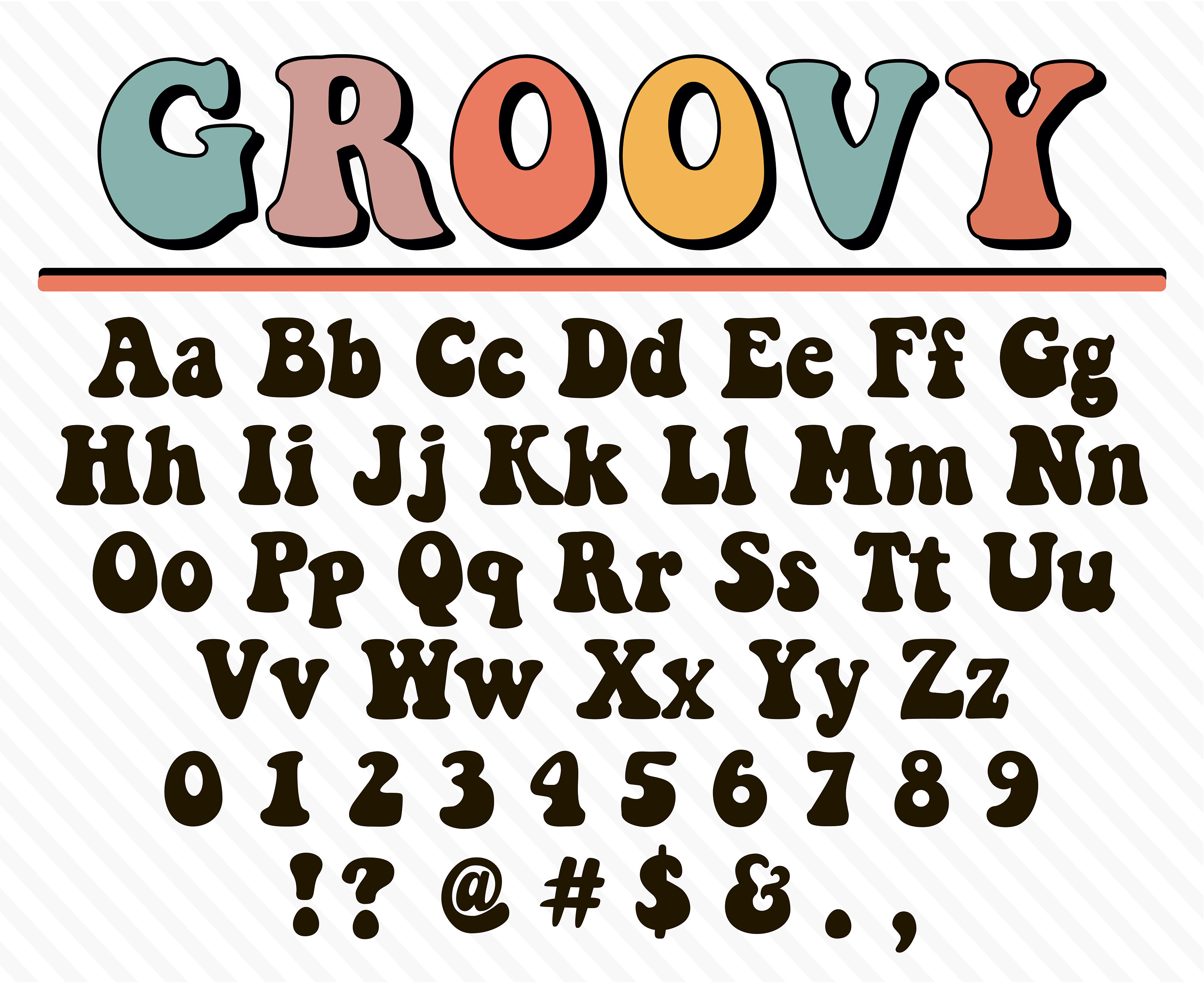
Font recognition technology turns static images of letters into actionable typeface data. Whether you are looking at a billboard, a restaurant menu, or a website screenshot, modern computer vision tools can pinpoint an exact typeface or find a close match in seconds.
At its core, this technology uses optical character recognition (OCR) and machine learning models to isolate glyphs, analyze geometric properties, and cross-reference millions of font files. Understanding how these systems work helps designers, developers, and brand managers choose the right tool and avoid common matching errors.
How Font Recognition Software Works
Behind every clean image upload and instant typeface match lies a multi-step computational pipeline. Traditional text scanning looks for simple pixel matches, but modern font identification relies on structural geometry.
Image Preprocessing and Binarization
When you upload an image, the software first cleans the visual data. It converts color or grayscale pixels into a high-contrast black-and-white format, isolating the text from its background.
- Noise reduction: Removes dust spots, scanning artifacts, and pixel blurring.
- Deskewing: Straightens angled or warped text so characters align horizontally.
- Bounding boxes: Isolates individual letterforms into distinct rectangular zones for separate analysis.
Glyph Extraction and Feature Analysis
Once the letters are isolated, the recognition engine breaks down each glyph into fundamental geometric features. Rather than doing a raw pixel-by-pixel comparison, which fails if the font size differs, algorithms measure specific anatomical traits:
- Strokes and stems: Measuring the thickness, angle, and weight of vertical and horizontal lines.
- Terminals and serifs: Analyzing whether letter endings are sharp brackets, slab blocks, or plain sans-serif cuts.
- Counters and loops: Inspecting the enclosed negative spaces inside letters like 'o', 'e', and 'p'.
- Proportions: Checking the x-height, ascender-to-descender ratios, and overall aspect width.
Database Cross-Referencing
The extracted feature vector is then queried against massive commercial or open-source type databases, such as those maintained by MyFonts or the Google Fonts directory. Algorithms calculate similarity scores, returning the exact match or the closest available alternatives ranked by confidence percentage.
Core Use Cases for Typeface Identification
Designers rarely use font recognition just out of curiosity; it solves immediate production bottlenecks across multiple industries.
+-------------------------------------------------------------+
|               TYPICAL FONT RECOGNITION WORKFLOW             |
|                                                             |
|  1. Capture -> Crop screenshot or photo of target text       |
|  2. Process -> Clean noise, adjust contrast, box glyphs     |
|  3. Match   -> AI analyzes geometry against type database   |
|  4. Deploy  -> License, download, or match alternative      |
+-------------------------------------------------------------+
Brand Auditing and Compliance
When companies undergo rebranding or audit existing marketing collateral, they often encounter legacy PDFs or uneditable promotional assets with unknown typefaces. Recognition tools quickly identify corporate fonts to ensure adherence to brand style guides.
Web Development and Design Mockups
Web developers often receive client mockups containing custom typography without accompanying font files. Identifying these fonts allows developers to find identical or web-safe alternative typefaces that load efficiently without violating copyright.
Print Production and Restoration
Restoring vintage posters, packaging, or historical documents requires matching historical lettering. While standard OCR struggles with stylized or weathered text, advanced feature-extraction models can match distressed characters to digital revival fonts.
Limitations and Common Recognition Errors
Even with advanced neural networks, font identification is not foolproof. Several technical hurdles often cause software to fail or return inaccurate matches.
- Heavy styling and effects: Drop shadows, textures, distressing, and heavy gradients obscure the true edge contours of a glyph, confusing feature-extraction algorithms.
- Extreme warping: Text wrapped around cylindrical objects or photographed at sharp perspective angles distorts character proportions.
- Connected scripts: Cursive and script typefaces where letters bleed into one another make it difficult for automated tools to isolate individual glyphs.
- Proprietary modifications: Many major brands use custom, proprietary typefaces that aren't available in public databases, resulting in software returning generic lookalikes instead of the exact match.
Best Practices for Accurate Font Matching
To get reliable results from any font recognition tool, follow these practical steps during image capture and preparation.
- Crop tightly: Isolate a single line of text. Remove extraneous graphics, icons, and background noise before uploading.
- Ensure high contrast: Dark text on a light background yields the cleanest binarization results. Invert light text on dark backgrounds if the tool struggles.
- Use horizontal samples: Rotate skewed photos until the baseline of the text runs completely parallel to the bottom of the frame.
- Select clear letterforms: Avoid characters obscured by imagery or overlapping elements. Letters with distinct shapes like 'a', 'g', 'e', and uppercase 'R' offer the best diagnostic data.
Frequently Asked Questions
Can font recognition software identify handwritten text?
Standard font identifiers are built for printed digital typefaces and will fail on organic handwriting. Identifying handwriting requires specialized Intelligent Character Recognition (ICR) models trained on variable human script rather than rigid typographic vectors.
Do I need a high-resolution image for accurate results?
Yes. Low-resolution or heavily compressed JPEG images introduce pixelation around character edges, blurring critical details like serifs and terminal angles. Aim for clear images where individual letters are at least 50 pixels tall.
Are identified fonts always free to use?
No. Tools linked to commercial foundries will often identify proprietary typefaces that require paid desktop or web licenses. If you need free alternatives, look for specialized matching tools that filter results exclusively through open-source repositories.
Why do some tools ask me to select characters manually?
When automated glyph segmentation fails—typically with touching script letters or complex display fonts—manual bounding boxes let you explicitly tell the software which pixels belong to which letter, drastically improving match accuracy.



