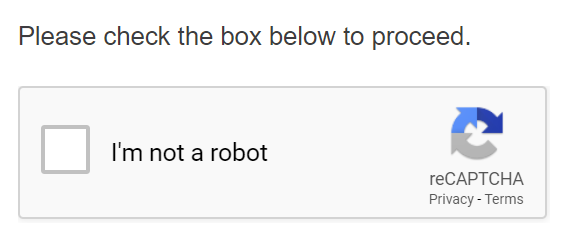
A captcha challenge response is the automated verification exchange that separates real human web visitors from malicious bots. When you visit a login page, submit a form, or check out in an online store, the server sends a challenge—a puzzle or behavioral test. Your browser sends back a response. If your inputs check out, the digital gatekeeper lets you pass. If they don't, you're blocked.
Understanding how this mechanism works matters because it forms the invisible wall keeping personal data safe across billions of daily web interactions. Without it, automated scripts would overwhelm servers, drain user accounts, and scrape private information at scale. Let's look at how captcha challenge response systems work under the hood, why they've evolved, and where traditional hurdles still cause friction.
The Core Mechanics of Challenge-Response Systems
At its technical heart, a captcha relies on a client-server challenge-response protocol. It exploits the asymmetry between human cognitive processing and automated script execution.
When your browser requests a protected web page, the server embeds a script or widget into the Hypertext Markup Language (HTML). This script initiates the challenge phase. Depending on the system architecture, the challenge might ask you to transcribe distorted text, pick out specific tiles in a grid of images, or simply verify that you aren't a robot. More reporting by Bloomberg highlights similar perspectives on the subject.
Once you interact with the page, your browser compiles the data and sends a response token back to the server. The server then validates this token—often by communicating with a secondary authorization server managed by the security provider, such as Cloudflare or Google. If the validation check succeeds, the server issues a session cookie or grants access to the requested endpoint.
This entire sequence happens in milliseconds. It relies on cryptographic tokens and encrypted session identifiers to ensure that bots can't simply replay a valid response token harvested from an earlier session.
Why Bots Fail Where Humans Succeed
The primary engineering goal of any captcha challenge is to create a task that requires semantic reasoning, visual context, or fine-grained motor control that current bots find computationally expensive or impossible to replicate reliably.
Consider an image-based challenge asking users to identify crosswalks or traffic lights. A human recognizes these patterns instantly using contextual visual memory. For a computer vision script, the task requires segmenting pixel data, running object detection models, and handling ambiguous angles, occlusions, and lighting variations. While artificial intelligence has grown adept at solving these puzzles, doing so at scale requires massive graphics processing unit (GPU) power and financial resources, making automated attacks economically unviable for low-level cybercriminals.
Similarly, behavioral challenges analyze how you move your cursor across the screen, the natural variance in your typing speed, and how you scroll down a viewport. Automated scripts often move mice in straight lines with uniform velocity or emit instantaneous click events. Real humans move with erratic acceleration curves, micro-jitters, and natural pauses.
The Evolution from Distorted Text to Invisible Security
Early verification tests relied heavily on Optical Character Recognition (OCR) hurdles. You've likely encountered the warped, overlapping letters popularized by early implementations from Carnegie Mellon University researchers, detailed in academic documentation like the CAPTCHA Project Overview.
As OCR software improved, those text distortions stopped working effectively. Hackers trained neural networks to read messy typography faster than humans could. That pressure forced developers to pivot toward image recognition grids, and eventually, toward passive behavioral analysis.
Modern security protocols like modern reCAPTCHA and Cloudflare Turnstile have largely pushed visible puzzles into the background. Instead of forcing you to click traffic lights, they run non-invasive telemetry checks in your browser. They inspect browser fingerprinting attributes, evaluate TLS handshake parameters, and analyze interaction telemetry before you even click a button. You only see a challenge popup if the risk score crosses a specific threshold, preserving user experience without sacrificing security.
Common Security Vulnerabilities and Failure Points
Despite their widespread deployment, challenge-response systems aren't bulletproof. Security architects constantly patch vulnerabilities that bypass these defenses.
- Solving Services: Cybercriminals use human-in-the-loop solver networks—often paying low wages in developing regions or using malware-infected devices—to manually solve image challenges for automated bots in real-time.
- Audio Captcha Exploits: Many systems offer audio alternatives for accessibility. Bots frequently target these by feeding audio clips into advanced speech-to-text transcription engines, bypassing visual hurdles entirely.
- Token Replay Attacks: If a site's backend fails to properly invalidate used response tokens, malicious actors can capture a valid human-generated token and replay it repeatedly to flood forms with spam.
- Browser Automation Leaks: Headless browsers used for web scraping often leak specific JavaScript properties that security scripts flag instantly, though sophisticated anti-detect browsers work hard to mask these fingerprints.
Frequently Asked Questions
Why do I keep failing captcha challenges even when I'm right?
Frequent failures usually happen due to browser privacy settings, aggressive ad blockers, or VPN usage. If your browser blocks tracking cookies or hides standard telemetry data, the security system can't verify your humanity through passive signals, forcing it to serve harder visual puzzles.
Do captchas track my personal browsing history?
Most third-party verification providers check browser cookies set by their own domains to evaluate your historical trust score across other websites. While they don't see your specific browsing history, they do track interaction patterns and device identifiers to determine if your session matches known bot signatures.
How do audio captchas help accessibility?
Audio captchas read a randomized sequence of numbers or words aloud for users with visual impairments who cannot read distorted text or inspect image grids. However, balancing robust security with accessibility remains difficult, as weak audio prompts are easily solved by automated transcription software.
Can websites protect data without using captchas?
Yes. Modern cybersecurity relies on multi-layered defense strategies. Rate limiting, Web Application Firewalls (WAF), IP reputation monitoring, device fingerprinting, and behavioral analytics work together to stop bots before a captcha challenge ever needs to appear on screen.



