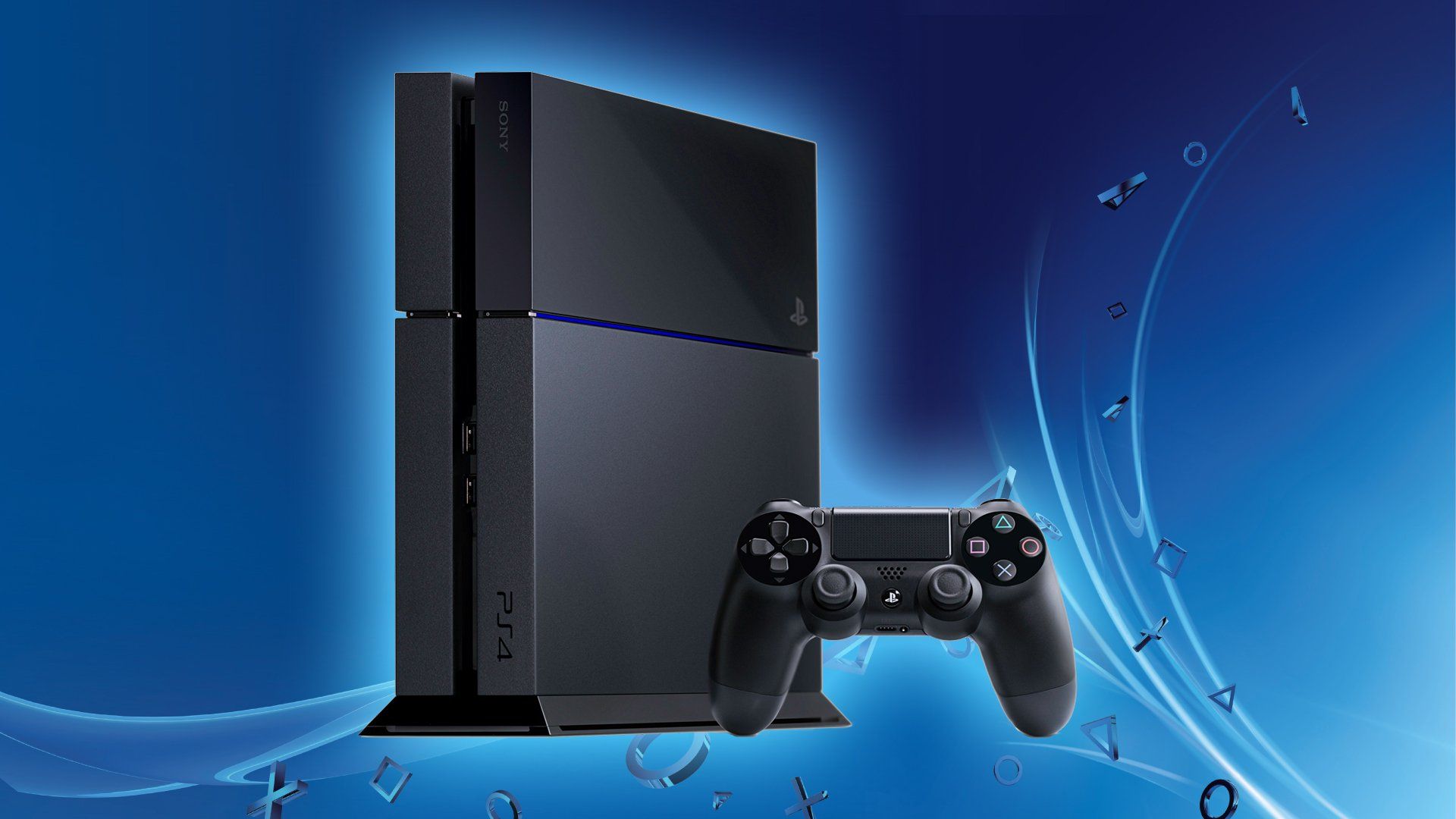
Choosing the right PlayStation 4 model comes down to balancing your TV display, your budget, and how much you care about frame rate stability. Since Sony discontinued production of the PS4 family to focus on current-generation hardware, you're shopping in the used or refurbished market. Finding the right system means understanding the distinct performance ceilings of the three hardware iterations: the original "Fat" model, the energy-efficient PS4 Slim, and the high-end PS4 Pro.
If you game on a standard 1080p television and want a reliable, budget-friendly console to play massive historical hits like Red Dead Redemption 2 or Bloodborne, the PS4 Slim is your target. If you own a 4K display or want smoother performance modes in demanding games, spending a bit more on the PS4 Pro makes sense. Let's break down how these systems compare and which one fits your setup.
The Three PS4 Generations Explained
Sony released three major iterations during the console's lifecycle. Every version runs the exact same software library, meaning no games are locked exclusively to the Pro or the Slim. The differences lie entirely in physical footprint, power consumption, noise levels, and graphical output.
Original PS4 (CUH-1000 Series)
Released in 2013, the launch model is a bulky, matte-and-gloss finish machine. It is loud under heavy graphical load, consumes the most electricity, and typically ships with a smaller 500GB hard drive unless upgraded.
- Pros: Usually the cheapest option on the secondhand market.
- Cons: Prone to loud fan noise as dust accumulates; physically largest design; older Wi-Fi chip (2.4GHz only).
- Verdict: Skip unless you find an exceptionally cheap local deal. The Slim offers a refined experience for a negligible price difference.
PS4 Slim (CUH-2000 Series)
Introduced in 2016, the Slim replaced the original model. It shrinks the chassis by roughly 30 percent, rounds out the sharp edges, updates the internal components for better energy efficiency, and adds 5GHz Wi-Fi support.
- Pros: Compact, quiet, energy-efficient, and features modern wireless connectivity. Available in both 500GB and 1TB configurations.
- Cons: Lacks an optical audio port (if you use older surround sound setups); capped at 1080p output.
- Verdict: The ideal choice for casual players, standard 1080p TV owners, and anyone with tight entertainment center space.
PS4 Pro (CUH-7000 Series)
Also launched in late 2016, the Pro is a beefier machine designed for high-resolution displays. It features a doubled GPU performance profile, a faster clocked CPU, and a standard 1TB hard drive.
- Pros: Capable of 4K upscaling and checkerboard rendering; delivers higher, more stable frame rates in Performance Mode for many games; provides the best baseline PlayStation VR experience.
- Cons: Larger and heavier than the Slim; draws significantly more power and can get loud under strain; commands a higher resale price.
- Verdict: Worth buying if you have a 4K HDR television or want the smoothest possible frame rates at 1080p.
Performance Realities: 1080p vs. 4K
Marketing materials from Sony heavily emphasized 4K gaming for the Pro model, but the reality is more nuanced. Very few demanding titles render at native, unscaled 3840x2160 resolution. Instead, developers utilized clever upscaling techniques like checkerboard rendering to deliver sharp images on 4K panels without melting the hardware.
If you game on a 1080p monitor or TV, the PS4 Pro still offers benefits. Many games include a "Boost Mode" or specific graphics options allowing you to choose between higher visual fidelity (supersampling a 4K image down to 1080p for a crisp anti-aliased look) or a target of 60 frames per second rather than a locked 30fps. If smooth motion matters more to you than pixel count, the Pro delivers a tangible upgrade even on legacy displays.
Storage and Load Times
All three models shipped with traditional mechanical hard drives (HDDs) rather than solid-state drives (SSDs). Over time, these hard drives slow down, and swapping them out for a standard 2.5-inch SATA SSD is one of the best upgrades you can perform on any PS4 model.
Out of the box, however, the PS4 Pro boasts a slightly faster SATA III interface compared to the original launch model, yielding minor reductions in texture pop-in and load times. When buying used, check whether the previous owner upgraded the internal drive to an SSD, as this saves you the trouble of doing it yourself.
Common Mistakes to Avoid When Buying a Used PS4
Because you're buying hardware that has been out of production for years, you need to watch out for common pitfalls.
- Ignoring the noise levels: Older consoles often have dried-out thermal paste and packed dust. If a seller can't demonstrate the console running quietly under a load, you might need to open it up, clean the heatsink, and apply fresh thermal paste.
- Assuming all controllers are original: Third-party counterfeit DualShock 4 controllers flood the secondhand market. They often suffer from dead zones in the analog sticks and poor battery life. Verify that you're getting a genuine Sony controller.
- Overpaying for rare bundles: Limited edition console shells command collector premiums. If you just want to play games, stick to standard black or white chassis variants to save money.
- Neglecting account bans: Ensure the console isn't hardware-banned from PlayStation Network due to previous policy violations by logging in with a test profile before finalizing a purchase.
Frequently Asked Questions
Can a regular PS4 or Slim play PS4 Pro games?
Yes. There are no exclusive games for the PS4 Pro. Every game released for the platform plays across all three console variations, though visual settings and performance targets scale depending on the hardware.
Do I need a 4K TV to benefit from a PS4 Pro?
No. While a 4K display lets you experience higher-resolution output, a 1080p display owner still benefits from supersampled image quality, reduced jaggies, and more stable frame rates in performance-heavy patches.
Can the PS4 Pro play 4K Ultra HD Blu-ray discs?
Surprisingly, no. While the console streams 4K video from apps like Netflix and YouTube, its disc drive is limited to standard 1080p Blu-rays and DVDs.
Is it worth buying a PS4 today instead of a current-gen console?
It depends on your library preferences and budget. The PlayStation console lineup features massive backward-compatible libraries, but a used PS4 costs a fraction of a current-generation system while granting access to a decade of polished blockbusters. If you want a deep, inexpensive backlog of single-player masterpieces, the PS4 remains a high-value purchase.



