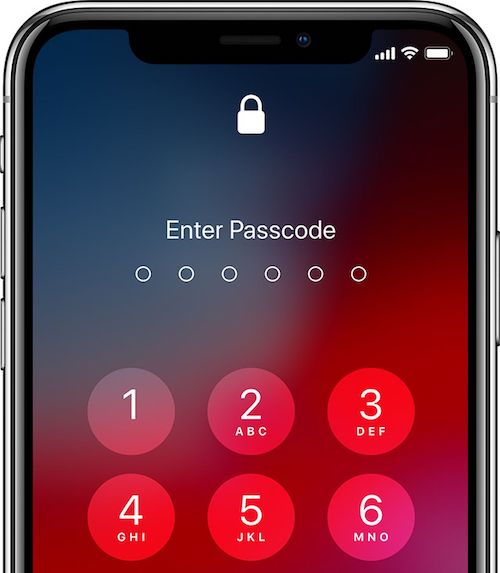
A passcode is a short sequence of numbers or characters used to lock devices, apps, and sensitive accounts. Unlike complex online passwords designed to resist remote hacking attempts, a passcode primarily guards physical hardware—such as smartphones, tablets, and encrypted storage drives—against unauthorized local access.
Understanding how passcodes function, where they fall short, and how to configure them correctly forms the bedrock of personal digital safety. Whether you're configuring a new phone or auditing your device settings, knowing the mechanics behind numeric pins and alphanumeric codes keeps your data secure from casual snooping and brute-force attacks.
What Is a Passcode and How Does It Work?
At its core, a passcode acts as the first checkpoint between a physical device and the outside world. When you press the power button on your phone or wake up your laptop, the operating system halts all requests until the correct sequence is entered.
The mechanism relies on cryptographic hashing. The device doesn't store your actual passcode in plain text. Instead, it runs your input through a cryptographic hash function and compares the resulting hash against a stored value. If both hashes match, the device unlocks the storage controller and decrypts the user partition.
While passwords protect remote server accounts against credential stuffing and brute-force bots on the web, passcodes protect against physical compromise. If you leave your phone at a coffee shop, a strong passcode prevents anyone from opening your banking apps, reading private messages, or extracting personal photos.
Numeric vs. Alphanumeric Passcodes
Operating systems give you choices when setting up a lock screen, and the choice you make directly impacts your security posture.
4-Digit Numeric PINs
The traditional 4-digit PIN allows for 10,000 possible combinations ($10^4$). Automated tools can test every single combination on a modern smartphone in a matter of seconds if rate-limiting isn't enforced. Four-digit codes offer minimal protection against anyone with physical access and specialized tools.
6-Digit Numeric PINs
Expanding to a 6-digit PIN increases the combinations to one million ($10^6$). This exponentially raises the computational time required for brute-force attacks, making casual guessing or quick automated cracking much harder. Most modern mobile operating systems default to 6-digit PINs for this reason.
Alphanumeric Passcodes
Alphanumeric codes combine letters, numbers, and symbols. By mixing lowercase letters, uppercase letters, digits, and special characters, you drastically increase entropy. A custom alphanumeric string of eight or more characters resists both automated cracking and shoulder surfing far better than any purely numeric sequence.
Biometrics: Convenience Layer, Not a Replacement
Fingerprint scanners and facial recognition tools like Apple's Face ID or Android's biometric unlock make daily device interaction frictionless. However, biometrics are authentication accelerators, not standalone security walls.
When you use your face or fingerprint, the sensor verifies your physical traits and then releases the underlying passcode to the system keychain. Furthermore, law enforcement agencies and malicious actors can occasionally compel biometric access more easily than a memorized secret. Because of this, operating systems periodically require your numeric or alphanumeric passcode to re-enable biometrics after reboots, updates, or extended periods of inactivity.
Best Practices for Setting and Managing Passcodes
Creating a secure passcode requires balancing memorability with cryptographic strength. If a code is too complex to remember, you're forced to write it down, which defeats the purpose.
- Avoid predictable sequences: Skip obvious patterns like 123456, 0000, 1111, or birth years. Attackers test these combinations first.
- Length beats complexity for numbers: If you must use a numeric PIN, opt for 8 or 10 digits rather than 4.
- Leverage passphrases: For alphanumeric codes, stitch together four or five unrelated words with numbers and symbols, such as Bridge-Cloud-78-Tide!. This yields high entropy while remaining easy to visualize and memorize.
- Never reuse codes: Don't use your phone unlock PIN as the passcode for encrypted backup files, banking apps, or encrypted messaging containers.
For deeper technical guidelines on digital identity verification, consult the NIST Digital Identity Guidelines for official security standards.
Common Passcode Mistakes and Vulnerabilities
Even with strong intentions, users often make subtle configuration errors that leave their devices exposed.
- Ignoring automatic wipe features: Many operating systems feature an option to erase all device data after 10 failed passcode attempts. Enabling this setting neutralizes offline brute-force hardware attacks.
- Smudge attacks: On touchscreen devices, oils from your fingertips leave smudges over the frequently pressed numbers. Wiping your screen regularly prevents observant onlookers from deducing your PIN by examining fingerprint patterns on the glass.
- Shoulder surfing in public: Entering a passcode in crowded transit or public spaces exposes your input to nearby onlookers. Shield the screen with your hand when unlocking devices in public.
To learn more about device hardening and threat mitigation, review the cybersecurity advisories published by the Cybersecurity and Infrastructure Security Agency.
Frequently Asked Questions
What is the difference between a password and a passcode?
A password is typically an alphanumeric string used to authenticate your identity across remote servers and web services. A passcode is usually a shorter numeric or alphanumeric sequence designed to secure local hardware, devices, and encrypted storage containers.
Is a 6-digit passcode safe enough for a smartphone?
A 6-digit passcode provides adequate security for average users, provided the device has rate-limiting and auto-wipe enabled after multiple incorrect tries. High-risk individuals should use a longer alphanumeric passcode.
What should I do if I forget my device passcode?
If you forget your passcode, most modern operating systems require a factory reset to regain access to the device. You can then restore your data from a secure cloud or local backup.
Does a passcode encrypt my data?
Yes. On modern iOS and Android devices, the passcode derives the cryptographic key used to encrypt the device's flash storage. Without the passcode, the data remains scrambled and unreadable.



