A CAPTCHA is a security test designed to distinguish human users from automated scripts, known as bots. When you log into an account, submit a contact form, or buy tickets online, a website uses this challenge-response test to ensure a real person is behind the screen. Without these checks, automated software could flood web servers with spam, scrape proprietary data, or hoard limited inventory in seconds.
The acronym stands for Completely Automated Public Turing test to tell Computers and Humans Apart. While early versions relied entirely on warped letters and distorted numbers, modern security platforms analyze background browser data, user behavior, and device signals to verify identity invisibly.
How CAPTCHAs Work Behind the Scenes
The common assumption is that clicking a box or solving a puzzle is the entire test. In reality, modern security engines evaluate your session before you ever interact with the page. The process follows a specific sequence from the moment a page loads.
- Script Initialization: When you navigate to a protected page, the site loads a security script from a provider like Cloudflare or Google. This script collects technical metadata about your browser, operating system, and network connection.
- Behavioral Analysis: The risk engine tracks how you move your cursor, how fast you scroll, and whether your typing rhythm resembles human patterns or automated inputs.
- Risk Scoring: The system assigns a numerical score or risk verdict to the session. If the signals strongly indicate a human visitor, the page grants entry immediately without any visual disruption.
- Challenge Generation: If the automated signals look ambiguous or suspicious, the system triggers a visible challenge—such as selecting image tiles or solving a puzzle.
- Token Verification: Once you complete the test correctly, the browser generates a cryptographic token. The website's server verifies this token with the security provider before accepting your form submission or login request.
Common Types of CAPTCHAs
Websites deploy different styles of verification depending on their security needs, user experience goals, and accessibility requirements.
Text and Math Challenges
The original format presented strings of warped letters and numbers covered in visual noise. While humans could decipher the skewed typography, optical character recognition software struggled with it. As artificial intelligence advanced, bots learned to read distorted text faster than people, making basic text tests largely obsolete. Some sites still use simple math equations, such as asking users to solve "5 + 3 =".
Image and Object Recognition
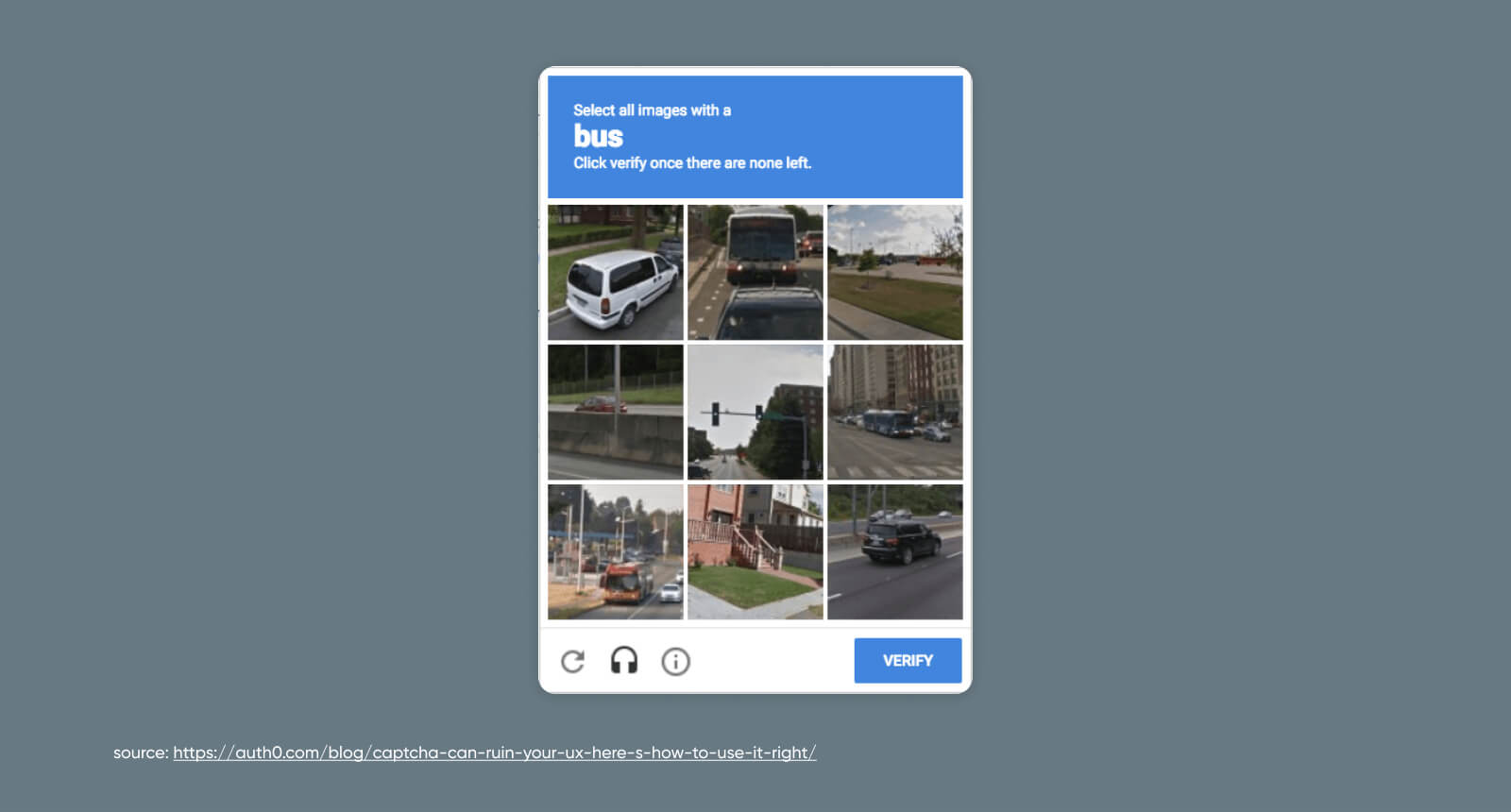
Popularized by systems like Google reCAPTCHA v2, image challenges display a grid of photographs and ask you to select every tile containing a specific object, like traffic lights, crosswalks, or bicycles. These tests leveraged human labor to train computer vision models while blocking automated scrapers.
Checkbox and Invisible Verification
Modern security leans heavily on passive verification. The "I'm not a robot" checkbox does not test you when you click it; instead, it evaluates the telemetry gathered during the seconds leading up to that click. Invisible implementations remove the checkbox entirely, running background evaluations so legitimate users experience zero friction.
Alternative Formats
- Audio tests: Designed for visually impaired users, these play a distorted string of spoken numbers or letters over background noise.
- Slider puzzles: Users must drag a puzzle piece or horizontal slider into a missing gap on an image.
- Proof-of-work: The visitor's device silently solves a minor cryptographic calculation, making mass automated requests computationally expensive for attackers.
Why Websites Need Protection
Automated bots account for a massive share of internet traffic, and malicious actors use them to execute large-scale cyberattacks. Without proper verification layers, websites face several severe vulnerabilities.
- Credential Stuffing: Attackers use automated scripts to test millions of stolen username and password combinations against login portals to hijack user accounts.
- Inventory Hoarding: Scalper bots monitor e-commerce stores, buying up high-demand items like event tickets or limited-edition sneakers instantly to resell them at inflated markups.
- Form Spam: Automated bots flood contact pages, review sections, and comment boards with malicious links and advertising junk.
- Data Scraping: Competitors or malicious actors deploy scrapers to harvest pricing data, user information, or proprietary content without authorization.
Common Mistakes in Implementation
When website owners configure bot mitigation tools, missteps can damage user acquisition and site performance.
- Triggering Tests Too Early: Forcing every single visitor through an aggressive image puzzle spikes bounce rates and frustrates legitimate customers. Modern setups should use risk scoring to challenge only suspicious sessions.
- Ignoring Accessibility Standards: Relying solely on complex visual puzzles locks out users with low vision or cognitive disabilities. Providing accessible audio or alternative verification methods is essential.
- Skipping Server-Side Validation: Some developers put the verification widget in the frontend form but forget to validate the signed token on the backend server. If the server doesn't check the token, automated scripts can bypass the browser entirely and submit data straight to the API.
Frequently Asked Questions
Why do I keep failing CAPTCHA tests?
Failing repeatedly usually stems from strict privacy settings, VPN usage, cleared browser cookies, or running an outdated browser. When a security network cannot verify your browser fingerprint or notices traffic originating from a shared IP address flagged for suspicious behavior, it escalates the difficulty of the challenge.
Can artificial intelligence solve all modern CAPTCHAs?
Advanced machine learning models and computer vision algorithms can bypass many traditional visual and audio tests. Consequently, modern security providers have shifted away from static puzzles toward continuous behavioral analysis, device attestation, and invisible risk scoring that machine learning cannot easily spoof.
Do invisible CAPTCHAs collect personal data?
Invisible verification tools analyze technical telemetry—such as screen resolution, browser extensions, network headers, and interaction patterns. Reputable security vendors process this information to evaluate session risk without tracking individual personal identities or exposing private user data.
Are there alternatives to traditional CAPTCHAs?
Yes. Many platforms implement honeypot fields—hidden form inputs that invisible humans cannot see but automated bots fill out automatically. Other sites rely on rate limiting, device fingerprinting, and single sign-on authentication through trusted identity providers like Google Identity or Apple to minimize user friction.



