Finding public legal documents in the Commonwealth doesn't have to feel like navigating a maze. If you need to check a civil lawsuit, look up a traffic infraction, or examine historical case files, the Virginia Judicial System provides official online case management portals to help you find what you're looking for.
Unlike many states that rely on a single, unified database for every court level, Virginia splits its judicial records across separate systems based on the specific court tier and locality. Knowing which portal to use saves you hours of frustrating dead ends and ensures you uncover accurate case histories.
Understanding Virginia Court Tiers
Before you search, it helps to understand how the state's judicial structure is organized. Different courts handle different types of legal matters, and their records live in separate digital or physical filing systems.
- General District Courts: These handle traffic violations, minor criminal misdemeanors, and civil claims involving smaller monetary amounts (typically under $50,000). They provide robust online search tools for active and recent dockets.
- Circuit Courts: These are trial courts of general jurisdiction handling major criminal felonies, high-value civil lawsuits, divorces, and land records. Crucially, Circuit Courts do not use a single statewide database; you must search individual localities separately.
- Juvenile and Domestic Relations District Courts: These manage cases involving juveniles, custody, support, and family abuse. To protect sensitive privacy rights, public online access to these case files is heavily restricted or entirely unavailable online.
- Appellate Courts: The Court of Appeals of Virginia and the Supreme Court of Virginia handle appeals from lower courts, maintaining specialized digital dockets for review.
Using Online Portals for Case Lookups
If you want to check records from home, you'll use the official state web portals. Each portal serves a distinct function and requires specific search criteria. As highlighted in latest articles by Reuters, the effects are widespread.
General District Court Online Search
For traffic tickets, misdemeanor charges, or small claims, the General District Court Online Case Information system allows you to search by locality, name, or specific case number. Select the specific city or county where the incident or filing occurred.
When you enter a last name and first initial, the system generates a list of matching defendants or plaintiffs. Click on an individual docket entry to view specific charge details, hearing dates, trial outcomes, and monetary judgments assessed by the judge.
Circuit Court Online Case System
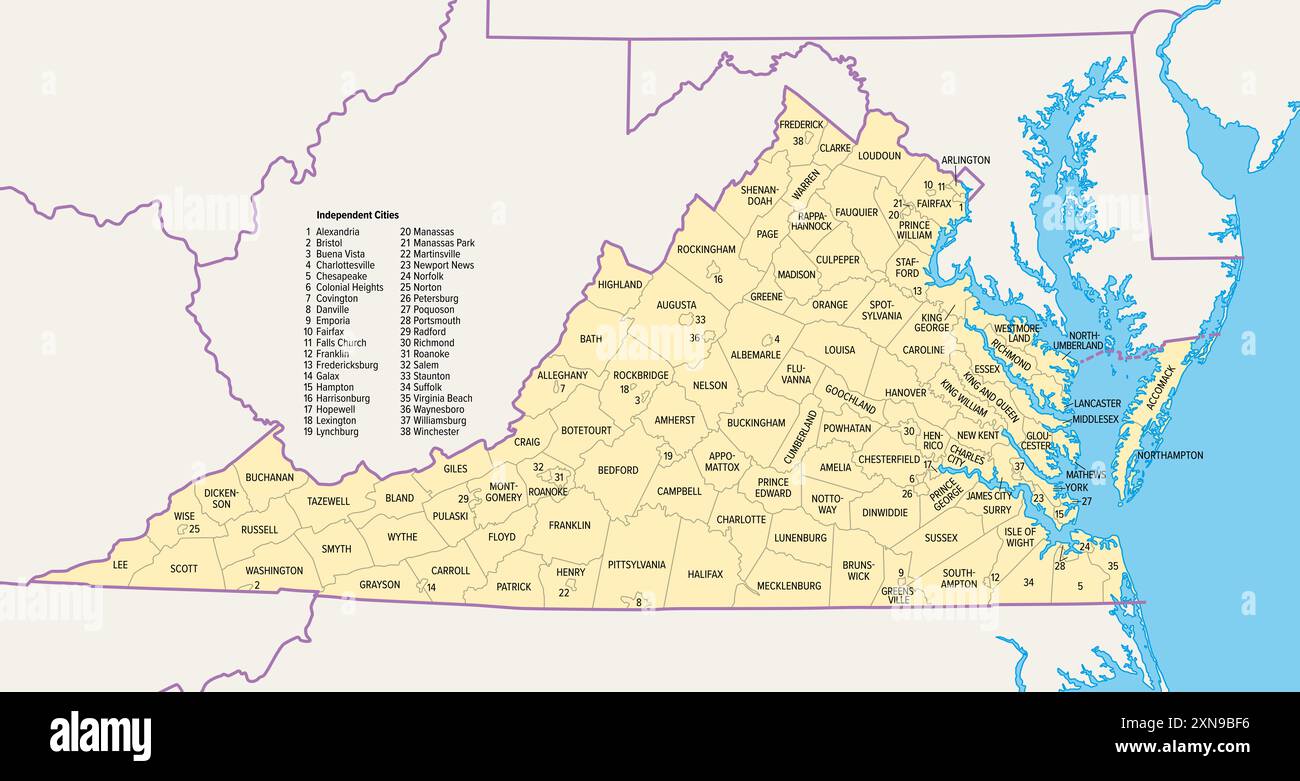
Because Circuit Courts operate independently at the county and city levels, you must select the specific jurisdiction from a dropdown list before searching. For example, if a lawsuit was filed in Henrico County, you must query the Henrico Circuit Court portal rather than a statewide search box.
Note: A few large jurisdictions, such as Fairfax County, operate entirely separate case management websites outside the standard state portal template. Always check local court directories if your target locality doesn't appear in the standard state system list.
Statewide OCIS 2.0 Search
The Online Case Information System (OCIS) 2.0 provides a cross-jurisdictional view for specific types of records, such as adult criminal case details from participating district and circuit courts. It's useful if you aren't certain which specific county handled a lower-court criminal charge, though it doesn't process financial transactions or fee payments.
Step-by-Step Search Strategy
If you're staring at a blank search box and aren't sure how to begin, follow this systematic workflow to track down a file efficiently.
- Identify the correct court level: Determine whether the matter is a traffic ticket (District Court), a felony trial or divorce (Circuit Court), or an appeal.
- Pinpoint the exact locality: Find out which Virginia city or county courthouse has jurisdiction over the filing.
- Gather identifiers: Collect the full legal name of the individual or business, the exact case number if known, or the approximate date range of the filing.
- Run the digital query: Navigate to the appropriate portal on the official Virginia courts website, input your parameters, and review the matching dockets.
- Inspect the case history: Click through to the docket events list to see a chronological record of motions, orders, and upcoming hearings.
When Digital Records Aren't Enough
Online databases are designed for preliminary research, tracking court dates, and verifying basic case status. They have clear limitations. You cannot typically download complete, certified evidentiary exhibits or final unredacted decrees directly from public web portals.
If you need official proof of a judgment or a certified copy of a divorce decree for legal or administrative use, you must contact the Clerk of the Court in that specific jurisdiction. You can submit requests via mail or visit the courthouse in person. Mail requests typically require a written description of the case, names of the parties, the case number, a self-addressed stamped envelope, and payment by certified check or money order covering per-page copying and certification fees.
Common Mistakes to Avoid
Navigating state legal databases trips up many first-time users. Keep these pitfalls in mind to keep your research moving forward:
- Using the browser back button: Online state court portals often time out or throw errors if you use your browser's back button instead of the system's built-in navigation links.
- Searching the wrong court tier: Looking for a felony indictment in the District Court portal yields nothing because felonies originate in Circuit Courts.
- Expecting statewide Circuit Court results: Remember that you cannot run a single search across every Virginia Circuit Court simultaneously; you have to check localities individually.
- Assuming online files are complete: Sensitive files, juvenile matters, and sealed documents won't show up on public internet databases.
Frequently Asked Questions
Can I look up criminal records online for free in Virginia?
Yes, basic criminal and traffic case histories are searchable online through the General District Court and OCIS 2.0 portals without paying a fee. However, official background check certificates for employment require submission through the Virginia State Police rather than local court search engines.
How do I find a case number if I only know a person's name?
Go to the appropriate court portal for the locality where the case was heard, select the name search option, and enter the individual's last name and first initial. If multiple matches appear, look at the filing dates and associated party names to identify the correct file and retrieve its case number.
Are divorce records open to the public in Virginia?
Divorce case filings are handled by Circuit Courts and are generally public records. While you can see that a divorce case was filed and view docket events online, obtaining certified copies of the actual final decree specifying personal financial settlements usually requires contacting the local Circuit Court Clerk's office.
What should I do if a court record contains a clerical error?
If you spot an obvious data entry mistake or docket error on an online portal, contact the Clerk of the Court for that specific jurisdiction immediately. Clerks manage the official dockets and can correct administrative errors once verified against physical files.


