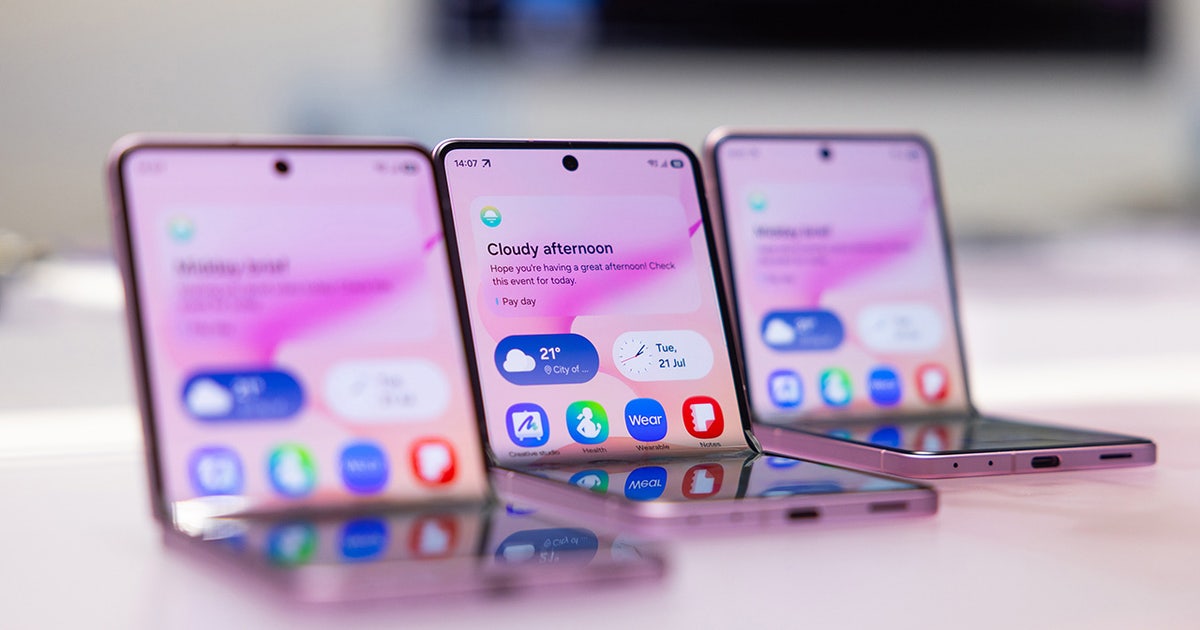
Shopping for an affordable phone often means accepting frustrating compromises like sluggish processors, dim screens, or outdated software support. The Samsung Galaxy A35 upends that formula by bringing flagship-adjacent build quality and long-term software commitments to a lower price tier. If you want to know whether this device delivers real value or cuts too many corners, you need to look past the marketing hype and examine the hardware specs directly.
At its core, this device runs on the Exynos 1380 processor paired with up to 8GB of RAM and a vibrant 120Hz Super AMOLED display. It's built for everyday users who want reliable battery life, dependable cameras, and modern connectivity without spending a grand on a flagship. Let's break down exactly how these specifications translate to daily performance.
Design and Display Quality
Samsung upgraded the materials significantly for this generation. You get a glass back protected by Corning Gorilla Glass Victus+ on the front, moving past the cheap plastic rears found on older budget models. The frame is still plastic, but it features a matte finish that mimics metal reasonably well.
The phone carries an IP67 dust and water resistance rating. That means it survives accidental splashes, rain, or brief dunks in shallow water—a major win for a mid-tier handset. However, at 209 grams, it's notably heavy for its class, which you'll feel during extended one-handed texting sessions.
The 6.6-inch Super AMOLED screen is a standout feature. It features a 1080 x 2340 resolution and an adaptive 120Hz refresh rate that makes scrolling through web pages and social feeds look fluid. Peak brightness hits around 1,000 nits under high-brightness mode, making text readable outdoors, though direct summer sunlight can still cause glare issues.
Processor Performance and Daily Speed
Performance is driven by the 5nm Exynos 1380 chip. This is an octa-core setup utilizing four performance cores clocked at 2.4 GHz and four efficiency cores at 2.0 GHz.
- Web and Social Apps: Everyday tasks like browsing Chrome, scrolling Reddit, checking emails, and managing Google Calendar run smoothly without stutter.
- App Switching: Moving between multiple open background applications is generally trouble-free, provided you choose the 8GB RAM configuration rather than the base 6GB model.
- Gaming: Casual games like Alto's Odyssey run perfectly. More demanding titles like Genshin Impact are playable, but you'll need to stick to low graphic settings to avoid noticeable frame drops and warmth on the back panel.
You can check out official ecosystem details on the Samsung Official Website to compare regional storage variants.
Camera System Capabilities
The rear camera array consists of a 50MP main sensor with optical image stabilization (OIS), an 8MP ultrawide lens, and a 5MP macro shooter.
The main 50MP sensor captures crisp, vibrant photos in daylight, leaning into Samsung's signature punchy color science. Thanks to OIS, low-light shots retain decent sharpness and controlled noise, though night mode can occasionally over-sharpen details.
The 8MP ultrawide lens is serviceable in bright daylight, but struggles with dynamic range and fine details once indoor lighting dims or night falls. The 5MP macro camera is mostly filler; while it gets closer than the main lens, images lack sharpness. For selfies, the 13MP front shooter handles skin tones and facial details accurately, and it even supports 4K video recording.
Battery Life and Charging Speed
A 5,000mAh battery powers the hardware, easily delivering a full day and a half of moderate use. If you stick to messaging, light web browsing, and music playback, you'll often end the day with around 30% battery remaining.
Charging is capped at 25W wired, which lags behind competitors offering 45W or faster speeds. Filling the battery from zero takes roughly 80 minutes, and Samsung doesn't include a wall adapter in the box—just a USB-C cable.
Software Support and Longevity
One area where this device completely dominates its price bracket is software longevity. It ships with Android and One UI, and Samsung promises four generations of major Android OS upgrades along with five years of security patches. This level of support ensures your hardware stays secure and up to date for years, outlasting typical budget alternatives that drop update support after two years.
For broad industry analysis on mobile hardware trends and connectivity benchmarks, refer to resources like GSMArena.
Common Mistakes to Avoid
- Buying the 6GB RAM Model: If your budget allows, skip the 6GB variant. Modern Android apps and multitasking demand more memory, and the 8GB version ages much better.
- Ignoring the Shared SIM Slot: The phone uses a hybrid slot. You can use two nano-SIMs, or one nano-SIM and a microSD card up to 1TB. You cannot use dual SIM cards and expandable storage simultaneously.
- Expecting Flagship Gaming: Do not buy this phone expecting maxed-out settings in heavy 3D games. It's optimized for efficiency and everyday utility, not hardcore mobile gaming.
Frequently Asked Questions
Does the Samsung Galaxy A35 come with a charger in the box?
No. The retail box includes a USB-C cable and a SIM ejector pin, but you must supply your own 25W USB-PD charging brick.
Is the phone fully waterproof?
It carries an IP67 rating, meaning it resists dust and can survive immersion in up to one meter of fresh water for thirty minutes. It isn't designed for saltwater beaches or hot tubs.
Can I expand the internal storage?
Yes. It features a microSD card slot that accepts cards up to 1TB, though doing so means giving up the second SIM card slot.
How long will this phone receive software updates?
Samsung commits to four major Android OS upgrades and five years of security maintenance updates from its release date.