Writing code without planning is like building a skyscraper without blueprints. You end up with a shaky structure, wasted hours, and endless syntax errors. Pseudocode solves this by letting you map out your programming logic in plain English before you touch a single line of a real language. It's the universal bridge between human thought and machine execution.
Whether you're studying computer science or teaching yourself to code, mastering this skill saves you from getting bogged down by semicolons, curly braces, and language-specific quirks. This guide breaks down what pseudocode is, how to write it effectively, and how to use it to design bulletproof algorithms.
What is Pseudocode and Why Do You Need It?
At its core, pseudocode is an informal, high-level description of a computer program or algorithm. It uses the structural conventions of programming languages but is intended for human reading rather than machine reading. There's no strict compiler waiting to throw an error if you misspell a word or miss a parenthesis.
When you're learning computer science, you face a dual challenge: you have to learn how to solve a logical problem and learn how to write syntax for a specific language like Python or Java. Trying to do both at the same time leads to frustration.
START
  INPUT user_age
  IF user_age >= 18 THEN
    PRINT "Access granted."
  ELSE
    PRINT "Access denied."
  ENDIF
END
Separating these two steps lets you focus entirely on logic. If your algorithm has a flaw, you spot it in plain English in seconds instead of hunting through hundreds of lines of code. It also makes collaborating with other developers frictionless, since anyone can read plain text regardless of their primary programming language.
Core Keywords and Structural Elements
While pseudocode isn't bound by strict syntax rules, conventions make your logic clear and universal. Most developers rely on a standard set of capitalization and keywords to represent control flow and data operations.
Assignment and Input/Output
To store data or talk to the user, keep your commands simple and action-oriented. Use clear verbs like READ, PRINT, SET, or CALCULATE.
- SET total_cost TO price * quantity
- READ user_email
- PRINT "Welcome back!"
Conditional Statements
Decisions drive software behavior. Use standard conditional blocks (IF, ELSE, ELSE IF) to show branching logic. Always close your conditionals with an explicit marker like ENDIF when your blocks get long.
IFscore >= 90THEN- SET grade TO "A"
ELSE IFscore >= 80THEN- SET grade TO "B"
ELSE- SET grade TO "C"
ENDIF
Loops and Iteration
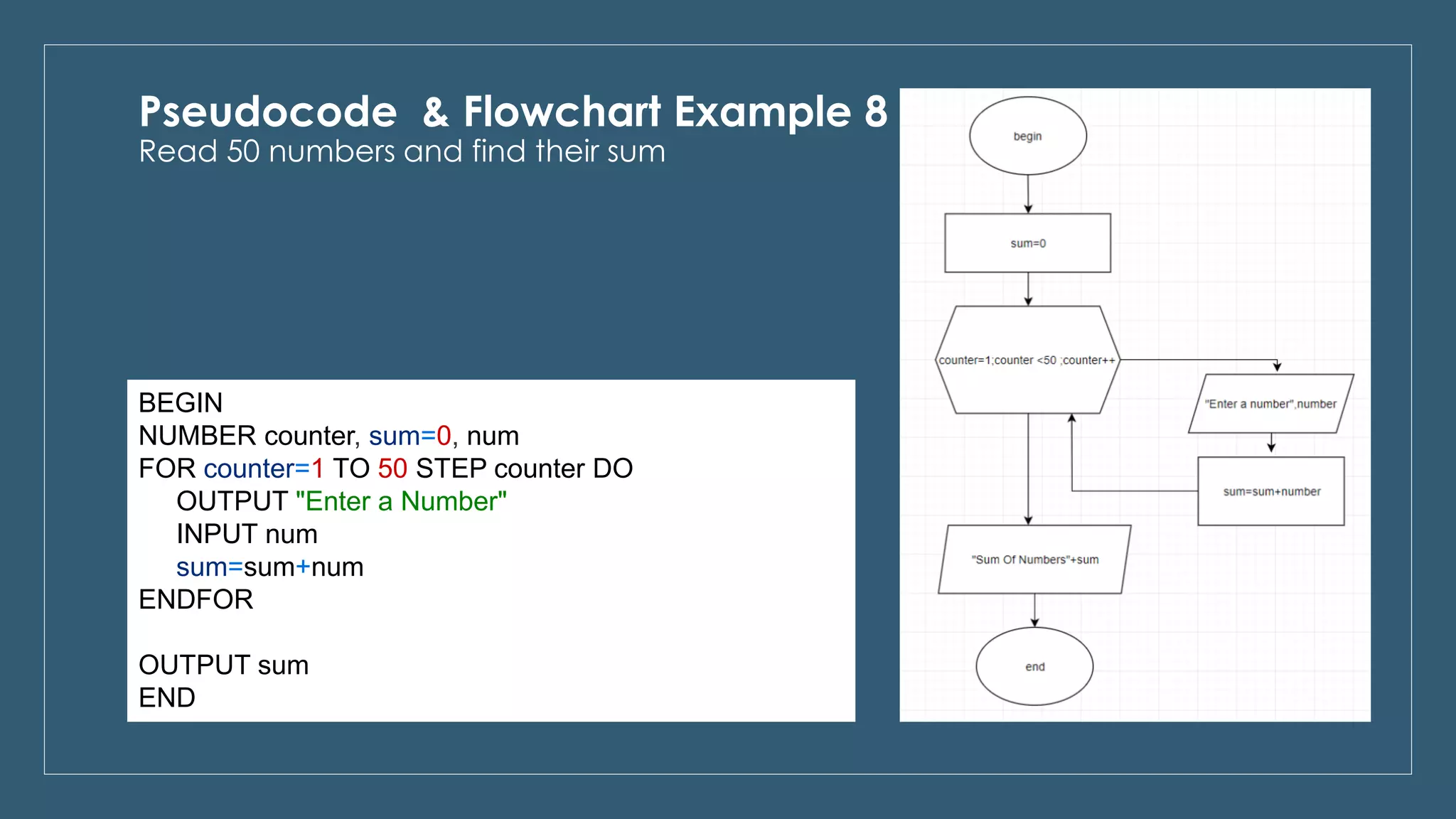
When a task needs to repeat, use loops. FOR loops work best when you know the exact number of iterations, while WHILE loops suit conditions that depend on changing variables.
FOReach item in shopping_cart- ADD item.price to subtotal
ENDFORWHILEfuel_level > 0- CALL fly_plane()
ENDWHILE
Step-by-Step: Writing Your First Algorithm
Let's walk through building a practical program using pseudocode. Imagine you need to write a program that takes a list of exam scores, calculates the average, and determines whether the student passes (an average of 60 or higher).
Step 1: Define the Objective and Inputs
First, figure out what goes in and what comes out. We need a list of numbers (scores) as input, and a pass/fail message alongside the average as output.
Step 2: Write the High-Level Logic
Write out the steps as if you were explaining them to a friend on a whiteboard:
- Ask the user for three test scores.
- Add them together and divide by three to get the average.
- Check if the average is 60 or higher.
- Print the result.
Step 3: Refine into Structured Pseudocode
Now, translate those steps into formal pseudocode using standard keywords:
START
  PRINT "Enter three exam scores:"
  READ score1, score2, score3

  SET total TO score1 + score2 + score3
  SET average TO total / 3

  PRINT "Your average is: ", average

  IF average >= 60 THEN
    PRINT "Status: PASS"
  ELSE
    PRINT "Status: FAIL"
  ENDIF
END
This structured block gives you an exact roadmap. When you open your IDE to write Python, JavaScript, or C++, you just translate each line directly into that language's syntax.
Common Mistakes Beginners Make
Even though pseudocode is flexible, certain habits sabotage its usefulness. Avoiding these pitfalls keeps your planning phase efficient.
Writing code that is too detailed is the most frequent trap. If you find yourself writing semicolons, explicit variable type declarations, or library imports, you're writing actual code, not pseudocode. Keep it abstract enough to read like a recipe.
Another mistake is being too vague. Writing "Process the data and save it" skips the actual logic you need to figure out. Break complex actions down into individual logical steps so you don't run into blind spots when coding.
Inconsistent capitalization or formatting also hurts readability. While the computer won't care, maintaining a clean structure—such as indenting your loops and conditionals—trains your brain for clean code habits early.
For official documentation standards and style guidelines used across academic computer science programs, check out the IEEE Computer Society.
Transitioning from Pseudocode to Real Code
Once your blueprint is solid, translating it into a programming language is straightforward. Let's take our grading example and turn it into working Python code:
score1 = float(input("Enter score 1: "))
score2 = float(input("Enter score 2: "))
score3 = float(input("Enter score 3: "))

total = score1 + score2 + score3
average = total / 3

print(f"Your average is: {average}")

if average >= 60:
    print("Status: PASS")
else:
    print("Status: FAIL")
Notice how the structure mirrors the pseudocode almost line for line. Because you solved the logic puzzle beforehand, you only had to worry about Python's specific input functions and print syntax.
To explore broader software engineering best practices and architectural design patterns, you can reference resources provided by Association for Computing Machinery.
Frequently Asked Questions
Is there an official standard for writing pseudocode?
No official global standard exists. Every company, university, and textbook uses a slightly different flavor. The primary rule is clarity: as long as another human can read your logic without guessing, your pseudocode is correct.
Can a computer run pseudocode directly?
No. Because it uses natural language and lacks strict syntax rules, computers cannot execute pseudocode. You must translate it into an interpreted or compiled programming language first.
How detailed should my pseudocode be?
Your pseudocode should be detailed enough that writing the actual code feels like a simple translation task. If you aren't sure how to solve a specific sub-problem, break that specific section down into smaller steps.
Should I write pseudocode for every program I build?
You don't need it for trivial tasks like printing a hello-world statement. However, anytime you build a project with multiple loops, nested conditions, or complex data manipulation, writing a quick blueprint saves you hours of debugging later.