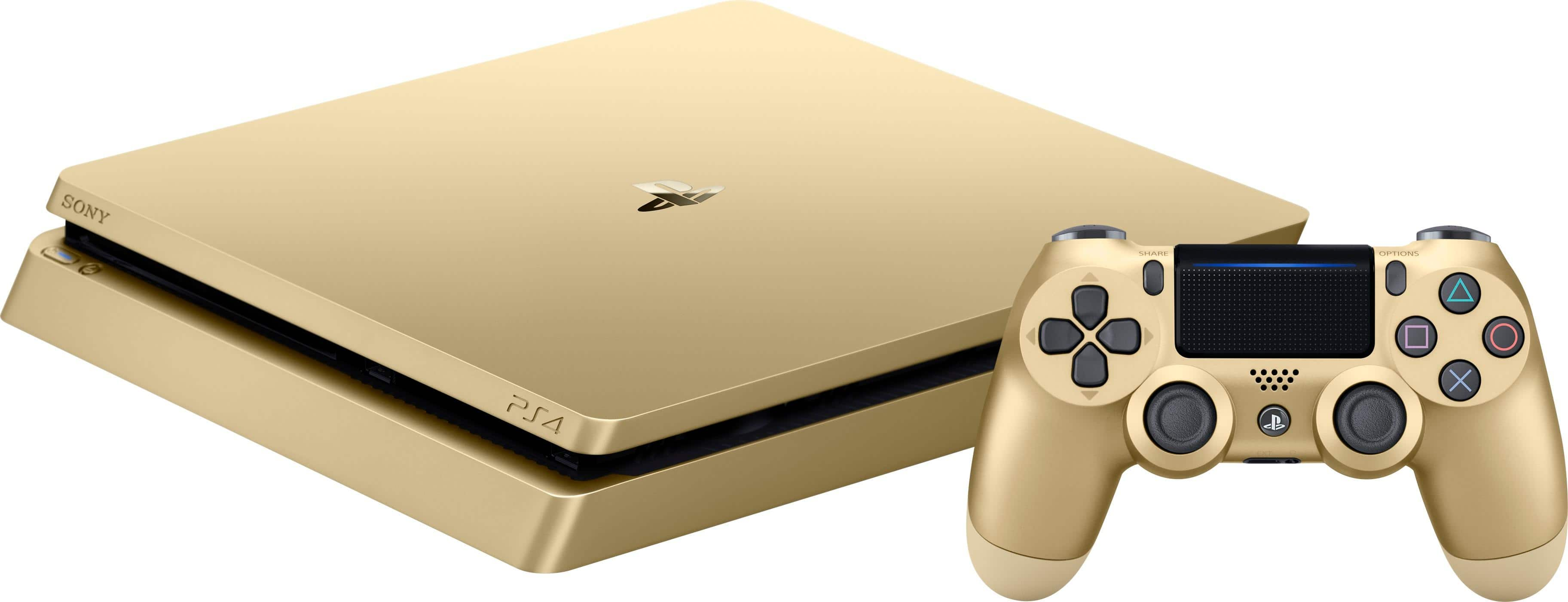
When you're trying to choose between mid-generation Sony hardware, the core question is simple: does extra graphics power justify the investment? The PlayStation 4 Slim and the PlayStation 4 Pro share the same software library, but they approach performance, physical design, and hardware capabilities differently.
The PS4 Slim is a streamlined, energy-efficient refresh of the original launch console designed for standard 1080p displays and budget-conscious buyers. The PS4 Pro is a beefed-up, enthusiast-grade machine built for 4K rendering, higher framerates, and richer texture details on compatible televisions.
Technical Specifications and Hardware Architecture
Under the hood, both consoles share a foundational architecture, but Sony upgraded key components in the Pro to handle heavier computational loads.
The original PS4 and the Slim run on an AMD Jaguar 8-core CPU clocked at 1.6 GHz, paired with an AMD Radeon graphics processor delivering 1.84 teraflops of computing power, along with 8GB of GDDR5 RAM. The Slim repackages these exact specifications into a smaller, quieter, and more power-efficient chassis without changing raw performance.
The PS4 Pro bumps the CPU clock speed up to 2.1 GHz for modest processing gains, but the real leap is in the GPU. The Pro packs a 4.2-teraflop AMD Radeon graphics processor—more than double the graphical horsepower of the Slim. It also adds an extra 1GB of slow DDR3 RAM dedicated to background tasks, freeing up the primary 8GB of GDDR5 RAM strictly for game rendering.
- CPU: Slim features 8-core AMD Jaguar at 1.6 GHz; Pro features 8-core AMD Jaguar at 2.1 GHz.
- GPU: Slim delivers 1.84 TFLOPS; Pro delivers 4.2 TFLOPS.
- Memory: Both use 8GB GDDR5, but Pro includes 1GB extra RAM for system processes.
- Storage: Both shipped with standard 500GB or 1TB hard drives, though both support user-installed solid-state drives (SSDs).
Resolution, Frame Rates, and Visual Fidelity
Graphics performance is where the two consoles diverge most visibly, particularly if you own a 4K display.
The PS4 Slim maxes out at a standard 1080p resolution for almost all titles. While it handles Full HD gaming smoothly, it lacks the raw pixel-pushing power required for ultra-high-definition outputs.
The PS4 Pro targets 4K gaming through native rendering or a technique called checkerboard rendering—an intelligent scaling method that fills in pixels efficiently to mimic native 4K with minimal performance cost. On a 4K television, Pro-enhanced titles display sharper textures, cleaner edges, and less aliasing.
If you game on a 1080p screen, the Pro still offers distinct advantages through developer-implemented modes:
- Performance Mode: Locks games at a stable 60 frames per second by lowering resolution or graphical settings.
- Quality Mode: Maximizes shadow detail, draw distances, and asset density while locking at 30 frames per second.
Both consoles support High Dynamic Range (HDR) imaging, allowing for broader color ranges and deeper contrast ratios, provided your television supports HDR10.
Physical Design, Ports, and Noise Levels
Living room footprint and hardware acoustics matter when you're setting up an entertainment center.
The PS4 Slim measures roughly 288 x 39 x 265 mm and weighs about 2.1 kg. Its matte black, rounded chassis has a tiny footprint and runs remarkably quiet, even under heavy load during demanding titles like God of War.
The PS4 Pro is significantly larger and heavier, measuring 327 x 55 x 295 mm and weighing 3.3 kg. Its triple-tier slab design takes up more shelf space and requires adequate ventilation. Because it pushes twice the graphical power, its cooling fans spin louder during intensive gaming sessions than the Slim's fans do.
Port selection also differs slightly:
- USB Ports: The Slim features two USB 3.1 ports on the front. The Pro features three USB 3.1 ports (two front, one rear), making it easier to plug in PlayStation VR headsets or external hard drives without messy front-facing cables.
- Audio: The PS4 Slim dropped the optical audio port, meaning users with older surround sound systems must connect audio through their television. The PS4 Pro retains the optical audio port.
- Wi-Fi: The Pro supports faster 5GHz Wi-Fi standards (IEEE 802.11 a/b/g/n/ac), whereas standard Slim models initially shipped with slower wireless hardware depending on the exact manufacturing batch.
Game Performance and Enhancements
Sony required developers to ensure every game runs on both systems, meaning there are no exclusive games that only run on the PS4 Pro. However, patch optimization creates a massive disparity in how games feel and look.
For example, open-world titles like Horizon Zero Dawn render at a much higher fidelity on the Pro, featuring distinct foliage density and clearer distant objects. Frame-rate stability is another major differentiator. Many games that suffer from stuttering or frame drops on the base PS4 and Slim maintain a locked framerate on the Pro due to its faster CPU and GPU headroom.
Common Mistakes When Choosing
Buyers shopping for legacy hardware often fall into specific traps:
- Assuming all games run at native 4K on the Pro: Many titles use checkerboard rendering or dynamic resolution scaling rather than true native 4K.
- Ignoring TV compatibility: Buying a PS4 Pro provides little visual benefit if you are plugging it into an older 720p or standard 1080p monitor without HDR support.
- Overlooking internal storage upgrades: Both consoles shipped with mechanical hard drives that bottleneck loading times. Replacing the internal drive with an aftermarket SSD provides a massive speed boost on both systems.
Frequently Asked Questions
Can the PS4 Slim play 4K Blu-ray discs?
No. Neither the PS4 Slim nor the PS4 Pro includes a 4K Ultra HD Blu-ray disc drive. Both consoles max out at standard Blu-ray playback, though the Pro can stream 4K video from apps like Netflix and YouTube.
Is the PS4 Pro worth buying over the Slim today?
It depends entirely on your display setup and price differences on the used market. If you own a 4K TV and can find a Pro for a price close to a Slim, the graphical upgrades and stable framerates make it the superior choice. If you game on a standard 1080p monitor, the Slim offers identical gameplay performance for less money.
Do both consoles support PlayStation VR?
Yes, both the PS4 Slim and PS4 Pro support the original PlayStation VR headset. However, the PS4 Pro offers better visual clarity, smoother framerates, and improved supersampling in VR titles due to its upgraded hardware.
Do I need a special HDMI cable for the PS4 Pro?
Yes. To utilize 4K resolution at 60Hz and HDR features, you must use a High-Speed HDMI cable (HDMI 2.0 or higher), which is included in the box with the PS4 Pro. Standard older HDMI cables may limit your output to 1080p or fail to transmit HDR signals properly.



