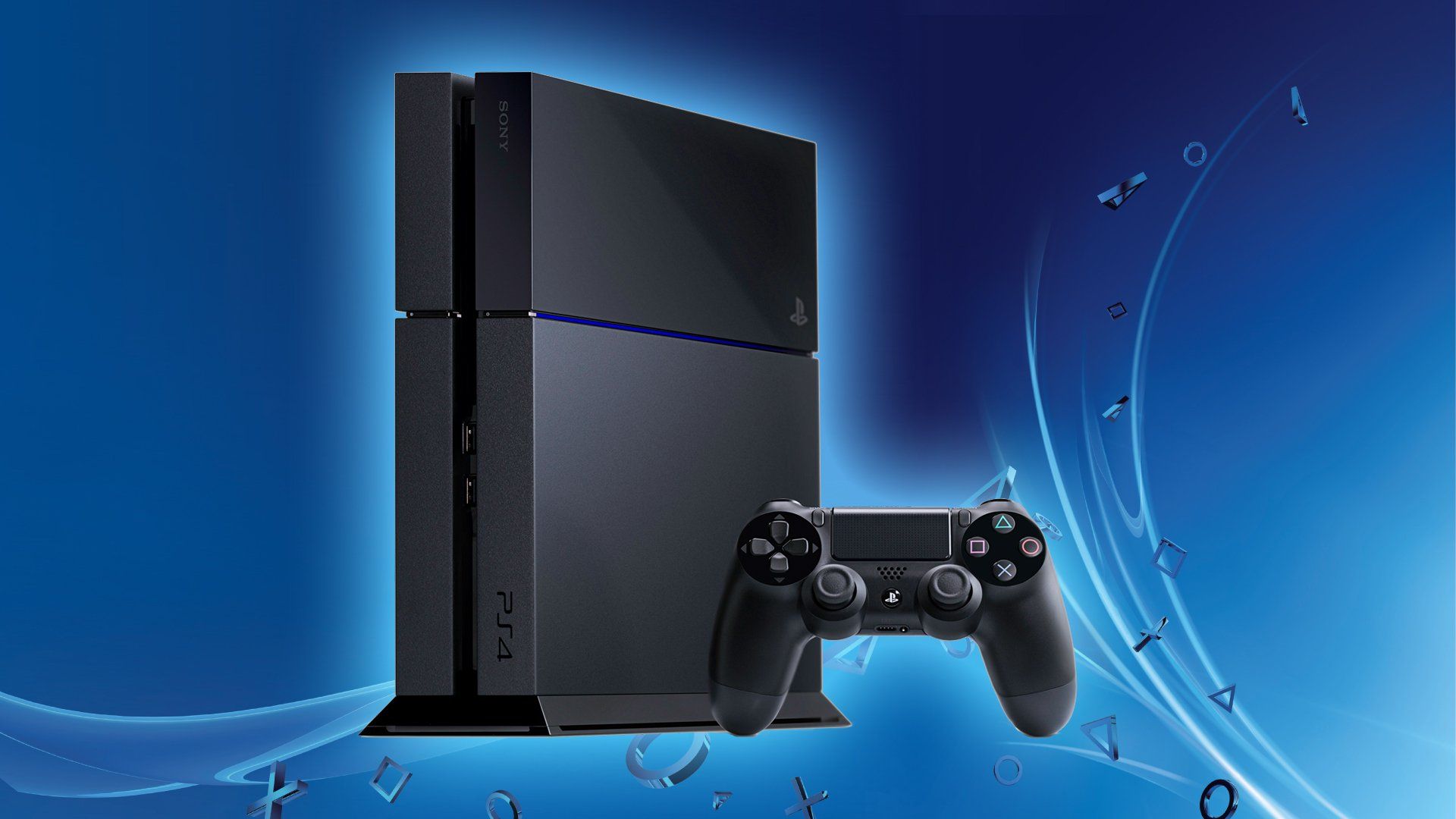
Choosing between the PlayStation 4 Pro and the PlayStation 4 Slim comes down to your display hardware, performance expectations, and physical space limits. The PS4 Pro targets higher resolutions, checkerboard 4K rendering, and more stable frame rates, while the PS4 Slim prioritizes a compact footprint, lower power consumption, and reliable 1080p gaming. If you own a 4K television or an HDR-compatible display, the Pro extracts extra visual fidelity from supported titles. If you play on a standard 1080p screen or want a quiet, lightweight console that fits into tight entertainment centers, the Slim remains a practical choice.
Underneath the plastic chassis, these two systems handle games differently. Recognizing how their internal specifications translate to real-world gaming helps you avoid buying hardware that doesn't match your display or your library. Let's break down the core differences in performance, design, and long-term value.
Architectural and Hardware Differences
The internal gap between these two systems is wider than their exterior appearances suggest. While Sony built both consoles around eight-core AMD Jaguar CPUs, the clock speeds and graphical processing units tell separate stories.
Graphics Processing and Resolution Output
The PS4 Slim features a base GPU delivering 1.84 teraflops, mirroring the performance profile of the original 2013 launch model. It outputs a maximum native resolution of 1080p.
The PS4 Pro doubles that graphical muscle, packing a 4.2-teraflop GPU alongside a mildly overclocked 2.1GHz CPU. This extra headroom lets developers implement dynamic resolution scaling, checkerboard rendering, and enhanced asset streaming. Games running on a Pro can reach up to 2160p (4K) output, or use that processing power to lock down shaky frame rates in demanding open-world titles.
Physical Dimensions and Power Consumption
Size matters when you're working with limited shelf space.
- PS4 Slim: Measures approximately 265 x 39 x 288 mm and weighs around 2.1 kg. It runs cool, takes up minimal room, and slips easily into backpacks or cramped TV stands.
- PS4 Pro: Measures roughly 295 x 55 x 327 mm and tips the scales at 3.3 kg. It's noticeably bulkier, heavier, and generates more heat under load, requiring a bit more breathing room in your media center.
Power draw follows size. The Slim consumes roughly half the peak electrical wattage of the Pro during intensive gameplay sessions, making it lighter on your electricity bill and quieter under load.
Real-World Gaming Performance
Raw specifications only matter if you can see or feel the difference during a gaming session. How do these consoles perform when you boot up a heavy title?
Playing on a 1080p Display
If you don't own a 4K television, the choice gets interesting. Many buyers assume the Pro is useless without a 4K panel, but that isn't entirely true. The PS4 Pro features a feature called supersampling on many games. Supersampling renders the game at a higher resolution internally and then shrinks it down to fit your 1080p screen. This process eliminates jagged edges (aliasing) and delivers a cleaner image than native 1080p. Furthermore, games with unlocked frame rates often stay much closer to a steady 30 or 60 frames per second on the Pro.
Playing on a 4K HDR Display
Hook either console up to a modern 4K HDR screen, and the divergence becomes clear. The PS4 Slim outputs a standard 1080p signal that your television upscales, which can look soft. The PS4 Pro pushes higher pixel counts, sharper textures, and improved draw distances in enhanced games. Both models support HDR color ranges, but the Pro pairs those wider color spaces with higher rendering fidelity.
You can check out historical context and official system updates directly through the PlayStation Support portal. For broader electronics comparisons, resources like CNET offer deep dives into legacy hardware generations.
Feature Sets and Port Selection
Connectivity options differ between the two revisions, which might influence your setup depending on your audio equipment or networking gear.
- USB Ports: The PS4 Slim features two USB 3.0 ports on the front. The PS4 Pro adds a third USB 3.0 port on the rear, which is particularly convenient if you plug in a PlayStation VR processor unit or an external storage drive permanently.
- Optical Audio: The PS4 Slim famously dropped the optical audio port, complicating connections for older surround sound receivers or high-end gaming headsets that rely on optical cables. The PS4 Pro retains the optical audio output.
- Wi-Fi and Networking: Both units feature Gigabit Ethernet ports and support modern wireless protocols, though the Slim natively handles 5GHz wireless bands cleanly alongside standard 2.4GHz connections.
Common Mistakes When Choosing
Buyers often fall into predictable traps when shopping for eighth-generation hardware. Avoiding these errors saves money and frustration.
- Expecting Native 4K Everywhere: Don't expect the PS4 Pro to run every title at native, uncompromised 4K at 60 frames per second. Most games use dynamic resolution scaling or checkerboard rendering to hit high visual targets.
- Ignoring Fan Noise and Heat: Placing a PS4 Pro inside a tightly enclosed TV cabinet without airflow will cause the internal blower fan to ramp up aggressively. The Pro demands ventilation.
- Overlooking Hard Drive Speeds: Both consoles ship with mechanical hard drives (spinning disks at 5400 RPM). Neither console features a fast internal SSD out of the box. If load times bother you, budget for a third-party SSD upgrade, which you can install into either system easily.
Frequently Asked Questions
Can the PS4 Slim play PS4 Pro enhanced games?
Yes. Every standard and enhanced PS4 game works on both consoles. The game software detects which console it's running on and scales its performance or resolution accordingly. You won't encounter games that refuse to boot on either machine.
Is the PS4 Pro worth buying if I only have a standard monitor?
If you care about cleaner image quality via supersampling and fewer frame drops in heavy action scenes, the Pro offers tangible benefits even at 1080p. However, if budget or desk space is your primary constraint, the Slim delivers identical core gameplay loops for less money.
Do both consoles support PlayStation VR?
Yes, original PSVR hardware connects to both the Slim and the Pro without issues. However, games with VR enhancements may render cleaner visuals or maintain steadier framerates when running on the Pro's upgraded processor.
How hard is it to upgrade the storage drive?
Both systems use accessible hard drive bays. You can slide off the cover panel, unscrew a single retention screw, swap the stock mechanical drive for a standard 2.5-inch SATA SSD or HDD, and reinstall the system software via a USB thumb drive in less than twenty minutes.



