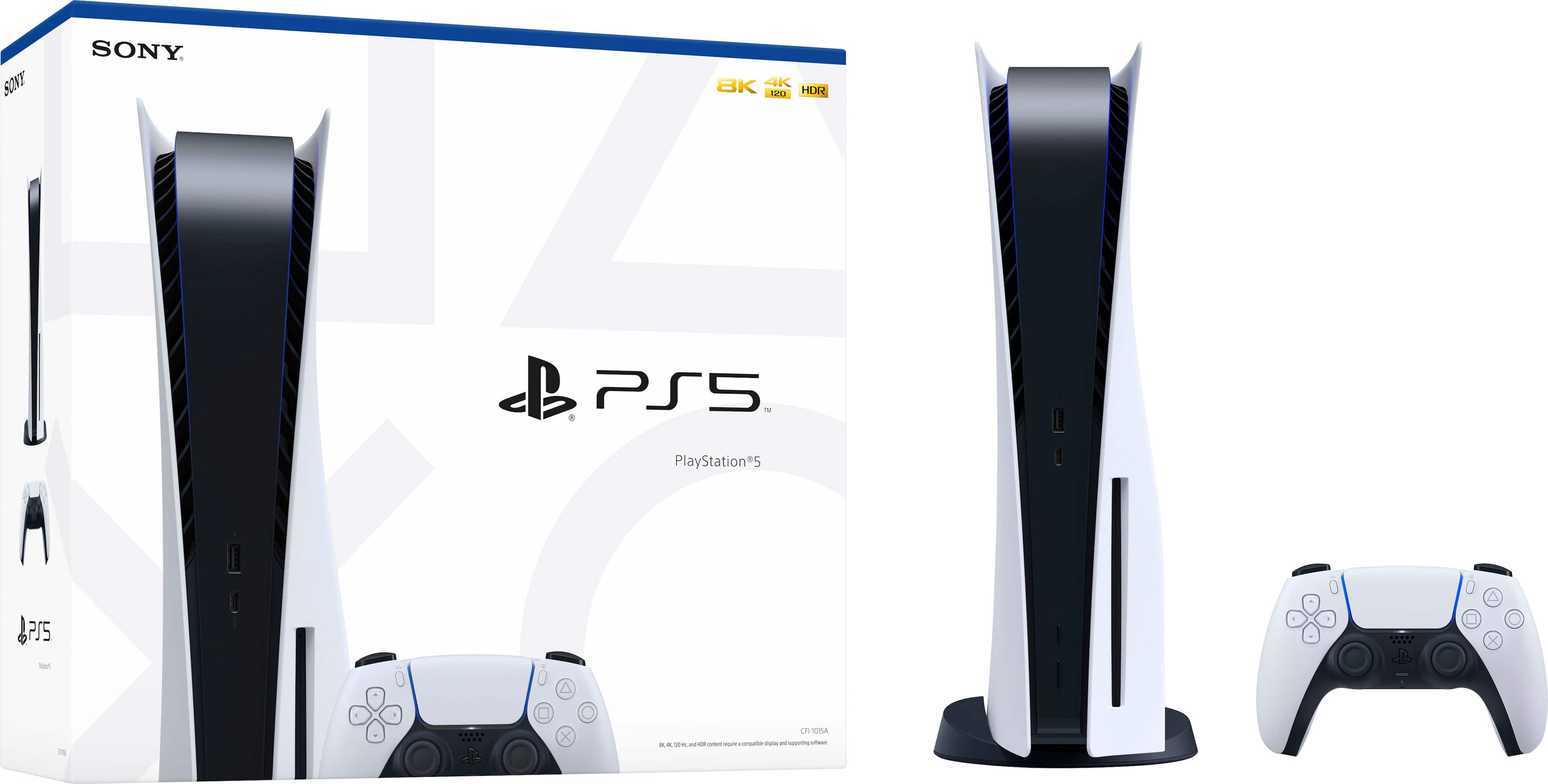
Yes, PS4 players can join PS5 friends online, but it entirely depends on the specific game you're playing. Sony builds cross-generation compatibility directly into the PlayStation Network, letting party chats and invites bridge the two hardware generations. However, software support rests entirely in the hands of the developers. If a title features native cross-generation multiplayer, you can squad up without a hitch. If a developer drops support or builds separate client versions that aren't synchronized, you'll hit a wall.
Navigating cross-gen limitations can get confusing when switching between native PlayStation 5 applications, backward-compatible PlayStation 4 versions, and third-party launchers. This breakdown details how crossplay functions across the hardware divide, which titles let you play together, and how to troubleshoot connection snags.
How PlayStation Cross-Generation Multiplayer Works
At its core, the PlayStation Network treats online friend lists and party chats as a unified ecosystem. You can send game invites, join voice parties, and message friends seamlessly whether they sit on a launch-model PS4 or a sleek PS5.
The actual gameplay connection relies on the software version running on the console. Many modern multiplayer titles release separate versions for each generation. For example, a game might feature a dedicated PS5 native client with upgraded frame rates and ray tracing alongside a legacy PS4 client. To play together in these instances, the PS5 user must often download and launch the PS4 version of the game. Running the native PS5 build will isolate you from friends stranded on older hardware unless the developer built explicit cross-generation networking into the game code.
Titles built with unified servers—such as Apex Legends, Fortnite, and Call of Duty—handle this transition automatically. Their matchmaking backends merge cohorts regardless of whether you're logging in from a 2013 console or modern hardware.
Games That Support Cross-Gen Play
Most major live-service and multiplayer releases support cross-gen functionality between the PlayStation 4 and PlayStation 5 out of the box.
- Battle Royale and Shooters: Games like Fortnite, Apex Legends, Call of Duty: Warzone, and Overwatch 2 allow complete freedom of movement between generations.
- Sports Titles: Annual sports franchises including EA Sports FC and Madden NFL typically allow cross-gen play, though some editions require players to use the specific PS4 version of the game code when playing in mixed lobbies.
- Cooperative and Sandbox Games: Titles like Minecraft and Grand Theft Auto Online link players across generations, provided everyone updates to matching patch versions.
Conversely, games that receive strict, next-generation upgrades often drop legacy support entirely. If a title relies on processing power, physics engines, or player counts exclusive to the newer hardware architecture, a legacy console cannot participate.
Step-by-Step: Setting Up a Mixed Lobby
Getting a party running between a legacy console and newer hardware takes just a few moments if you follow the right sequence.
- Verify the Game Version: Confirm that both you and your friend are running compatible software versions. If the game lacks native cross-gen netcode, the PS5 owner needs to highlight the game icon on their home screen, press the options button, select version, and choose the PS4 version.
- Add Your Friend: Use the standard PlayStation Network search bar to send or accept a friend request. Your online status and game activity appear identically across both systems.
- Open a Party Chat: Press the PlayStation button, navigate to the Game Base, and start a party. Voice chat bridges automatically between PS4, PS5, and the official mobile app.
- Send the In-Game Invite: Launch the game, enter the multiplayer menu, and invite your friend from the in-game roster or your PlayStation Network friends list.
If an invitation fails to arrive, check your notification settings or restart the application to force a server handshake.
Common Mistakes and How to Avoid Them
Players frequently run into predictable traps when trying to organize mixed-console game nights. Avoid these errors to save time and frustration:
- Running Mismatched Versions: The single most common mistake involves the PS5 player launching a native next-gen build while the PS4 player tries to join an incompatible lobby. Always check patch notes or version indicators on game tiles.
- Ignoring In-Game Settings: Some titles feature an independent toggle for crossplay inside the settings menu. If matchmaking yields empty lobbies, ensure crossplay isn't accidentally toggled off in the privacy or gameplay tabs.
- Overlooking Subscription Requirements: Both players need active PlayStation Plus subscriptions if the game requires it for online multiplayer. A lapse on either end will block connection attempts instantly.
- Mistaking Crossplay for Cross-Progression: Being able to play together online does not automatically mean your progress, unlocks, and microtransactions transfer over if you switch consoles mid-stream. Check developer guidelines regarding account linking.
For official updates on platform features and network status, consult the PlayStation Support portal or review hardware guides on IGN.
Frequently Asked Questions
Do I need a PS5 to play with someone who has one if I am on a PS4?
No. You can remain on your PS4 console. As long as the game supports cross-generation multiplayer and you are running a compatible version, you can join the same online matches.
Will my PS4 headset and accessories work on a PS5 if I upgrade later?
Most USB headsets and standard controllers that connect via Bluetooth or dongles work seamlessly on the newer console. However, official Sony DualShock 4 controllers can only play PS4 games running on the PS5; native PS5 games require the DualSense controller.
Does cross-generation multiplayer cost extra money?
Playing online requires a standard PlayStation Plus subscription for paid games. Cross-generation functionality itself does not incur any additional fees beyond standard game ownership and network access.
Why am I getting an error when trying to join my friend's game invite?
This usually indicates a version mismatch. Verify that both players have downloaded the exact same game update patch, and ensure the PS5 user isn't running an exclusive next-gen client version that locks out legacy hardware.



