Your profile picture does heavy lifting online. It's the first thing people see on Instagram, Discord, or LinkedIn, and it sets expectations before you type a single word. Most advice tells you to "just be confident," but that leaves you staring at your phone camera with no idea what to do with your hands, where to look, or how to fix harsh shadows.
Creating a standout profile picture comes down to mastering natural lighting, choosing flattering angles for your face shape, avoiding common amateur mistakes, and editing without looking overly filtered. This guide breaks down actionable steps to help you capture an authentic, eye-catching photo that actually looks like you.
Understanding Lighting and Equipment
Good lighting makes or breaks a portrait. You don't need professional studio strobes or an expensive DSLR camera; modern smartphones handle the heavy lifting if you know how to work with ambient light.
Natural Light vs. Artificial Light
Natural light flatters skin textures better than indoor bulbs, which often cast weird green or yellow tints.
- Face a large window during daylight hours to get soft, even illumination across your face.
- Avoid standing directly under overhead kitchen or bathroom lights, as they create harsh shadows under your eyes and nose.
- Golden hour—the hour right after sunrise or right before sunset—provides a warm, forgiving glow that naturally highlights your features.
Avoiding Common Lighting Traps
- Backlighting: Never stand with a bright window or bright sun directly behind you unless you're intentionally going for a silhouette. Your phone's auto-exposure will darken your face into total shadow.
- Direct Flash: Flash straight from a phone camera washes out facial features and causes red-eye or harsh glare. If you need extra light at night, use a small ring light set at arm's length or face a brightly lit wall that bounces light back onto you.
Angles, Framing, and Posing
Where you hold the camera and how you position your body completely changes the vibe of the photo. Small adjustments in posture make a massive difference.
Finding Your Best Angle
Everyone has a side of their face they prefer, but you can find yours objectively. Take quick test shots holding the camera straight on, angled slightly up, and angled slightly down.
- Holding the camera slightly above eye level and tilting your chin down just a fraction slims the jawline and opens up your eyes.
- Avoid shooting from a low angle looking straight up unless you want an exaggerated, distorted perspective.
Framing and Composition
Think about how platforms crop your photo. Instagram and TikTok crop profile pictures into tight circles, while LinkedIn uses squares.
- Keep your face in the center third of the frame.
- Leave negative space around your head and shoulders so your face doesn't get cut off when the platform applies circular cropping.
- Try a 3/4 turn of your shoulders instead of facing the camera dead-on; it adds depth and looks more relaxed.
Style Ideas and Aesthetic Concepts
Instead of a generic mirror selfie, match your profile picture to your personality or the specific vibe of the platform you're using.
1. The Casual Outdoor Vibe
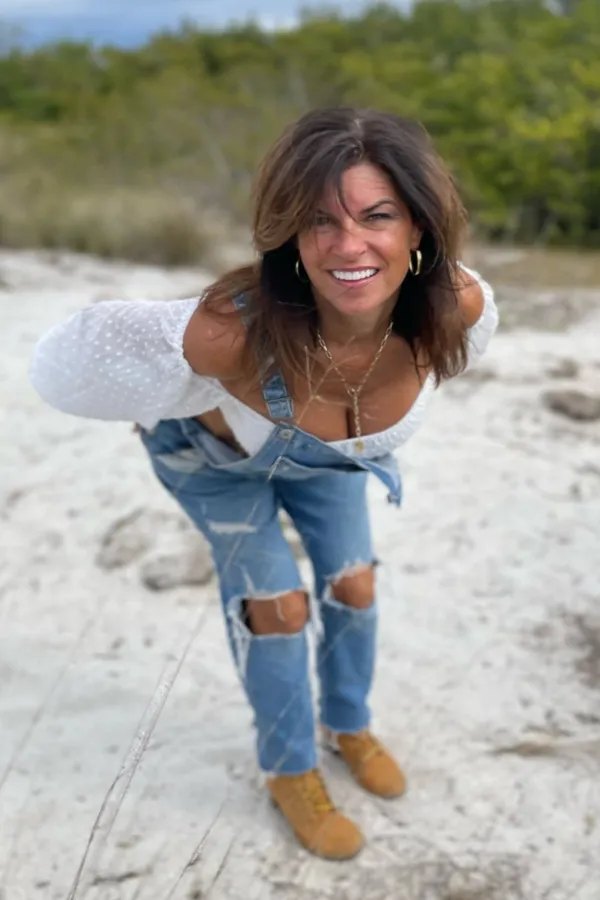
Take your camera outside on an overcast day. Cloud cover acts as a giant natural diffuser, softening light. Stand near greenery, brick walls, or urban architecture, but make sure the background is slightly out of focus. A soft background draws all the attention straight to your face.
2. The Cozy Indoor Aesthetic
Sit on your favorite couch or near a clean desk setup with warm accent lighting in the background. Wear comfortable, textured clothing like a chunky knit sweater or a casual jacket. Look slightly away from the camera to capture a candid, unforced expression.
3. The Clean Professional Look
If you need an image for LinkedIn or professional portfolios, wear solid neutral colors and keep jewelry minimal. Stand against a plain, neutral wall indoors or a clean outdoor urban backdrop. Keep your expression warm and approachable with a natural smile.
Editing Without Over-Filtering
Heavy filters and aggressive smoothing make photos look fake and instantly distance you from viewers. The goal of editing is to enhance what's already there, not rewrite your face.
Simple Steps for Clean Edits
- Exposure and Contrast: Lift shadows slightly if your face is too dark, and add a tiny bump of contrast to make your features pop.
- Color Balance: Adjust the temperature slightly cooler or warmer depending on whether your lighting felt too yellow or too blue.
- Crop and Straighten: Ensure your horizon lines in the background are straight and your face is centered for the platform's crop tool.
For a deeper dive into mobile photography composition and framing techniques, check out the Adobe Photography Guide.
Frequently Asked Questions
Why does my profile picture look blurry after uploading?
Platforms automatically compress high-resolution images to save server space. To combat this, export your photo at the exact recommended dimensions for the platform (usually 400x400 pixels for most social sites) and avoid uploading raw files over 10MB.
How do I stop looking awkward in photos?
Give your hands something to do, or hold a prop like a coffee cup, or look just past the camera lens instead of staring directly into it. Moving slightly—like walking slowly or laughing—and taking burst shots helps capture natural expressions instead of a frozen, stiff smile.
What colors should I wear in a profile picture?
Wear colors that contrast with your background and complement your skin's undertones. Jewel tones like emerald, navy, and burgundy pop nicely on camera, while neon colors can reflect harsh color casts onto your skin.
Should I smile with teeth or closed lips?
Both work, but it depends on the mood you want to project. A closed-lip smile reads as calm, mysterious, or professional. A smile with teeth projects high energy, warmth, and approachability. Pick whichever feels most natural to you.



