Skipping the physical trip to the deputy registrar office saves hours of waiting, and the official Ohio BMV Online Services portal handles most standard vehicle and licensing tasks from home. You can renew vehicle registrations, check driving records, update addresses, and even manage digital credentials directly through your browser or mobile device.
Managing your driving record and vehicle registration online requires setting up an OHID account, which acts as the state's secure digital identity provider. Once logged in, you can bypass traditional physical queues entirely for services like license renewals, plate replacements, and official abstract requests.
Creating and Securing Your OHID Account
Before you can access personal records or complete vehicle transactions on the portal, you must create an OHID account. This profile protects your personal information and links your secure data to state systems.
- Navigate to the official portal login page and select the option to create a new account.
- Provide your legal name, date of birth, social security number, and current residential address to verify your identity.
- Set up multi-factor authentication using an email address or mobile phone number to secure future logins.
- Link your existing Ohio driver license or state identification card to pull your personal motor vehicle data into your dashboard.
Protecting this account matters because it holds sensitive personal data and authorizes changes to your vehicle titles and registration statuses. If you forget your login credentials, use the automated recovery tools rather than creating a duplicate profile, which can cause matching errors with state records.
Managing and Renewing Vehicle Registrations via OPLATES
Vehicle registration renewals no longer require a mailed notice or an in-person office visit if your paperwork is up to date. The state's Ohio BMV platform lets you process renewals in minutes.
- Timing: You can renew your passenger vehicle registration up to ninety days before its expiration date.
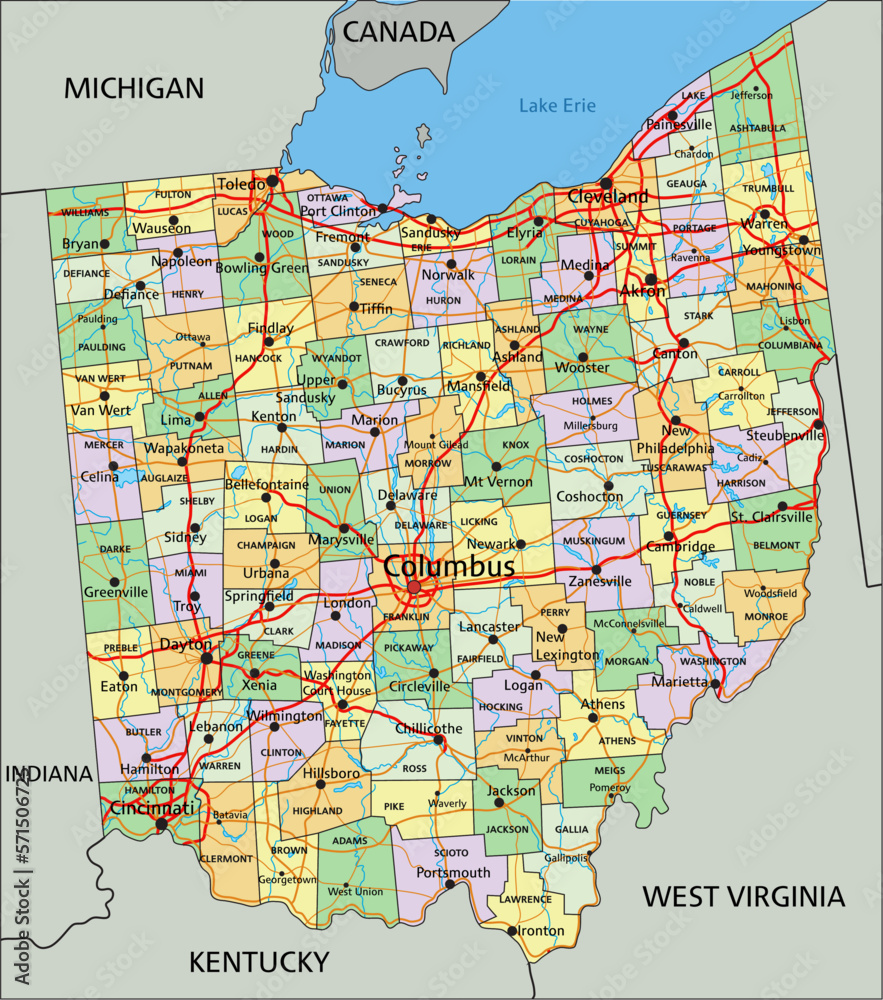
- Emissions Testing: If your vehicle is registered in a county that requires E-Check (such as Cuyahoga, Geauga, Lake, Lorain, Medina, Portage, or Summit), you must pass the test before the online system will let you complete the renewal.
- Insurance Requirements: You must confirm active proof of financial responsibility, meaning your vehicle is covered by valid liability insurance matching state minimum limits.
- Fees: Payments can be made via credit or debit card, which incurs a standard processing percentage fee, or through an electronic check tied to your bank account.
Once payment clears, the system issues a receipt, and your validation sticker and updated registration card arrive by mail within a week. For immediate sticker printing, you can use physical BMV Express self-service kiosks located in grocery stores and shopping centers across the state.
Accessing and Reviewing Your Ohio Driving Record
Your official driving record, known as an abstract, tracks active points, traffic violations, license suspensions, and crash reports. Employers, insurance companies, and courts often request this information.
You can pull an unofficial or official driving record directly through your online profile dashboard. The system offers two main record types depending on your needs:
- Two-Year Unofficial Record: Displays recent points and minor infractions, ideal for personal review or checking insurance compliance.
- Three-Year or Seven-Year Official Abstract: Certified documents often required for employment background checks, commercial driving positions, or court-mandated driver intervention programs.
Reviewing your record periodically helps you catch reporting errors or monitoring points before they trigger a license suspension. If you spot an incorrect conviction or erroneous point assignment, you must contact the issuing court or the central bureau to request an amendment.
Updating Personal Information and Addresses
Moving within the state requires you to update your residential address with the bureau within thirty days of relocation. Failing to update your address can result in missed renewal notices, late fees, and administrative complications during traffic stops.
- Log into your profile and select the address change module.
- Enter your new street address, city, zip code, and county of residence.
- Indicate whether your mailing address differs from your physical residential address.
- Submit the update to instantly modify your state database profile.
Updating your address online modifies your vehicle records immediately. If you also need an updated physical credential showing your new address, you can request a duplicate driver license or ID card reprint through the portal for a standard replacement fee.
Common Mistakes to Avoid Online
Navigating state portals smoothly requires avoiding a few frequent pitfalls that cause transaction rejections or payment errors.
- Using Outdated Browsers: The portal requires modern, updated web browsers with JavaScript enabled. Using unsupported legacy browsers often results in frozen checkout screens or dropped sessions.
- Mismatched Names: If you recently changed your legal name due to marriage or court order, update your Social Security administration records first. Trying to renew online with a name that doesn't match federal databases will lock your account.
- Ignoring E-Check Timelines: Waiting until the final day of your registration month to complete an E-Check test can delay your renewal, as electronic test results sometimes take up to twenty-four hours to sync with the database.
Frequently Asked Questions
Can I renew a commercial driver license online?
Yes, certain standard commercial driver license renewals are supported online if you meet specific medical certification and vision screening criteria, though hazardous materials endorsements still require in-person background checks and fingerprinting.
What should I do if my registration renewal payment fails?
Verify that your billing address matches the card on file exactly. If the payment error persists, contact your bank to ensure they haven't flagged the state government portal transaction for fraud protection.
How do I add my credentials to my phone?
You can set up your digital credential by downloading the official Ohio Mobile ID app or linking your state ID to a supported smartphone wallet app through your secure profile dashboard.
Can I transfer a vehicle title completely online?
Simple electronic title transfers can be initiated through the Ohio Title Portal, but complex sales involving paper titles or lienholders often require processing through a county clerk of courts title office.


