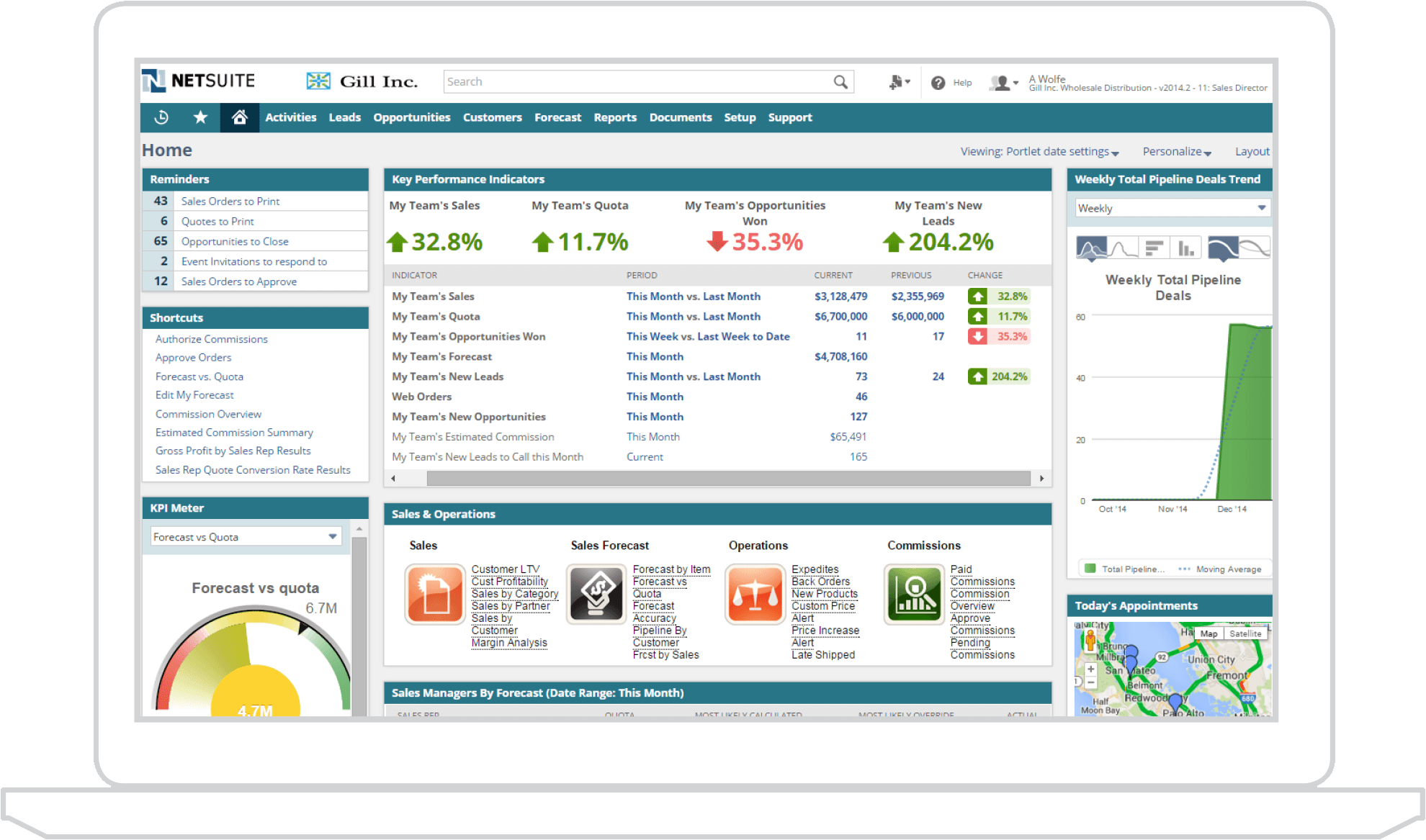
When evaluating cloud software, leaders often hit a wall trying to categorize Oracle NetSuite: is it a customer relationship management tool or an enterprise resource planning platform? The short answer is that NetSuite is built primarily as an ERP system, but it includes native CRM capabilities on the exact same database. Choosing between them isn't an either-or proposition. Instead, understanding how these modules interact helps organizations bridge the gap between front-office sales and back-office accounting without dealing with fragile third-party integrations.
Many growing companies struggle with disconnected software stacks where sales reps look at one database and finance teams look at another. This separation creates data silos, delayed invoicing, and fragmented customer histories. Let's break down how NetSuite handles both functions, where each system shines, and how to figure out what your business actually needs.
Understanding the Core Definitions
To figure out what NetSuite offers, you have to separate back-office operational controls from front-office customer interactions. They serve entirely different masters within your organization.
What ERP Platforms Do
An ERP system manages the foundational engine of your business. It tracks money, materials, and headcount. Core functions include general ledger accounting, accounts payable and receivable, inventory control, procurement, supply chain tracking, and human resources.
- Primary objective: Optimize operational efficiency, automate financial closes, and maintain regulatory compliance.
- Target users: Chief financial officers, accountants, warehouse managers, and operations directors.
- Data focus: Transactional accuracy, asset management, and cost control across departments.
What CRM Platforms Do
A CRM system tracks every interaction between your company and your market. It handles lead generation, sales pipeline tracking, marketing automation campaigns, customer service ticketing, and quote creation.
- Primary objective: Shorten sales cycles, boost conversion rates, and improve post-purchase client retention.
- Target users: Sales representatives, account executives, customer support agents, and marketing specialists.
- Data focus: Communication history, demographic preferences, and touchpoint tracking.
NetSuite Architecture: How CRM and ERP Coexist
NetSuite was built from the ground up as a unified cloud application. Unlike platforms created through sudden software acquisitions, NetSuite runs its ERP and CRM on a single code base and shared database.
When a sales rep closes an opportunity inside NetSuite CRM, that record doesn't need to be synced via middleware to an external accounting system. The customer profile, the sales order, the inventory allocation, and the subsequent invoice generation happen inside the same environment.
Native CRM Features Inside NetSuite
The built-in CRM module covers standard workflows that most growing businesses require:
- Sales Force Automation (SFA): Tracks leads, estimates, opportunities, and forecasts.
- Customer Service Management: Manages support cases, return merchandise authorizations (RMAs), and service level agreements.
- Marketing Automation: Segments customer lists, runs email campaigns, and tracks web lead conversion metrics.
Native ERP Features Inside NetSuite
The ERP side manages the heavy operational lifting:
- Financial Management: Handles multi-currency general ledgers, fixed assets, and revenue recognition.
- Order Management: Connects quotes directly to fulfillment, shipping, and billing.
- Supply Chain and Inventory: Monitors stock levels across multiple warehouses with automated reordering triggers.
Comparing NetSuite CRM vs Standalone Alternatives
While having everything in one system sounds ideal, you need to weigh platform consolidation against specialized depth.
NetSuite CRM vs Salesforce
Salesforce remains the market leader for standalone CRM solutions. It offers an immense app exchange ecosystem, advanced marketing automation tools, and highly customizable pipelines for complex global enterprises.
If your business relies on heavy, multi-tiered B2B sales cycles with intricate territory management, Salesforce often provides deeper capabilities than NetSuite's native CRM. However, pairing Salesforce with NetSuite requires a dedicated integration connector, which introduces ongoing maintenance costs and potential synchronization errors.
NetSuite ERP vs Quickbooks or Sage
For small businesses scaling out of entry-level accounting tools like QuickBooks, NetSuite ERP represents a massive leap in operational control. While QuickBooks handles basic bookkeeping, it breaks down when managing complex inventory, multi-entity consolidation, or automated billing schedules. NetSuite replaces fragmented spreadsheets and disparate point solutions with a single source of truth.
Common Evaluation Mistakes to Avoid
Businesses often stumble during software selection because they focus on short-term fixes rather than long-term architecture.
- Treating CRM and ERP as separate islands: Buying a front-office tool without considering how it links to your general ledger creates massive administrative overhead later.
- Overbuying specialized features: Don't pay for enterprise-grade sales customization if your team only needs basic pipeline tracking and clean invoicing.
- Underestimating data migration: Moving historical customer records and financial ledgers requires rigorous cleaning before import, regardless of the cloud platform you choose.
Phased Implementation Strategy
Implementing a unified platform all at once can overwhelm internal teams. Successful organizations typically roll out NetSuite in strategic phases:
- Stabilize the Back Office: Go live with NetSuite ERP first. Lock down core accounting, general ledger structures, and basic item masters to ensure financial reporting is accurate.
- Launch Front-Office CRM: Once financial operations run smoothly, activate the NetSuite CRM module to bring sales pipelines and customer service records into the same environment.
- Automate End-to-End Workflows: Configure automated triggers using tools like SuiteFlow to pass data seamlessly from lead creation to final cash collection.
Frequently Asked Questions
Can NetSuite completely replace Salesforce?
Yes, for many small to mid-sized businesses, NetSuite's native CRM handles everyday sales pipelines, customer support cases, and marketing lists adequately without needing a separate tool. Organizations with ultra-complex, global sales hierarchies often choose to keep Salesforce and integrate it using native connectors.
Do I have to buy both the CRM and ERP modules?
No. NetSuite's modular architecture lets you license components based on your current operational maturity. Many companies start with financial and inventory modules and add CRM licenses later as their team grows.
How long does a typical NetSuite implementation take?
Implementation timelines vary based on company size and data complexity, but most mid-market deployments take anywhere from three to six months.
Does NetSuite support ecommerce operations?
Yes, NetSuite offers SuiteCommerce, a native ecommerce module that connects B2B and B2C storefronts directly to your inventory and financial records.



