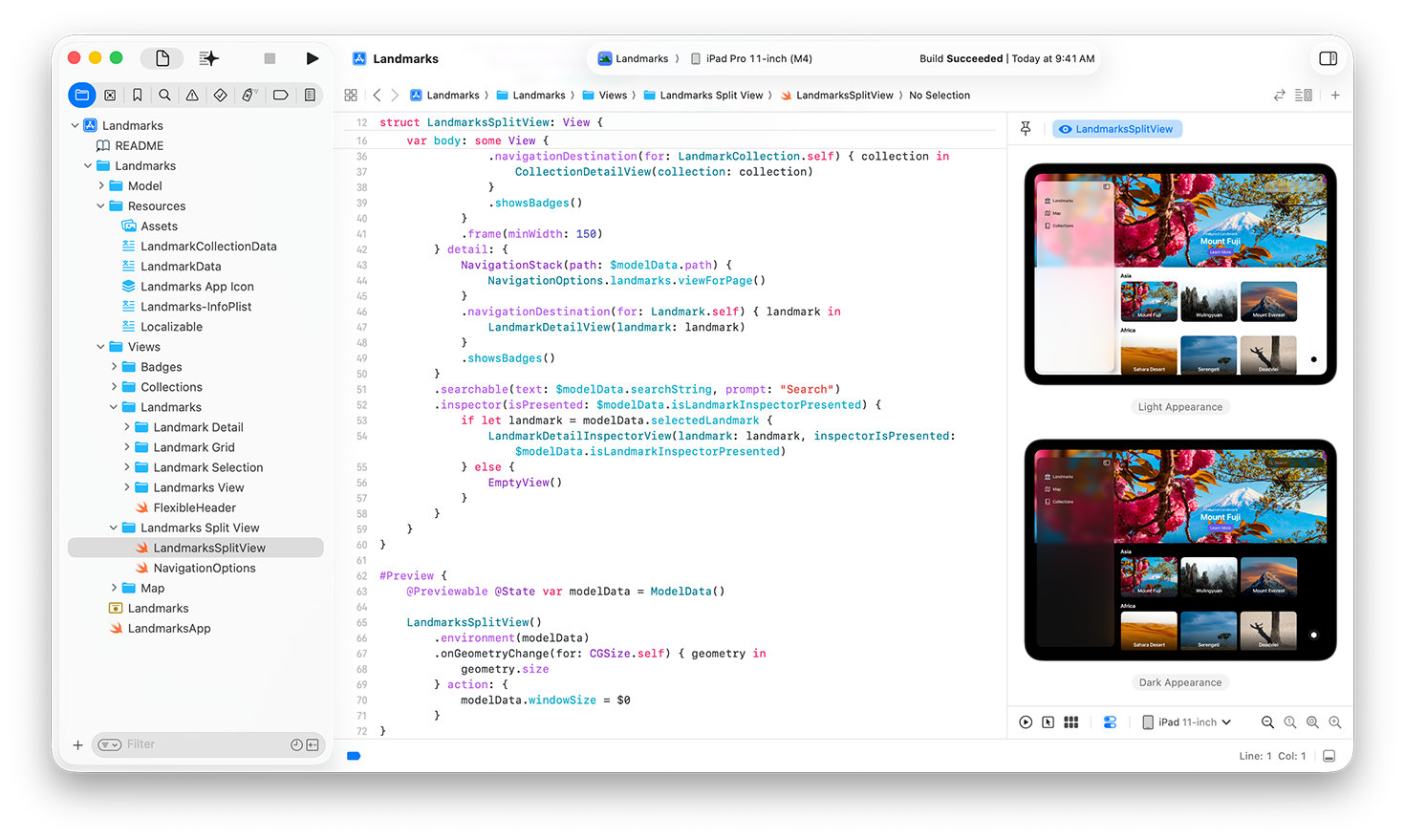
Landing your first software engineering job or trying to level up your career often comes down to one core asset: a standout developer portfolio. MyPortfolio UMD is an open-source portfolio starter kit designed to help developers build professional personal sites quickly, establish a strong online identity, and streamline the job hunt. Instead of spending weeks wrestling with CSS grids and boilerplate design from scratch, you can use this template to showcase projects, highlight technical skills, and point recruiters straight to your best work.
When you're competing against hundreds of applicants for a single junior or mid-level position, having a clean, fast, and accessible portfolio sets you apart. This guide breaks down how to set up MyPortfolio UMD, customize it for your unique brand, optimize it for technical recruiters, and use it as a centerpiece for your active job search.
What is MyPortfolio UMD?
MyPortfolio UMD is a modular, open-source template tailored for programmers, data scientists, and IT professionals. Built with modern web technologies, it provides a structured layout for displaying your resume, GitHub repositories, featured case studies, and contact details.
The primary advantage of an open-source kit like this is ownership and flexibility. Unlike closed website builders that lock you into monthly subscription fees or rigid layouts, an open-source repository lets you host your site for free on platforms like GitHub Pages or Vercel, modify every line of code, and add custom features as your technical stack evolves.
Core Features and Architecture
The starter kit comes pre-configured with several essential components:
- Project Showcase Grid: Dedicated sections to highlight your top three to four projects with descriptions, tech stack badges, and direct links to live demos and source code.
- Integrated Blog or Notes Section: A lightweight space to document your learning journey, write technical tutorials, or share reflections on code architecture.
- Dark and Light Modes: Out-of-the-box theme toggling that respects user system preferences, showing you understand modern frontend UX standards.
- Responsive Layout: Mobile-first CSS ensures your portfolio looks sharp whether a hiring manager views it on an ultraviolent monitor or an iPhone during their commute.
Setting Up Your Portfolio Locally
Getting the template running on your local machine takes just a few minutes if you have Node.js and Git installed.
First, fork or clone the repository from its official source control page. Open your terminal and run the standard installation commands:
- Clone the repository to your local machine using
git clone [repository-url]. - Navigate into the project directory with
cd myportfolio-umd. - Install the required dependencies by running
npm installoryarn install. - Start the local development server using
npm run devto see the live preview in your browser.
Once the development server runs, you'll see a hot-reloading preview at localhost:3000 or a similar local port. Any changes you make to the markdown files or configuration JSON will update instantly on your screen.
Customizing Your Content for Maximum Impact
Recruiters spend less than ten seconds scanning an initial portfolio. If your site greets them with generic filler text or broken links, they'll close the tab immediately.
Crafting a Compelling Hero Section
Your hero section is the first thing visitors see. Ditch vague statements like "Hi, I am a coder who loves building things." Instead, state your exact value proposition clearly.
State your primary domain—such as Full-Stack Web Developer or Backend Systems Engineer—and mention the core languages you use, like TypeScript, Python, or Go. Keep your headline concise and follow it immediately with a primary call to action button linking to your projects or resume.
Curating Your Project Showcase
Don't list every trivial script or tutorial assignment you've ever completed. Quality trumps quantity every single time. Select three to four robust projects that demonstrate different skill sets:
- The Flagship Project: A full-stack application with authentication, database integration, and third-party API usage.
- The Problem Solver: A utility tool, CLI app, or automation script that solves a real-world annoyance.
- The Team Effort: A collaborative project where you contributed to a shared codebase, demonstrating Git workflow and code review experience.
For each project, include a short paragraph explaining the architectural problem, your specific contributions, the hurdles you overcame, and measurable results where possible (e.g., "reduced query latency by 40%").
Optimizing for Technical Recruiters and ATS
Your portfolio doesn't live in a vacuum. It needs to work hand-in-hand with your resume and LinkedIn profile.
Performance and Accessibility
Hiring managers and senior engineers will often check your site's performance out of professional curiosity. Run Google's Lighthouse audit in your browser's developer tools. Aim for green scores across performance, accessibility, best practices, and SEO. Optimize your images by converting PNG assets to WebP formats and keep bundle sizes small.
Clear Contact Paths
Make it effortless for hiring managers to reach out. Include a functional contact form, a direct email address (consider using a professional domain if possible), and clear links to your active GitHub profile and LinkedIn account. Avoid embedding obscure social media links that distract from your professional identity.
Common Pitfalls to Avoid
Even with a great starter kit, developers often make mistakes that hurt their job hunt. Watch out for these common traps:
- Over-Engineering the Design: Spending three weeks tweaking CSS animations while your project section remains blank. Focus on content first, visual flair second.
- Broken Demo Links: Always test your live project links before sharing your portfolio. A 404 error on your main project kills credibility instantly.
- Outdated Tech Stacks: If your portfolio highlights libraries or frameworks that were deprecated five years ago without noting your modern skills, you project stagnation rather than growth.
- Ignoring Mobile Users: Skipping mobile responsiveness checks. A massive percentage of initial resume screening happens on mobile devices during travel or breaks.
Frequently Asked Questions
Do I need to know React to use MyPortfolio UMD?
It depends on the specific branch or version of the starter kit you clone. Many modern developer templates use React or Next.js, while others rely on static HTML and CSS. Check the repository's README.md file for prerequisites before you start building.
How often should I update my portfolio?
You should update your portfolio whenever you ship a significant new project, learn a major framework, or complete a certification. Don't let your site sit static for years; regular commits to your portfolio repository show you're actively coding.
Is an open-source template better than a paid website builder?
Open-source templates give you complete control over your code, hosting costs nothing, and the process of setting up and deploying the site acts as a practical demonstration of your git and deployment skills. Paid builders often limit customization and add unnecessary bloat.
What should I do if I don't have work experience yet?
Highlight personal projects, open-source contributions, hackathon entries, or freelance work. Frame every project like a professional case study by explaining the user requirements, technical constraints, and how you solved them.