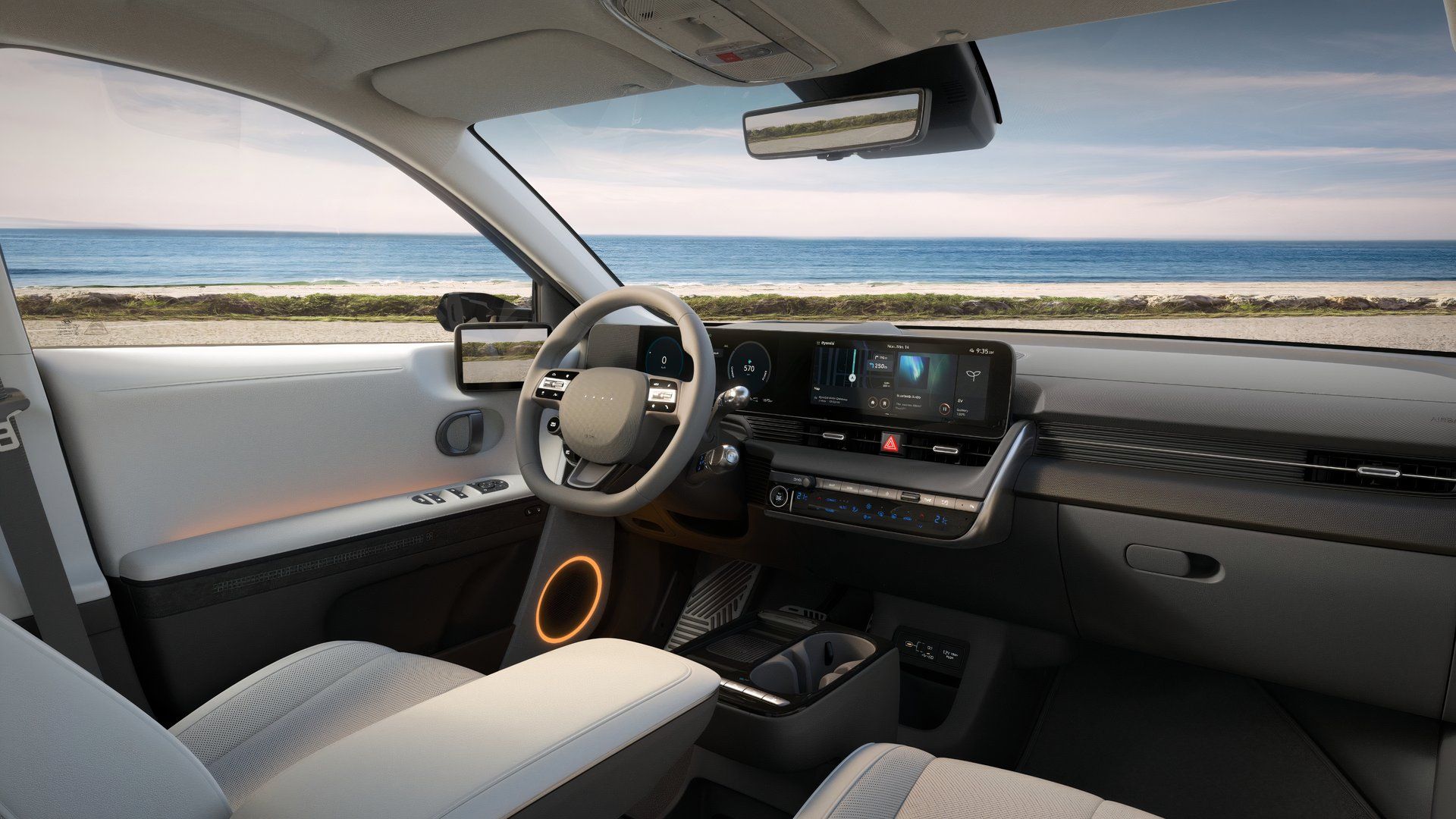
Understanding Multimodal Human Computer Interaction
Multimodal human-computer interaction combines multiple input and output channels—such as speech, touch, gaze, gestures, and haptics—into a single unified computing experience. Traditional computer interfaces rely primarily on a keyboard and a mouse, forcing humans to adapt to rigid hardware constraints. Multimodal systems flip this paradigm by letting people interact naturally using the same sensory combinations they use in everyday communication.
When you speak to a navigation system while pointing at a map on a screen, you're using a multimodal interface. The system processes your voice and your physical gesture simultaneously to resolve context. Building these systems requires complex sensor fusion algorithms and careful UI design to prevent cognitive overload. If you're designing digital products or studying interactive systems, understanding how these modalities integrate is essential for creating intuitive experiences.
Core Modalities in Modern Interface Design
Modern multimodal systems blend several distinct sensory channels. Each modality handles specific types of user input, offering unique advantages depending on the context of use.
Speech and Voice Recognition
Voice input allows users to issue commands and dictate text naturally. Natural language processing models parse spoken words, converting acoustic signals into machine-readable intent. Voice excels when hands and eyes are busy, such as driving a car or operating industrial machinery. However, voice input struggles in noisy environments and lacks privacy in public spaces. To see the full picture, check out the detailed report by Wired.
Touch and Gesture Control
Touchscreens, trackpads, and spatial gesture tracking let users manipulate digital objects directly. Gestures range from simple finger swipes on a smartphone to complex mid-air hand tracking using depth sensors like infrared cameras. This modality provides immediate spatial feedback, making it ideal for drawing, 3D modeling, and menu navigation.
Gaze Tracking and Eye-Controlled UI
Eye-tracking hardware monitors where a user looks on a display. Gaze data helps systems predict user intent before a click occurs, pre-loading data or adjusting focus areas. In assistive technologies, eye-tracking enables individuals with severe motor impairments to type, browse, and control their environment using only their eyes.
Haptic Feedback and Tactile Output
Haptics deliver tactile responses through vibrations, force feedback, and texture simulation. While most modalities focus on user input, haptics enhance system output. They confirm actions, simulate physical textures, and provide directional warnings without requiring visual attention.
How Sensor Fusion Powers Multimodal Systems
Sensor fusion is the technical engine behind multimodal interaction. It combines data from disparate hardware sensors to create a coherent understanding of user intent.
Building a reliable fusion engine involves three core processing stages:
- Signal level integration: Raw data streams from microphones, cameras, and touch sensors synchronize at the millisecond level to align timestamps.
- Feature level extraction: Algorithms isolate relevant metrics, such as pitch from audio, velocity from gestures, and coordinates from touch points.
- Decision level fusion: Probabilistic models combine these extracted features to determine the most likely command, resolving ambiguities that single-sensor systems miss.
For example, if a user points at a screen and says "delete that icon," speech recognition alone won't know which icon "that" refers to. Gaze tracking or gesture coordinates resolve the ambiguity by pinpointing the exact visual target. According to research by the National Institute of Standards and Technology, combining complementary modalities reduces task error rates by up to forty percent compared to unimodal inputs.
Designing Accessible and Error-Resistant Interfaces
Multimodal design inherently improves accessibility, but it introduces unique UI challenges. When systems accept multiple inputs simultaneously, users can make conflicting inputs by accident. Designers must establish clear priority hierarchies so the system knows whether to prioritize voice, touch, or gaze during overlap.
Feedback loops are another critical design consideration. If a user issues a voice command, the interface must provide visual or haptic confirmation that the system heard and understood the request. Without clear feedback, users repeat inputs, triggering duplicate actions or system errors.
Designers should also support graceful degradation. If a microphone fails or ambient noise disrupts speech recognition, the system should seamlessly fall back to touch or text input without crashing or locking the user out.
Common Pitfalls in Multimodal Implementation
Developers often stumble when building multimodal applications by treating each input channel in isolation rather than as an integrated ecosystem.
- Overloading user attention: Combining too many active outputs, such as loud audio prompts alongside flashing visual alerts, overwhelms cognitive capacity and causes frustration.
- Ignoring latency discrepancies: Voice processing takes longer than physical touch registration. If audio and visual feedback fall out of sync by even a fraction of a second, the interface feels sluggish and unnatural.
- Forcing unnatural combinations: Requiring users to perform complex mid-air gestures for simple tasks that a standard button click handles better destroys usability.
- Neglecting calibration: Systems relying on eye-tracking or custom gesture recognition often fail if they lack quick, automated recalibration tools for different users and lighting conditions.
Frequently Asked Questions
What is the primary advantage of multimodal interaction over traditional interfaces?
Multimodal interaction lets users choose the most natural input method for their current environment and task. It reduces physical strain, speeds up complex operations, and makes digital systems accessible to a broader range of users.
How do multimodal systems handle conflicting user inputs?
Systems use weighted probabilistic algorithms and context rules to resolve conflicts. For instance, if a user touches one menu item while speaking a different command, the system evaluates user focus, gaze direction, and historical patterns to determine the intended action or prompts the user for clarification.
Are multimodal systems difficult to develop for standard web applications?
While modern web APIs support speech recognition, touch events, and gamepads natively, integrating advanced spatial gestures, eye-tracking, and complex sensor fusion requires specialized middleware and hardware access that goes beyond standard browser capabilities.
Which industries benefit the most from multimodal HCI?
Healthcare, automotive, aviation, and virtual reality benefit immensely. Surgeons, pilots, and drivers operate in high-load environments where hands-free voice commands and haptic warnings improve safety and performance.



