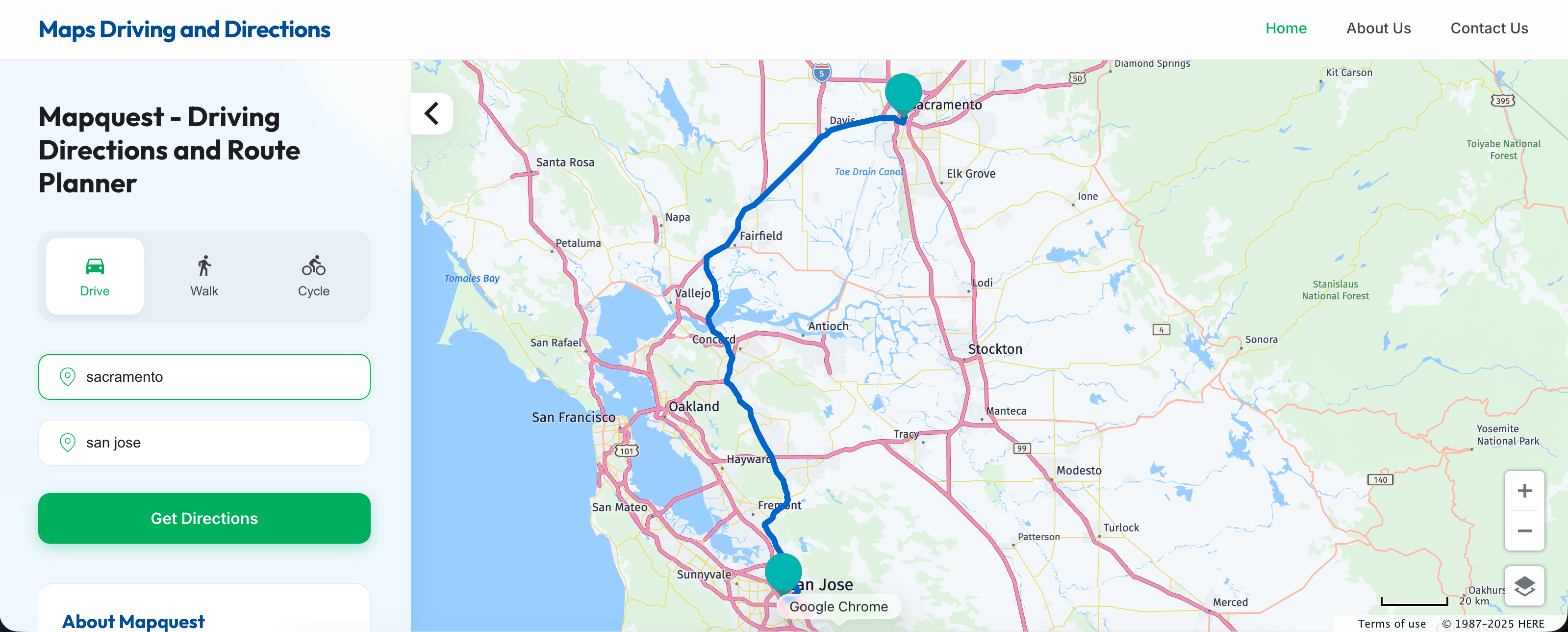
MapQuest driving directions remain a functional alternative to modern navigation apps, offering a clean layout and straightforward routing for drivers who want a classic desktop trip-planning experience. Launched back in 1996 as the first commercial mapping service on the web, MapQuest predates smartphone GPS by a decade. While services like Google Maps and Waze dominate mobile screens today, MapQuest still processes millions of routes annually. It appeals to users who prefer a clutter-free interface, printable turn-by-turn text directions, and straightforward multi-stop route planning without algorithmic tracking or heavy battery drain.
Using MapQuest effectively requires understanding both its strengths and limitations compared to modern apps. While it lacks the hyper-frequent crowdsourced hazard alerts of Waze, it provides reliable baseline routing, fuel cost estimation tools, and hotel booking integration. Whether you're planning a cross-country road trip on a desktop computer or need a quick backup map on your mobile browser, knowing how to leverage its specific features can save you time and hassle.
Core Features That Set MapQuest Apart
While most smartphone users default to pre-installed apps, MapQuest retains a distinct set of tools that make it worth bookmarking. It isn't just a relic of the dial-up era; it has adapted to include modern conveniences while keeping its signature simplicity.
Printable Turn-by-Turn Directions
One of MapQuest's most enduring features is its clean, text-based routing sheet. If you prefer holding a physical list of turns or need to hand directions to a delivery driver or guest who doesn't have a smartphone, MapQuest generates a clean print layout. You can strip away ads and extraneous graphics with a single click, leaving you with mileage counts, exact street names, and estimated driving times.
Built-In Fuel Cost Estimator
Road trips come with variable expenses, and gas prices fluctuate by region. MapQuest includes an integrated fuel cost calculator that estimates your total fuel expenditure based on your vehicle's estimated miles per gallon (MPG) and current local gas prices along your route. This helps you budget accurately before you turn the ignition key.
Multi-Stop Route Optimization
If you're running errands, managing a delivery route, or planning a vacation with multiple sightseeing stops, MapQuest allows you to add multiple destinations. Its trip planner lets you reorder stops manually or optimize the route automatically to find the most efficient sequence, minimizing backtracking and saving fuel.
How to Get the Best Results From MapQuest
Getting accurate directions from MapQuest comes down to knowing how to input your parameters correctly. Because it relies on robust mapping data from OpenStreetMap and other providers, its underlying accuracy is high, but user habits dictate the quality of the trip.
Planning on Desktop vs. Mobile
MapQuest shines brightest when used on a desktop browser. While it offers mobile apps for iOS and Android, the desktop experience provides a larger canvas for viewing entire road trips, checking alternative routes side by side, and booking hotels or finding restaurants along the way. If you're mapping out a complex vacation itinerary, building it on a computer and saving it to your account is much easier than pinching and zooming on a small phone screen.
Customizing Route Preferences
Before you hit "Get Directions", take a second to look at the route options toggle. MapQuest allows you to avoid highways, toll roads, and international borders. If you hate driving on fast-paced interstate freeways or want to dodge expensive toll booths on your daily commute, checking these boxes ensures the tool generates a scenic or budget-friendly alternative route.
Common Mistakes to Avoid
Even though MapQuest is straightforward, users often run into trouble by overlooking a few operational quirks.
- Ignoring live traffic layers: While MapQuest does show traffic incidents and congestion delays, its real-time rerouting isn't as aggressive or instantaneous as Waze. Don't rely on it blindly if you're driving through a major metropolitan rush hour without checking the live traffic toggle first.
- Failing to save or share routes: If you close your browser tab without creating a free MapQuest account or emailing the route link to your phone, your custom multi-stop itinerary will disappear. Always send the directions to your mobile device or print them out before leaving your desk.
- Overlooking vehicle specs for fuel estimates: The default gas mileage in the fuel calculator is an average estimate. If you're driving a heavy truck or an older sedan, update the MPG settings in the trip planner to get an accurate cost breakdown.
Frequently Asked Questions
Is MapQuest completely free to use?
Yes, MapQuest is free for both web users and mobile app users. It is supported by display advertising rather than subscription fees.
Can I use MapQuest without an internet connection?
Unlike Google Maps or specialized GPS apps that allow full offline map region downloads, MapQuest requires an active internet connection to load maps and calculate new routes.
How accurate are MapQuest travel time estimates?
MapQuest estimates travel times based on posted speed limits and standard historical traffic data. On clear roads, it's very accurate, but it may underestimate delays during unexpected accidents or severe weather events.
Does MapQuest offer walking and cycling directions?
Yes. Alongside standard car routing, you can toggle between pedestrian and bicycle icons to get paths optimized for foot traffic and bike lanes.


