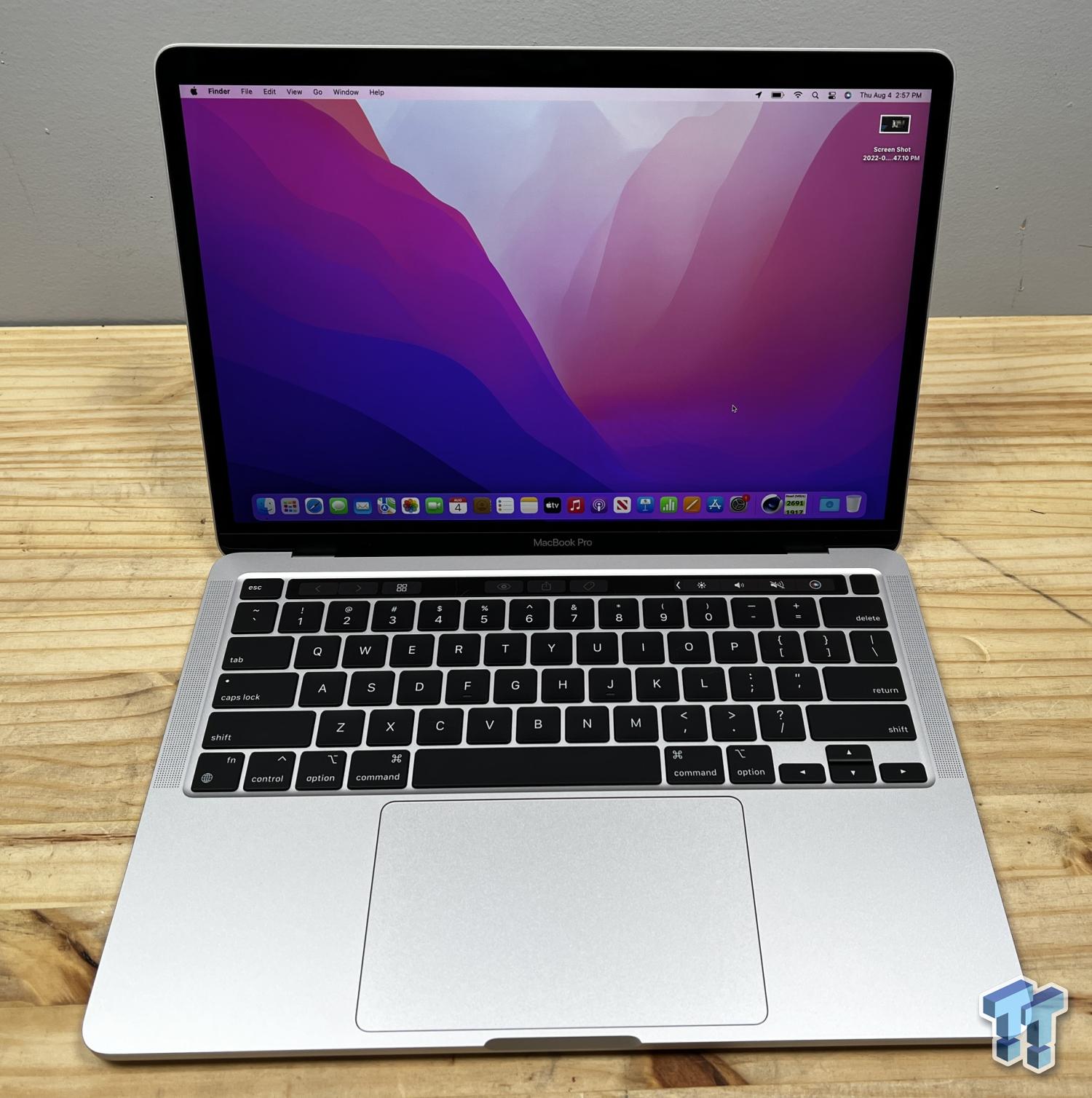
Choosing between a used or refurbished MacBook Pro M1 and a MacBook Pro M2 comes down to a tight margin of processing headroom, memory configurations, and price. If you want a direct answer, buy the MacBook Pro M1 if you are on a strict budget and need reliable performance for everyday tasks, web development, or writing. Choose the MacBook Pro M2 if you require up to 24GB of unified memory, faster media encoding, and a slightly higher resale longevity. Both machines retain the controversial Touch Bar and active cooling fans, distinguishing them from fanless Air models, but their internal silicon generations carry distinct trade-offs.
Architecture and Performance Differences
Apple built both the M1 and M2 chips on a 5-nanometer process, but the second-generation silicon brings architectural refinements. The standard M1 chip features an 8-core CPU (four performance cores and four efficiency cores) paired with an 7-core or 8-core GPU. The M2 retains the 8-core CPU layout but pumps up the transistor count to 20 billion—about 25 percent more than the M1—and scales the GPU up to 10 cores.
In real-world terms, synthetic benchmarks and day-to-day tests show that the M2 delivers roughly 18 percent faster CPU performance and up to 35 percent faster graphics performance than its predecessor. Single-core tasks feel snappy on both, but compiling code, rendering 3D assets, or exporting video timelines finish noticeably faster on the M2 model.
However, if you push either laptop into prolonged heavy workloads, the internal cooling fan kicks in. Because both the M1 and M2 13-inch MacBook Pro chassis designs are identical, thermal throttling behaves similarly. Neither machine will sustain peak multi-core bursts indefinitely, but the M2 completes intensive jobs faster before throttling sets in.
Memory Bandwidth and Unified Memory Caps
Memory configuration represents one of the most practical differences between these two generations. The base M1 MacBook Pro maxes out at 16GB of unified memory with a memory bandwidth of roughly 68.2 GB/s. For standard multitasking, office suites, and casual media consumption, 16GB remains entirely functional.
The M2 raises the ceiling. It supports up to 24GB of unified memory and pushes memory bandwidth to 100 GB/s—a roughly 50 percent increase. If you run heavy virtual machines, work with massive audio sample libraries, or edit high-resolution photo batches, the option to configure 24GB of RAM on the M2 model provides an essential safety net against swapping memory to disk.
Display, Build, and Daily Usability
Externally, you will struggle to tell the two laptops apart. Both feature the same 13.3-inch Retina display capped at 500 nits of brightness, wide P3 color support, and True Tone technology. They share the same aluminum wedge chassis, stereo speakers, studio-quality microphones, and the polarizing Touch Bar above the keyboard.
Apple kept the exact same 720p FaceTime HD camera for both models. While the M2 benefits from an updated image signal processor that slightly reduces noise in low light, video quality remains subpar compared to the 1080p cameras found on newer MacBook Air and Pro iterations.
Ports remain identical as well: two Thunderbolt / USB 4 ports and a headphone jack. Neither machine supports native multi-monitor setups out of the box without specialized display link adapters, mirroring the hardware limitations of Apple's base silicon era.
Battery Life and Power Efficiency
Apple's custom silicon excels at power efficiency, but incremental updates to the M2 yield minor gains in longevity. The M1 MacBook Pro delivers up to 17 hours of web browsing or video playback under optimal conditions. The M2 MacBook Pro stretches that figure closer to 20 hours, aided by more efficient core scaling.
In practical everyday workflows—such as keeping thirty browser tabs open, streaming music, and running Slack or Notion—both laptops easily clear a full workday without touching a charger. Charging speeds are comparable, though the M2 package typically ships with a slightly larger 67W power adapter compared to the 61W brick bundled with early M1 units.
Common Mistakes to Avoid
Buyers navigating the refurbished and used markets often fall into specific traps when comparing these machines. Keep these pitfalls in mind before dropping cash:
- Paying M2 prices for base RAM: Avoid buying an 8GB M2 MacBook Pro if you handle heavy workflows. An 8GB machine bottlenecks quickly under modern browser loads and multitasking. Look for 16GB configurations on either chip.
- Confusing the 13-inch Pro with Pro chips: Remember that the 13-inch MacBook Pro M1 and M2 use base-tier processors. They do not feature the M1 Pro or M2 Pro chips, meaning port selection, active cooling design, and multi-monitor support differ drastically from the 14-inch and 16-inch professional variants.
- Overpaying for marginal speed: If you primarily write, code light web apps, or manage spreadsheets, the 18 percent CPU bump on the M2 rarely justifies a steep price premium over a clean, discounted M1 model.
Frequently Asked Questions
Can the MacBook Pro M1 and M2 drive dual external displays natively?
No. Both the base M1 and base M2 MacBook Pro models officially support only one external display up to 6K resolution at 60Hz via Thunderbolt. Connecting two external monitors requires third-party DisplayLink docks or adapters.
Do these laptops still receive macOS software updates?
Yes. Apple continues to support both generations with major macOS upgrades, though older hardware generations naturally move closer to the end of their support lifecycle sooner than newer silicon releases. Check the Apple Support official page for current compatibility lists.
Is the Touch Bar worth keeping on these models?
The Touch Bar is a polarizing feature. Some users appreciate the customizable shortcut strips and dynamic app controls, while others prefer physical function keys. Because both the 13-inch M1 and M2 MacBook Pro retain the Touch Bar, your choice here depends entirely on personal preference.
Which model offers better long-term resale value?
The M2 model generally holds its market value better simply because it launched later and supports up to 24GB of RAM. However, because the M1 is cheaper upfront on the secondary market, its depreciation curve has largely flattened, making it a budget-friendly option with minimal future loss.



