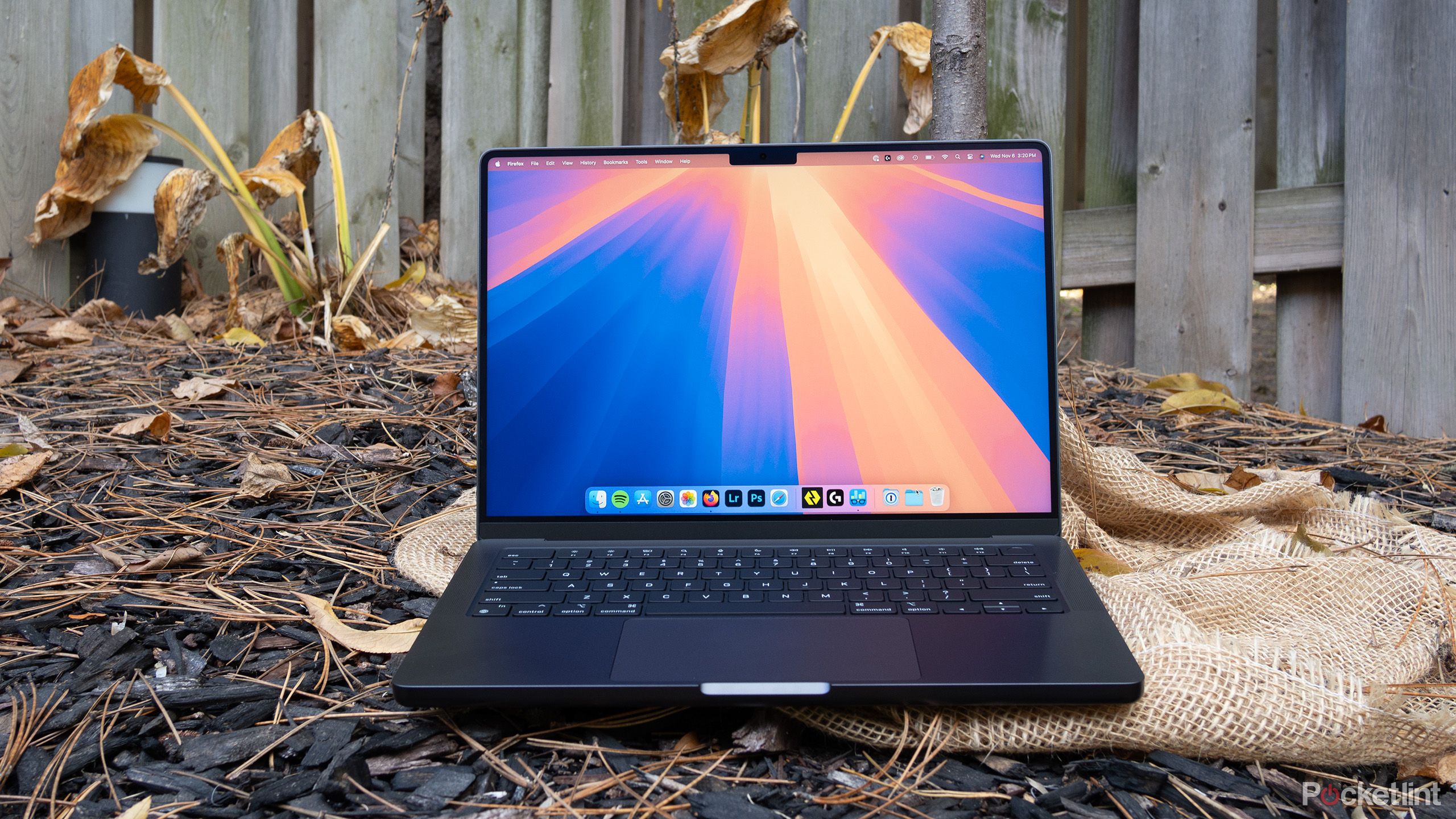
Choosing between a mid-2014 and an early/mid-2015 Retina MacBook Pro comes down to a few hidden hardware differences that change everyday usability. If you're shopping the used market for an affordable legacy laptop, you'll find that these machines share the same aluminum chassis and iconic keyboard travel, but they diverge significantly in trackpad technology, internal storage speeds, and graphics performance.
The 2015 model generally edges out its predecessor due to its pressure-sensitive trackpad and faster solid-state drive architecture. However, the 2014 version often sells for a lower price while delivering nearly identical multi-core processing speeds for basic tasks. Let's break down where these two classic laptops stand apart and which one fits your workflow.
Trackpad Technology and Physical Feel
The single most noticeable physical difference between these two generations sits right beneath your palms. Apple introduced the Force Touch trackpad with the 2015 MacBook Pro lineup, replacing the traditional mechanical hinge design found on the 2014 model.
The 2014 trackpad clicks physically, offering more resistance near the top edge because of its mechanical hinge. The 2015 version doesn't actually move downward when you press it. Instead, it uses a system of Taptic Engine actuators to simulate physical clicks through vibration feedback, allowing you to click with uniform resistance anywhere on the glass surface.
Beyond feel, the 2015 trackpad introduces Force Click functionality, letting you press deeper to look up definitions, preview files, or fast-forward through video timelines in QuickTime. If you rely heavily on gestures and modern navigation shortcuts, the 2015 trackpad offers a substantially better daily experience. If you prefer a traditional mechanical click, the 2014 model feels fine, though it lacks that modern haptic polish.
Storage Speeds and Internal Upgrades
Under the hood, Apple made a quiet but critical adjustment to the PCI Express storage bus. The 13-inch and 15-inch 2014 MacBook Pro models utilize a 2-lane PCIe 2.0 interface for their flash storage. The 2015 models upgraded this architecture to a faster 4-lane PCIe configuration (with the 15-inch scaling up further to faster data transfer rates), effectively doubling the maximum read and write speeds of the stock internal drive.
This speed difference matters if you transfer massive files, edit video locally, or boot resource-heavy applications. However, a major caveat exists for secondhand buyers: both generations use proprietary blade SSD slots. You can replace the internal storage on either machine using adapters and standard NVMe drives, but the 2015 model will extract maximum throughput from upgraded third-party drives right out of the box.
For more details on hardware longevity, you can check the official Apple Support archives for vintage device specifications.
Processor Generations and Graphics
The silicon inside these machines represents an architectural shift from Intel's Haswell generation (2014) to the Broadwell generation (2015).
- 2014 Processors: Powered by Haswell dual-core (13-inch) or quad-core (15-inch) chips paired with Intel Iris 5100 or Iris Pro 5200 graphics.
- 2015 Processors: Powered by Broadwell chips (on the 13-inch models) with Intel Iris Graphics 6100, which yield roughly a twenty percent bump in synthetic graphics performance over the older Intel HD graphics.
For everyday web browsing, writing, and administrative tasks, you won't notice a functional speed gap between an i5 2014 model and an i5 2015 model. Multi-core tasks on the 15-inch quad-core configurations remain snappy on both, though the 2015 integrated graphics handle minor graphical loads and multiple external monitors with slightly less thermal throttling.
Operating System Support and Longevity
Official software support has ended for both machines, meaning neither model receives native updates to the latest macOS releases from Apple.
The 2014 MacBook Pro officially stopped receiving major updates at macOS Big Sur, while the 2015 model stretched slightly further to macOS Monterey. Because both are out of support, running them safely today often requires third-party patchers like OpenCore Legacy Patcher if you need modern software compatibility. Without patches, browser support and security updates will gradually phase out, making these machines best suited for offline workflows, lightweight coding, writing, or media consumption.
Common Mistakes When Buying Used MacBooks
Shopping for a decade-old laptop introduces risks that don't apply to brand-new hardware. Avoid these frequent pitfalls:
- Ignoring battery health: Batteries degrade over time. Many used units sit around with swollen batteries or cycle counts exceeding one thousand. Always check the battery condition in system report settings before purchasing.
- Overpaying for base RAM: Both models feature soldered memory that cannot be upgraded after purchase. Never buy an 8GB model if you intend to run modern virtual machines or heavy IDEs; look specifically for 16GB configurations.
- Overlooking screen coating wear: Many Retina MacBook Pros from this era suffer from "Staingate," a condition where the anti-reflective display coating peels off in patches. Inspect photos of the screen closely when buying online.
- Buying the dual-GPU 15-inch model blindly: Some 15-inch configurations included dedicated AMD graphics alongside the Intel chip. These older discrete GPUs are notorious for solder fatigue and sudden hardware failures; stick to integrated-only models for better reliability.
To research general technology maintenance and hardware safety standards, visit the National Institute of Standards and Technology guidelines on device management.
Frequently Asked Questions
Can I upgrade the RAM on a 2014 or 2015 MacBook Pro?
No. Apple soldered the RAM directly to the logic board on all Retina MacBook Pro models starting in late 2012. Whatever RAM capacity the laptop ships with is what you are stuck with permanently.
Is the 2015 model worth paying fifty dollars more?
Usually, yes. The upgraded trackpad, faster PCIe SSD architecture, and slightly better integrated graphics justify a minor price premium if condition and battery health are equal.
Can these laptops run modern web browsers smoothly?
Yes. Chrome, Firefox, and Safari run fine for standard web browsing, YouTube streaming, and document editing. However, heavy web applications or unoptimized sites can push the older dual-core processors hard, causing fans to spin up quickly.
How do I check the battery cycle count before buying?
Open the Apple menu in the top left corner, select About This Mac, click System Report, and navigate to the Power section. Look for the Cycle Count line to see how many times the battery has been fully discharged and recharged.



