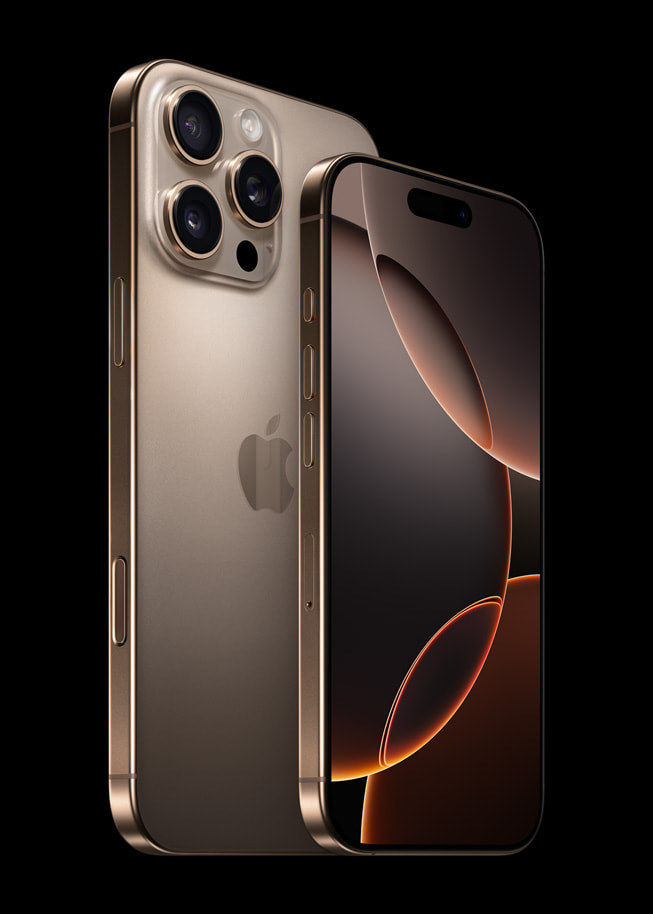
Choosing the right storage tier for an iPhone 13 Pro Max requires looking past marketing jargon and evaluating your actual digital footprint. Because Apple devices don't feature expandable memory slots, the capacity you pick on day one stays with you for the lifetime of the device. Making a mistake means constantly battling "Storage Almost Full" warnings or paying for cloud subscriptions you didn't budget for.
The 13 Pro Max comes in four configurations: 128GB, 256GB, 512GB, and 1TB. Selecting the correct tier depends on how you handle local media, whether you rely on cloud storage, and if you plan to utilize professional video formats like Apple ProRes. If you stream your music, lean on cloud backups, and keep only essential apps installed, the base 128GB tier can work well. However, if you shoot heavy 4K video or hoard offline media libraries, you'll need to step up immediately to avoid heavy buyer's remorse.
Understanding the True Cost of iOS and System Data
When you unbox a new or refurbished phone, you never get the exact gigabyte count printed on the box. Apple’s iOS operating system, pre-installed applications, system logs, and foundational frameworks consume a substantial chunk of local space right out of the gate.
On the iPhone 13 Pro Max, system data and default apps take up roughly 12GB to 17GB before you download a single third-party app. Furthermore, iOS updates require several gigabytes of temporary breathing room during installation. If you buy a 128GB model, your usable starting space is closer to 110GB. Factor in cache build-up from everyday apps like social media and messaging platforms, and that base capacity fills up faster than most buyers expect.
Breaking Down the Four Storage Tiers
Each storage tier targets a distinct user profile. Evaluating your current phone's storage usage via your settings menu provides the clearest baseline for what you actually require.
The 128GB Model: For Streamers and Cloud Users
The 128GB tier serves as the entry point. It suits users who rely heavily on streaming services like Spotify and Netflix rather than downloading offline media.
- Best for: Casual users, heavy cloud storage subscribers, and people who regularly clear out old messages and unused apps.
- The Catch: The 128GB version of the iPhone 13 Pro and Pro Max locks you out of recording ProRes video in native 4K at 60fps—it restricts ProRes capture to 1080p at 30fps due to hardware bandwidth limits. If you care about professional video specs, skip this tier.
The 256GB Model: The Safe Default for Most Buyers
For the vast majority of people, 256GB represents the sweet spot. It offers a comfortable cushion for thousands of high-resolution photos, dozens of large games, and regular app updates without demanding constant storage management.
- Best for: Average users, mobile photographers, and anyone who wants peace of mind without paying top dollar for maximum capacity.
- Why it wins: It balances long-term usability with strong second-hand resale value, making it the most sensible financial choice for a multi-year device upgrade cycle.
The 512GB Model: For Heavy Media Hoarders
Stepping up to 512GB makes sense if you refuse to micro-manage your files. If you travel frequently and want your entire music library, offline playlists, and massive photo archives stored directly on the device, this tier eliminates compromise.
- Best for: Content creators, offline media enthusiasts, and users who shoot standard 4K video clips regularly.
- The Reality: Unless you shoot professional-grade video projects or keep heavy mobile games like Genshin Impact running simultaneously alongside large media vaults, 512GB is often more space than necessary.
The 1TB Model: Reserved for Power Users and Videographers
The 1TB option is built exclusively for demanding workflows. A single minute of 4K ProRes video can consume up to 6GB of storage space. If you shoot professional video content directly on your phone or store massive local file structures for work, this tier prevents you from constantly dumping footage onto external hard drives.
- Best for: Professional videographers, mobile journalists, and power users who actively avoid cloud services.
- The Trade-off: It carries the steepest price tag and offers diminishing returns for everyday smartphone tasks like texting, web browsing, and casual snapshots.
Practical Factors That Drain Your Storage Fast
Storage consumption isn't static. Over a standard two-to-three-year ownership window, files accumulate in hidden corners of your operating system.
- High-Resolution Photography: Standard photos shot on the 12MP triple-lens camera array take up modest space, but Live Photos, Portrait mode shots, and burst modes multiply that footprint quickly.
- Cached App Data: Apps like Instagram, TikTok, and Spotify cache data locally to load faster. Over time, these caches can balloon to 10GB or more per app without explicit user action.
- Offline Media Downloads: Saving Spotify playlists for a flight or downloading offline seasons on Netflix eats into local capacity rapidly.
For official technical specifications regarding hardware limitations and sensor behavior, check out the Apple Support Technical Specifications. To understand how iOS manages background caches and offloads data, review the Apple Support Storage Guide.
Common Mistakes to Avoid When Buying
Buyers frequently miscalculate their needs by falling into specific psychological traps. Avoiding these errors saves money and frustration down the line.
- Assuming iCloud Solves Everything: While iCloud Photos optimization keeps smaller thumbnail files on your device, poor internet connectivity or a full cloud tier can still leave you stranded. Relying entirely on the cloud without a solid data plan creates friction.
- Ignoring the ProRes Limitation: Buying a 128GB model expecting to shoot top-tier cinematic video will result in immediate hardware restrictions. Check feature requirements before committing to a base model.
- Forgetting Future-Proofing: Apps grow heavier with every annual software update. A storage size that feels adequate today might feel cramped two years from now as mobile applications demand more local resources.
For broader context on secondary market pricing and device longevity across different tiers, consult the Gumtree Storage Guide.
Frequently Asked Questions
Does higher storage make the iPhone 13 Pro Max faster?
No. Storage capacity only changes how much data you can keep locally on the device. The processor speed, RAM allocation (6GB), and overall system performance remain identical across all storage tiers.
Can I upgrade my iPhone 13 Pro Max storage later?
Apple devices do not feature expandable storage or modular internal drives. Once you purchase a specific configuration, you cannot open the phone or swap chips to add more space. Your only alternatives once local space runs out are deleting files or moving data to cloud storage and external drives.
Is 128GB enough if I use Google Photos or iCloud?
Yes, if you actively use cloud syncing and enable storage optimization settings. By letting cloud services keep full-resolution files on remote servers while downloading low-res previews locally, 128GB functions smoothly for users who don't hoard offline media.
Which storage tier offers the best resale value?
The 256GB model typically retains the healthiest balance between initial investment and secondary market demand. Buyers searching for used pro-tier iPhones often avoid 128GB models due to space constraints, making 256GB the most attractive option for future resale.



