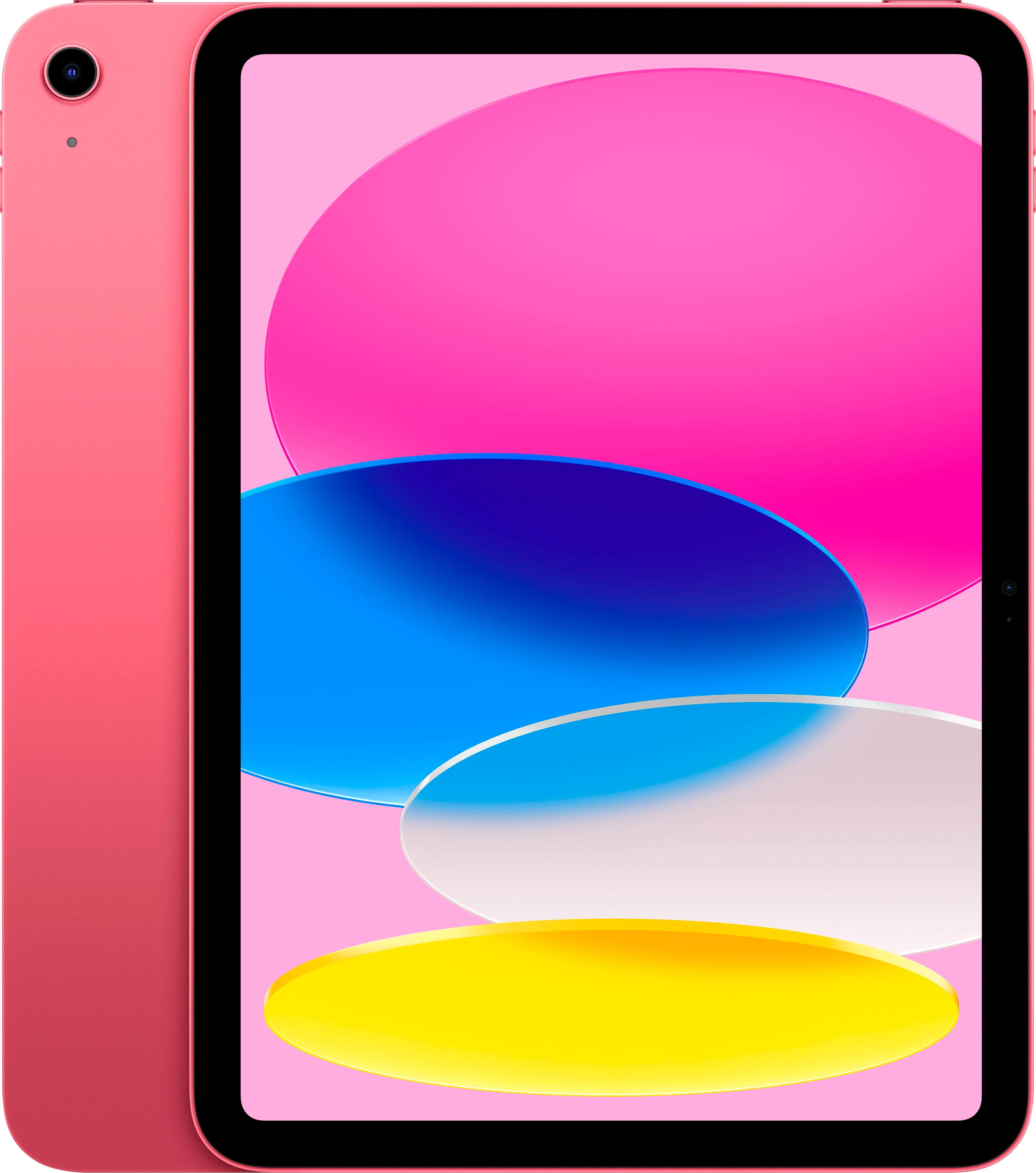
Choosing between an entry-level budget slate and a high-end powerhouse depends entirely on how you plan to use it. If you need a reliable device for casual streaming, reading, and basic note-taking, the iPad 9 saves you hundreds of dollars while handling everyday chores with ease. If you edit 4K video, sketch with professional illustration software, or require a desktop-class screen, the iPad Pro delivers unmatched performance that justifies its steep price tag.
The core differences come down to raw power, display engineering, and accessory compatibility. Let's break down where each tablet shines and how to pick the right one without wasting money on features you won't use.
Performance and Processing Power
Under the hood, these two devices operate in completely different leagues. The iPad 9 relies on the A13 Bionic chip. While a few years old now, it handles web browsing, streaming apps, and standard multitasking without breaking a sweat. It's snappy enough for students writing papers or families sharing a device for digital textbooks and casual games.
On the other side, iPad Pro models run on Apple's powerful M-series silicon (such as the M1, M2, or M4 chips depending on the release year). These chips turn the tablet into a portable editing suite. If you export multi-track 4K video projects in Apple Final Cut Pro, render 3D assets, or run heavy audio plugins, the iPad Pro completes those tasks in a fraction of the time. For another perspective on this story, check out the latest coverage from Reuters.
If your daily routine involves heavy computational workloads, the Pro wins instantly. If you just check emails and watch movies, you won't notice the speed difference during daily use.
Display Quality and Visual Experience
Screen technology represents the widest gap between these two models. The iPad 9 features a standard 10.2-inch Retina display with an IPS LCD panel. It lacks full lamination, meaning there is a tiny air gap between the glass and the actual display panel. Brightness peaks around 500 nits, which works fine indoors but struggles under direct sunlight.
The iPad Pro steps up to a Liquid Retina or ultra-vibrant OLED panel depending on the generation, packed with ProMotion technology for a 120Hz refresh rate. Scrolling feels buttery smooth, handwriting with the Apple Pencil has virtually zero latency, and color accuracy covers the full P3 wide color gamut.
- iPad 9 Display: 10.2 inches, 60Hz refresh rate, non-laminated glass, standard sRGB color.
- iPad Pro Display: 11-inch or 13-inch options, 120Hz ProMotion, fully laminated, high peak brightness, and deep contrast ratios.
If you edit photos professionally or consume media constantly, the Pro display offers a noticeable upgrade. For casual web browsing, the iPad 9 screen gets the job done cleanly.
Design, Build, and Portability
Design philosophies diverged significantly across these lineups. The iPad 9 keeps the classic Apple tablet design featuring thick top and bottom bezels, a physical Home button with Touch ID, and an aluminum chassis with gently curved edges. It feels sturdy, but it looks dated compared to modern edge-to-edge screens.
The iPad Pro features flat industrial edges, razor-thin symmetrical bezels, and Face ID authentication for secure unlocking and Apple Pay. It supports magnetic charging for the Apple Pencil 2 and connects to advanced workstation accessories like the Magic Keyboard, turning the slate into a floating laptop setup.
- Security: iPad 9 uses Touch ID on the Home button; iPad Pro uses Face ID.
- Connectors: iPad 9 uses the traditional Lightning port; iPad Pro relies on a versatile USB-C port that supports external monitors, hard drives, and docks.
Camera Systems and Audio
Most people don't buy tablets for photography, but the hardware differences matter for video calls and content capture. The iPad 9 features a basic 8MP rear camera and a 12MP Ultra Wide front camera equipped with Center Stage, which keeps you centered during video calls. It works well for Zoom and FaceTime meetings.
The iPad Pro upgrades the camera array significantly with wide and ultra-wide lenses, a LiDAR scanner for augmented reality depth mapping, and studio-quality microphones. If you record presentations or use spatial scanning apps, the Pro provides professional-grade tools. Audio output also differs; the iPad Pro features a quad-speaker array that delivers rich, loud sound, while the iPad 9 relies on stereo speakers located on one side.
Pricing and Value Considerations
Price is often the deciding factor. The iPad 9 launched as an ultra-affordable entry point to the iOS ecosystem, and finding one on discount or refurbished makes it one of the best budget values in tech. You get robust software support and iPadOS app compatibility for a fraction of a Pro's cost.
The iPad Pro commands a premium price tag. Once you factor in the cost of the tablet, an Apple Pencil, and a keyboard case, you cross into MacBook territory. Buying a Pro only makes financial sense if your workflow monetizes that performance or if you demand absolute top-tier hardware.
Common Mistakes to Avoid
- Buying a Pro for simple note-taking: Students often think they need a 120Hz screen to take notes. The iPad 9 handles handwritten notes in apps like GoodNotes perfectly fine.
- Ignoring storage limitations: Base models for budget tablets often start with lower storage tiers. If you plan to download large offline video libraries or games, skip the entry storage configuration.
- Overlooking accessory costs: Remember that older iPads use the first-generation Apple Pencil and Lightning cables, while Pro models use USB-C and magnetic styluses. Mixing up accessories leads to compatibility headaches.
Frequently Asked Questions
Can the iPad 9 replace a laptop?
For basic typing, email, and web research, yes, if you pair it with a Bluetooth keyboard. However, its Lightning port and lower RAM limit heavy multitasking and file management compared to a laptop or an iPad Pro with USB-C.
Does the iPad 9 support Apple Intelligence?
No. Advanced on-device AI features require newer processors found in recent iPad Air, iPad mini, and iPad Pro models. Check Apple Support for specific compatibility guidelines on current software features.
Is the iPad Pro worth the extra money for casual users?
Generally no. If you only stream movies, read books, and browse social media, the performance and display upgrades of the iPad Pro won't translate to a noticeably better daily experience for those tasks.
Which tablet is better for digital artists?
The iPad Pro wins for professional illustration due to the low-latency 120Hz ProMotion screen, color-accurate P3 wide display, and pressure-sensitive Apple Pencil responsiveness. However, hobbyists can still create fantastic art on an iPad 9.



