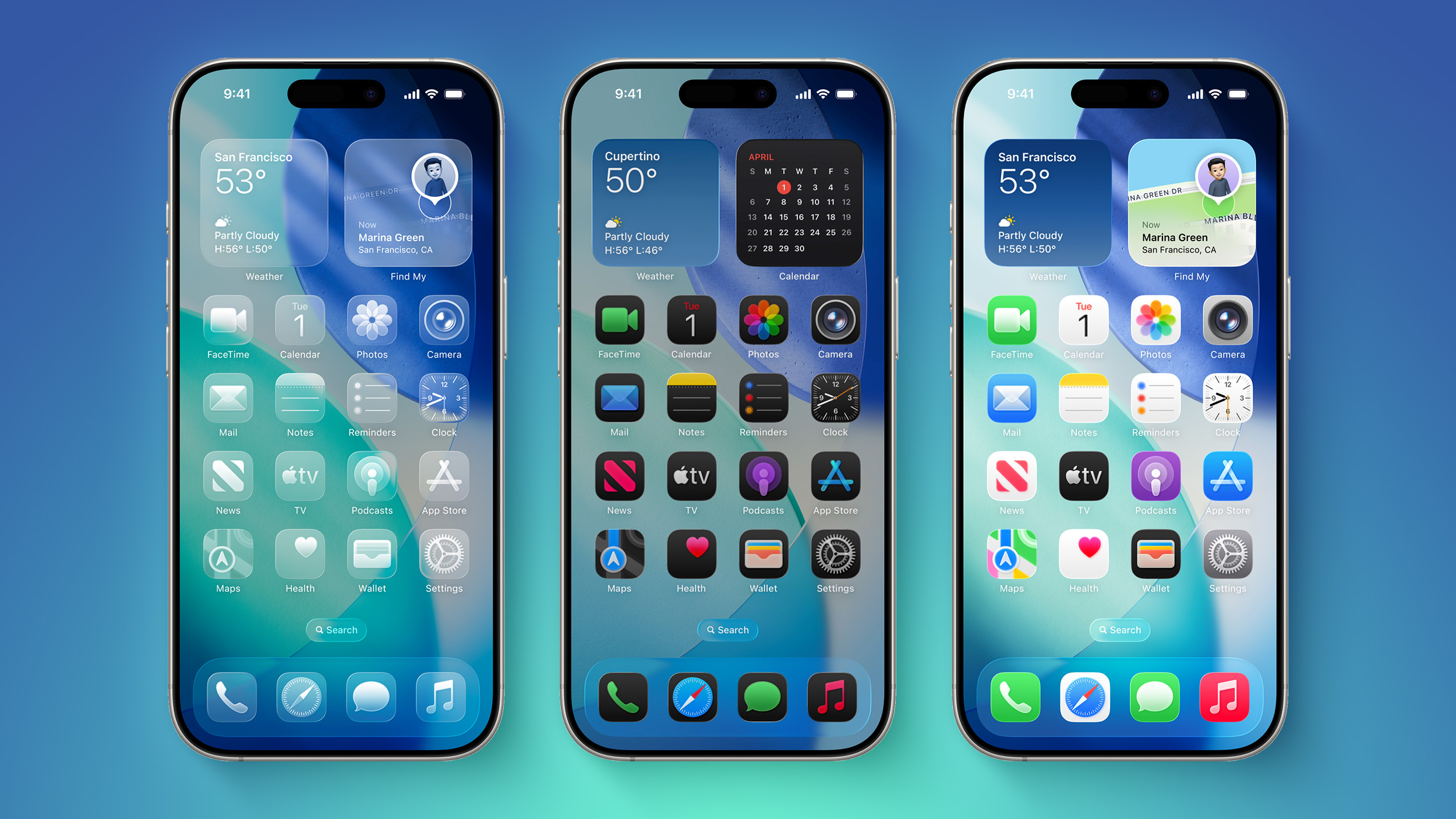
Apple releases dozens of software updates every year, but knowing what those numbers actually mean helps you figure out when your phone needs an upgrade, why a feature isn't showing up, or how serious a security patch really is. Apple's versioning system follows a structured hierarchy—Major.Minor.Patch—alongside internal build numbers that tell a deeper story about how the mobile operating system evolves.
The current major software release is iOS 27, which brings significant system intelligence updates and interface refinements. Understanding how Apple structures these iterations lets you predict release cycles, manage device compatibility, and separate marketing hype from technical changes.
Breaking Down the Apple Versioning Structure
Apple uses a three-tier numbering convention for its public software updates. While the exact numbering strategy has evolved—such as jumping ahead to year-based numbering with iOS 26—the mechanical meaning behind each digit remains consistent for power users and developers alike.
Major Releases (X.0)
The first number in the sequence represents a Major Version. These updates roll out annually every September, coinciding with new hardware launches.
- What they include: Complete design overhauls, foundational framework rewrites, new operating system architectures, and major user-facing capabilities like home screen widgets, Lock Screen customization, or advanced artificial intelligence tools.
- Hardware impact: Major releases often drop support for older iPhone models that lack the processing power or hardware components required to run the new architecture safely.
- Example: The transition from iOS 18 to iOS 26 marked a massive shift toward dynamic interfaces, while iOS 27 introduced deep Siri intelligence integration.
Minor Releases (X.1, X.2)
The second number indicates a Minor Version. These drop throughout the year, typically appearing every few months.
- What they include: Features that Apple announced during the initial major software unveiling but weren't quite ready for the September launch window. They also introduce backward-compatible API additions for developers.
- User impact: You don't need new hardware for minor releases, but they frequently unlock capabilities that were missing on day one of a major cycle.
- Example: An update designated as iOS 27.1 or 27.2 expands capabilities for built-in applications and refines system performance.
Patch Releases (X.X.1, X.X.2)
The third digit represents a Patch Version. These are rapid-response updates delivered as needed.
- What they include: Critical security patches, emergency bug fixes, and stability improvements. They contain no new user-facing features.
- User impact: These are mandatory installations for security-conscious users. Apple frequently pushes these silently or prompts automatic overnight updates to close active exploits.
Build Numbers vs. Public Version Numbers
If you dig into your iPhone settings under General > About > iOS Version, tapping the version number reveals a string of characters and numbers in parentheses, such as 21A360 or similar alphanumeric variants. This is the Build Number.
Public version numbers are marketing and organizational tools. Build numbers are internal engineering milestones.
- Every time Apple compiles a new version of the operating system for testing or release, it receives a unique build identifier.
- The letter in the middle of a build number (like 'A' or 'B') often denotes the branch or the proximity to the final Master release candidate.
- Two iPhones running public "iOS 27.1" might run slightly different internal build numbers if one was part of a late enterprise patch or a carrier-specific configuration rollout.
Why Apple Changed Its Numbering Strategy
For over a decade, Apple incremented iOS version numbers sequentially: iOS 1, iOS 2, all the way to iOS 18. However, the company shifted to year-aligned numbering starting with iOS 26, matching the convention it uses for macOS and watchOS variants in certain contexts.
This change prevents version confusion across product ecosystems. When a user looks at their Mac running macOS and their iPhone running iOS, matching the chronological timeline helps consumers instantly understand the relative age of the software generation without cross-referencing release years. You can review official documentation directly on the Apple Support portal to check current security guidelines.
Common Misconceptions About iOS Upgrades
Users often misinterpret how updates roll out and what they demand from hardware. Clearing up these myths prevents unnecessary troubleshooting friction.
- Myth: Every update slows down your phone. While major software architectures demand more from processors, Apple optimizes minor and patch updates heavily. Security patches rarely impact battery life or speed negatively; failing to install them leaves devices vulnerable.
- Myth: You can downgrade easily if you dislike a version. Apple stops signing older software versions shortly after releasing a new update. Once you upgrade to a major version, rolling back to the previous iteration through standard system settings is intentionally blocked.
- Myth: Beta software is safe for daily use. Developer and public betas carry unstable build numbers that can corrupt app databases, drain batteries rapidly, and break critical banking applications.
Frequently Asked Questions
How do I check which exact iOS build my device is running?
Open your iPhone Settings, tap General, then select About. Tap the version number text on the screen to toggle between the public marketing version and the internal alphanumeric build identifier.
Why do some older iPhones miss out on major iOS updates?
Major software updates require specific silicon capabilities, such as neural engine cores for artificial intelligence tasks or secure enclave upgrades. When an older processor can no longer guarantee smooth performance or security compliance, Apple designates that device as obsolete for future major tiers.
What is the difference between a beta update and a public release?
Public releases undergo rigorous stability testing and are pushed to all supported devices globally. Beta updates are pre-release builds meant for developers and early testers to find bugs before the software reaches the general public.
Can I skip minor updates and only install major ones?
Apple's delivery system generally bundles necessary security updates into the most recent software package. When you update your phone, you jump straight to the latest available minor or patch build for your major OS tier, ensuring you never miss critical security fixes.


