Tracking the evolution of Apple's mobile operating system reveals how a simple touch interface for the original 2007 iPhone matured into an advanced ecosystem powering billions of devices. From the early years of skeuomorphic design to the introduction of the App Store, flat design overhaul, and modern on-device artificial intelligence, iOS has consistently shifted industry standards. This guide breaks down the major milestones, structural numbering updates, and defining features of every primary iOS era up to the current release, iOS 27.
Apple structured its operating system releases annually, tying major updates directly to new hardware rollouts. Understanding how these versions progressed helps users determine device compatibility, security baselines, and feature availability. Whether you're tracking older legacy builds or exploring current capabilities, this chronological overview maps out the complete path of Apple's mobile software.
The Foundation Years: iPhone OS 1 through 3
When Steve Jobs introduced the original device in 2007, the software was officially called iPhone OS. It lacked an app store, background multitasking, and copy-paste functionality, but it revolutionized capacitive touch navigation.
- iPhone OS 1 (2007): Established the multi-touch paradigm, Safari browser, and core mobile applications.
- iPhone OS 2 (2008): Debuted the App Store, allowing third-party developers to build native software and fundamentally changing mobile monetization.
- iPhone OS 3 (2009): Introduced long-awaited features like cut, copy, and paste, push notifications, voice control, and MMS support.
The Modernization Era: iOS 4 through 6
As the iPad and iPod touch expanded the platform, Apple rebranded the software simply to iOS starting with iOS 4. This era focused heavily on hardware integration and multitasking stability.
- iOS 4 (2010): Brought multitasking app switching, home screen folders, and spelling checks to the platform.
- iOS 5 (2011): Integrated iCloud wireless syncing, iMessage, Notification Center, and Siri as a voice assistant.
- iOS 6 (2012): Replaced Google Maps with Apple's own Maps application, introduced Passbook (now Wallet), and added Do Not Disturb mode.
The Design Shift and Utility Expansion: iOS 7 through 11
iOS 7 marked the most radical visual departure in the platform's history, replacing skeuomorphism with clean, flat graphics, translucent layers, and control center toggles.
- iOS 7 (2013): Redesigned the entire interface with vibrant colors, Control Center, AirDrop, and Touch ID support.
- iOS 8 (2014): Focused on continuity between Mac and iPhone, introducing interactive notifications, QuickType predictive text, and HealthKit.
- iOS 9 (2015): Optimized system performance, introduced the News app, and made Siri proactive.
- iOS 10 (2016): Opened iMessage to third-party stickers and apps, completely revamped the lock screen, and allowed developers deeper Siri integration.
- iOS 11 (2017): Brought a customizable Control Center, the Files app, and laid heavy groundwork for iPad multitasking.
Refinement, Widgets, and Privacy: iOS 12 through 18
During this phase, Apple pivoted toward deeper personalization, enhanced privacy controls, and augmented reality foundations.
- iOS 12 (2018): Prioritized speed improvements on older devices and added Screen Time tracking and Siri Shortcuts.
- iOS 13 (2019): Brought system-wide Dark Mode, Sign in with Apple privacy options, and separated iPadOS into its own dedicated operating system.
- iOS 14 (2020): Shifted home screen utility with widgets, the App Library, picture-in-picture mode, and strict app tracking transparency controls.
- iOS 15 (2021): Introduced Focus modes, Live Text optical character recognition, and SharePlay for FaceTime calls.
- iOS 16 (2022): Redesigned the Lock Screen with customizable widgets, added StandBy mode, and introduced the Journal app.
- iOS 17 (2023): Focused on communication upgrades like Contact Posters, Live Voicemail, and NameDrop contact sharing.
- iOS 18 (2024): Introduced Apple Intelligence features, a heavily customizable Control Center, Game Mode, and RCS messaging support.
Current Generations: iOS 26 and iOS 27
Apple updated its version numbering convention to match the calendar year following the release. This shift aligned software branding directly with hardware launch cycles.
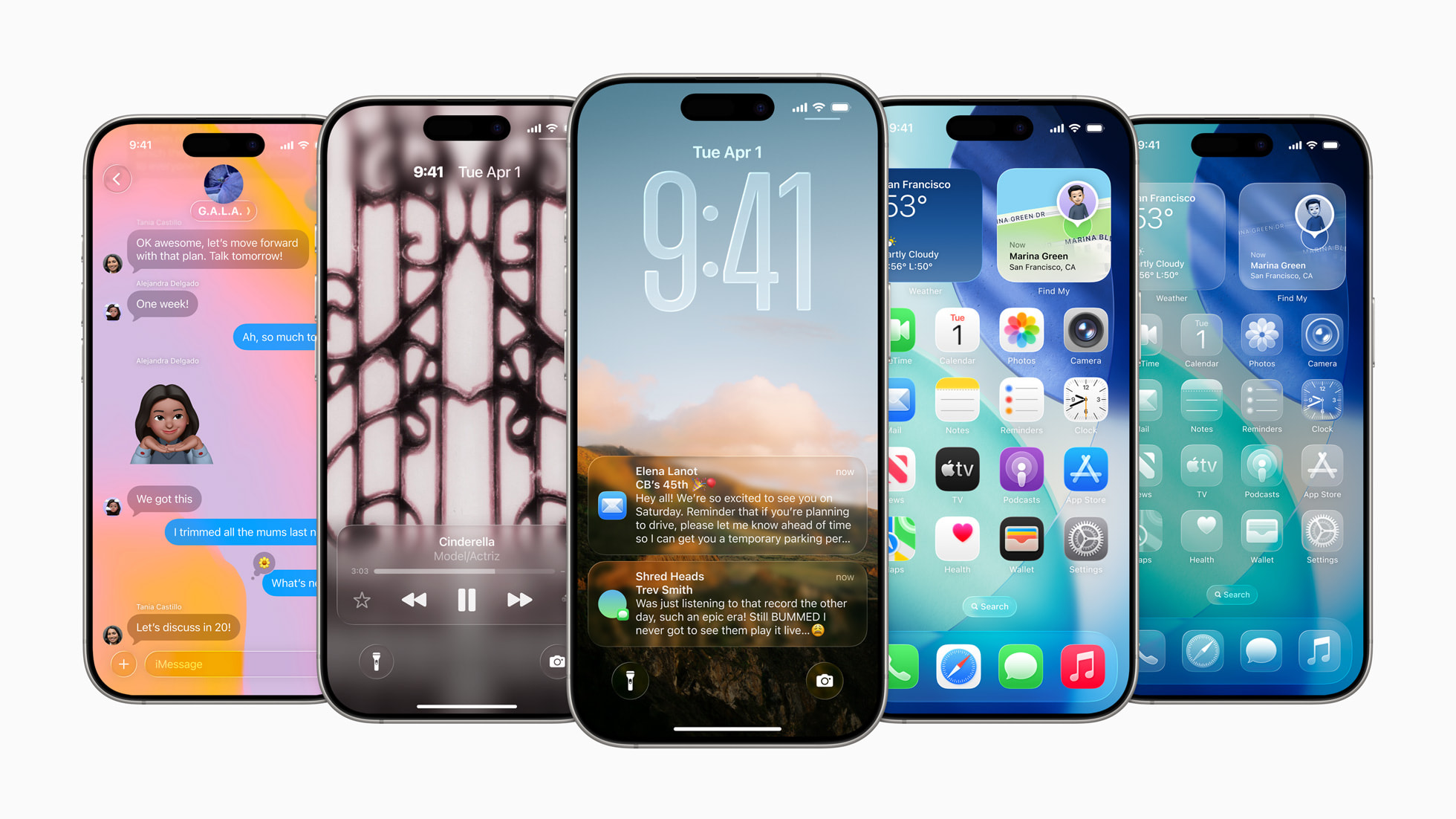
- iOS 26 (2025): Delivered the biggest visual redesign since iOS 7, introducing the translucent Liquid Glass interface language, advanced AI tool integration across native apps, and expanded Wallet capabilities.
- iOS 27 (2026): The current major release builds directly on Apple Intelligence with an all-new Siri AI assistant experience, a dedicated Siri app, natural conversational parsing, Write with Siri, Camera visual search integration, and enhanced child safety tools.
Device Compatibility and Update Strategy
Keeping your iPhone updated ensures access to critical security patches, bug fixes, and modern application APIs. Apple typically supports hardware models for five to seven years post-release.
To check your current build or trigger a manual update, navigate to your device settings:
- Open the Settings app on your iPhone.
- Tap on General, then select Software Update.
- Choose whether to install the latest available version or configure automatic security responses.
Running legacy software leaves devices vulnerable to unpatched exploits. If your hardware no longer supports the newest operating system version, essential third-party apps may drop compatibility over time. You can review official security advisories directly through the Apple Support page to verify specific patch notes for your device.
Frequently Asked Questions
Why did Apple skip version numbers between iOS 18 and iOS 26?
Apple adjusted its internal naming convention to reflect the calendar year of the operating system's active lifecycle. iOS 18 was followed directly by iOS 26 in late 2025, meaning there are no public versions numbered 19 through 25.
Do all devices running the latest iOS support Apple Intelligence?
No. While older supported devices can run the base operating system version, advanced AI features like on-device generative processing require newer hardware chips, typically starting with the iPhone 15 Pro or later.
Can I downgrade my iPhone to an older iOS version?
Apple stops signing cryptographic certificates for older software versions shortly after releasing a new update. Once the signing window closes, you cannot officially downgrade your operating system due to Apple's security protocols.
What is the difference between major and point releases?
Major releases (such as iOS 26 or iOS 27) arrive annually with sweeping interface changes, new application frameworks, and core feature additions. Point releases (such as iOS 27.1) roll out incrementally throughout the year to patch security vulnerabilities, resolve bugs, and introduce minor utility tweaks.



