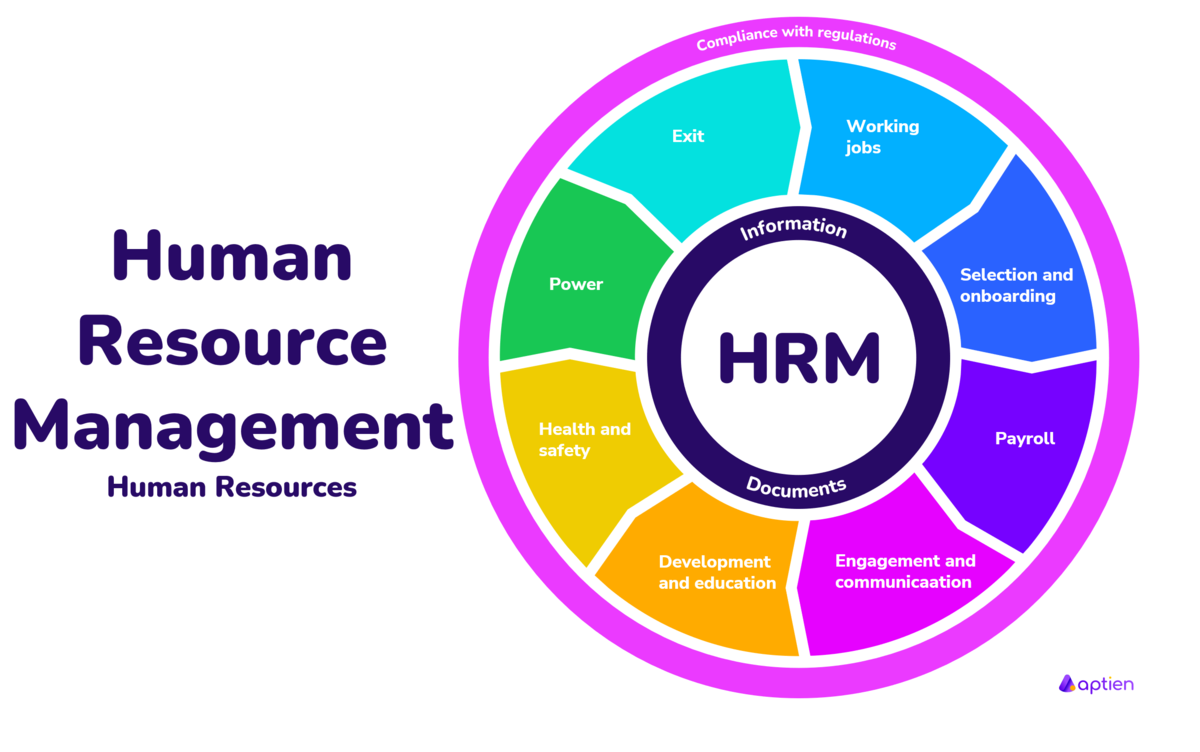
Managing employees shouldn't mean drowning in paper files, scattered spreadsheets, and endless email chains. An HR one stop platform brings payroll, onboarding, benefits, and performance tracking into a single dashboard. Instead of jumping between legacy software tools, teams manage their entire workforce lifecycle in one interface.
Implementing a centralized system reduces administrative overhead and cuts down on costly data entry mistakes. When employee records live in one location, HR professionals can focus on workforce strategy rather than chasing down vacation requests or tax forms.
Core Features of an HR One Stop Platform
Modern workforce management tools rely on core modules designed to handle daily HR operations. Understanding how these features interact helps organizations choose the right setup.
Centralized Employee Records
A single database replaces filing cabinets and fragmented spreadsheets. Every employee profile contains contact details, tax documents, performance notes, and job history in one place. Updating an address or emergency contact in the self-service portal instantly updates it across payroll and benefits systems.
Automated Onboarding Workflows
First impressions matter for new hires. Automated onboarding sends digital paperwork, tax forms, and company policies directly to candidates before their first day. New employees complete tasks at their own pace, while managers track completion status through a visual dashboard without chasing paper forms.
Integrated Payroll and Time Tracking
Connecting time clocks and attendance tracking directly to payroll eliminates manual calculation errors. Overtime, paid time off, and deductions flow automatically into pay run summaries. This integration ensures accurate paychecks and simplifies tax filing obligations at the end of each period.
Employee Self Service Portals
Empowering staff to manage their own information changes how human resources departments operate. Employees expect digital tools that let them view pay stubs, request time off, and check benefit details instantly from mobile devices or desktop computers.
When staff can update direct deposit details or download past tax documents independently, routine inquiries drop significantly. HR teams reclaim hours previously spent answering basic questions about vacation balances or benefit enrollment windows.
Self-service modules also improve data accuracy. Employees take ownership of their personal information, reducing the likelihood of outdated records or incorrect mailing addresses remaining in the system.
Choosing the Right Software Solution
Selecting a platform requires a clear understanding of company size, budget, and specific operational needs. Small teams might need basic payroll and time-tracking features, while enterprise organizations require advanced compliance tracking and multi-location support.
- Assess current bottlenecks: Identify which administrative tasks consume the most time each week.
- Evaluate integration capabilities: Ensure the new platform connects smoothly with existing accounting software and IT tools.
- Prioritize user experience: Test the interface to confirm that both managers and staff can navigate it without extensive training.
- Review mobile accessibility: Verify whether employees can access core features via smartphones or tablets.
Common Implementation Mistakes to Avoid
Transitioning to a unified platform requires careful planning to prevent disruption. Organizations often stumble during rollout due to predictable missteps.
Rushing the data migration process leads to corrupted or duplicate records in the new system. Cleaning up legacy spreadsheets before importing them prevents headaches later. Skipping comprehensive training leaves managers and staff confused, resulting in low adoption rates and continued reliance on old offline methods.
Failing to establish clear administrative permissions creates security risks. Not every manager needs access to sensitive salary data or performance reviews. Setting up role-based access controls protects employee privacy from day one.
Frequently Asked Questions
What is an HR one stop platform?
It's a centralized software solution that combines payroll, benefits, onboarding, time tracking, and employee records into a single dashboard to simplify workforce management.
How does self-service reduce HR workload?
Self-service portals allow employees to view pay stubs, update personal details, and request time off independently, which eliminates most routine administrative inquiries.
Can small businesses use these platforms?
Yes, many vendors offer scalable tiers designed specifically for small teams, providing essential payroll and HR tools without enterprise-level complexity or cost.
How long does implementation typically take?
Implementation timelines vary based on company size and data complexity, usually ranging from a few weeks for smaller businesses to several months for large enterprises.
Learn more about workforce management standards at the U.S. Office of Personnel Management or explore SHRM for professional human resources guidelines.



