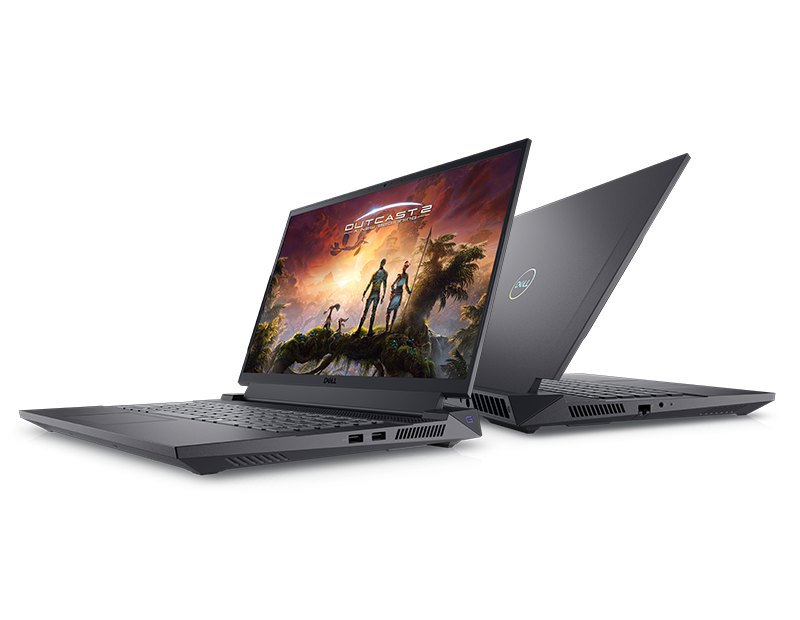
Buying a used or refurbished Dell machine powered by an Intel Core i5 7th Generation processor can save you a lot of money, but it comes with a major catch. As you look at these older systems on the resale market, you need to know if they still hold up for office work, daily browsing, and light productivity, or if they are electronic waste waiting to happen.
The short answer is yes, a Dell i5 7th Gen laptop or desktop can still handle basic tasks like web browsing, document editing, and streaming video. However, its official exclusion from Windows 11 support and aging quad-thread performance mean you should pay very little for one—typically under $100 to $150 depending on whether it includes an SSD and 8GB or more of RAM. If you need a cheap machine for a student or a basic home workstation, it works. If you expect modern multitasking or long-term OS support out of the box, you should look elsewhere.
Specifications and Performance Baseline
Released under the Kaby Lake microarchitecture, 7th Generation Core i5 processors (such as the popular mobile i5-7200U or desktop i5-7500) feature a quad-thread setup. Most mobile variants run on 2 cores and 4 threads with a base clock around 2.5 GHz and boost up to 3.1 GHz. Desktop variants typically feature 4 physical cores without hyperthreading.
By today's standards, 4 threads struggle when juggling heavy background apps alongside a modern web browser loaded with dozens of tabs. If you open a heavy web application, a video call, and a spreadsheet simultaneously, CPU usage will spike to 100%. For another look on this development, see the latest update from Reuters.
- RAM Requirements: Never buy a 7th Gen machine with 4GB of RAM. It must have at least 8GB, preferably 16GB, to remain usable.
- Storage Bottleneck: These systems must have a Solid State Drive (SSD). If the Dell you are looking at runs on a traditional spinning Hard Disk Drive (HDD), the computer will feel painfully slow. Swapping in a cheap 2.5-inch SATA SSD transforms usability completely.
The Operating System Dilemma: Windows 10 vs Windows 11
The biggest hurdle for any 7th Gen Dell machine is software lifespan. Microsoft designed Windows 11 to require 8th Generation Intel processors or newer, leaving Kaby Lake chips officially unsupported despite hardware features like TPM 2.0.
Windows 10 reached its official end of support in October 2025. Continuing to run Windows 10 without security updates leaves your device vulnerable to emerging exploits. While workarounds exist to install Windows 11 on unsupported hardware, Microsoft does not guarantee security patches or stability for those installations. Alternatively, installing a lightweight Linux distribution like Linux Mint or Ubuntu breathes new life into these older Dell chassis, making them secure, snappy tools for web-centric workflows.
Ideal Use Cases and Real-World Limitations
Understanding what these machines can and cannot do prevents buyer's remorse. They shine in low-demand environments, but fall flat under heavy modern workloads.
Where a 7th Gen Dell Excels
- Student Workstations: Writing papers, checking school portals, and joining remote classes.
- Point-of-Sale (POS) Systems: Small retail shops needing a reliable machine to run checkout software and inventory spreadsheets.
- Home Media Servers: Running a lightweight headless server or basic file storage node.
Where It Fails
- Content Creation: Video editing in 4K, heavy photo retouching, and 3D rendering overwhelm the integrated Intel HD Graphics 620 and limited core count.
- Modern Gaming: Integrated graphics from this era cannot run modern AAA titles. Esport titles like League of Legends or CS:GO run at low settings, but newer games are entirely out of reach.
Common Mistakes When Buying Used Dell PCs
Shoppers often make costly errors when purchasing secondhand enterprise machines like the Dell Latitude or OptiPlex lines. Avoid these pitfalls:
- Overpaying: Never pay near-modern budget laptop prices for a 7th Gen machine. Depreciation makes these worth very little.
- Ignoring Battery Health: Older laptops often ship with degraded batteries that hold less than 30% of their original charge. Factor a replacement battery into your total cost.
- Overlooking Thermal Paste: Dust buildup and dried thermal paste cause thermal throttling, slowing down the CPU during basic tasks. Opening the chassis to clean fans and reapply paste restores performance.
Frequently Asked Questions
Can I upgrade the processor in a Dell i5 7th Gen laptop?
No. Laptop processors are soldered directly to the motherboard. You can upgrade the RAM and storage, but the CPU is fixed. Desktop variants (like the OptiPlex) are socketed, but upgrading beyond the 7th generation is restricted by motherboard chipsets.
How much should I pay for a refurbished Dell Latitude with an i5 7th Gen?
Depending on cosmetic condition, battery health, and included storage (SSD size), a fair price ranges between $80 and $130 USD. Anything over $150 is overpriced given that newer refurbished 8th or 10th Gen machines are often available for slightly more.
Is it safe to use Windows 10 past its support deadline?
Using an unsupported operating system online exposes you to unpatched security vulnerabilities. If you keep the machine on Windows 10, limit its connection to sensitive financial tasks, or transition the hardware to a secure, modern Linux distribution.
How can I check if a specific Dell model has an SSD?
When reviewing a listing or inspecting the machine, open the Task Manager (Ctrl + Shift + Esc), click the Performance tab, and select Disk. It will explicitly state whether the drive is an SSD or HDD. Avoid any machine listing an HDD unless you plan to upgrade it yourself.



