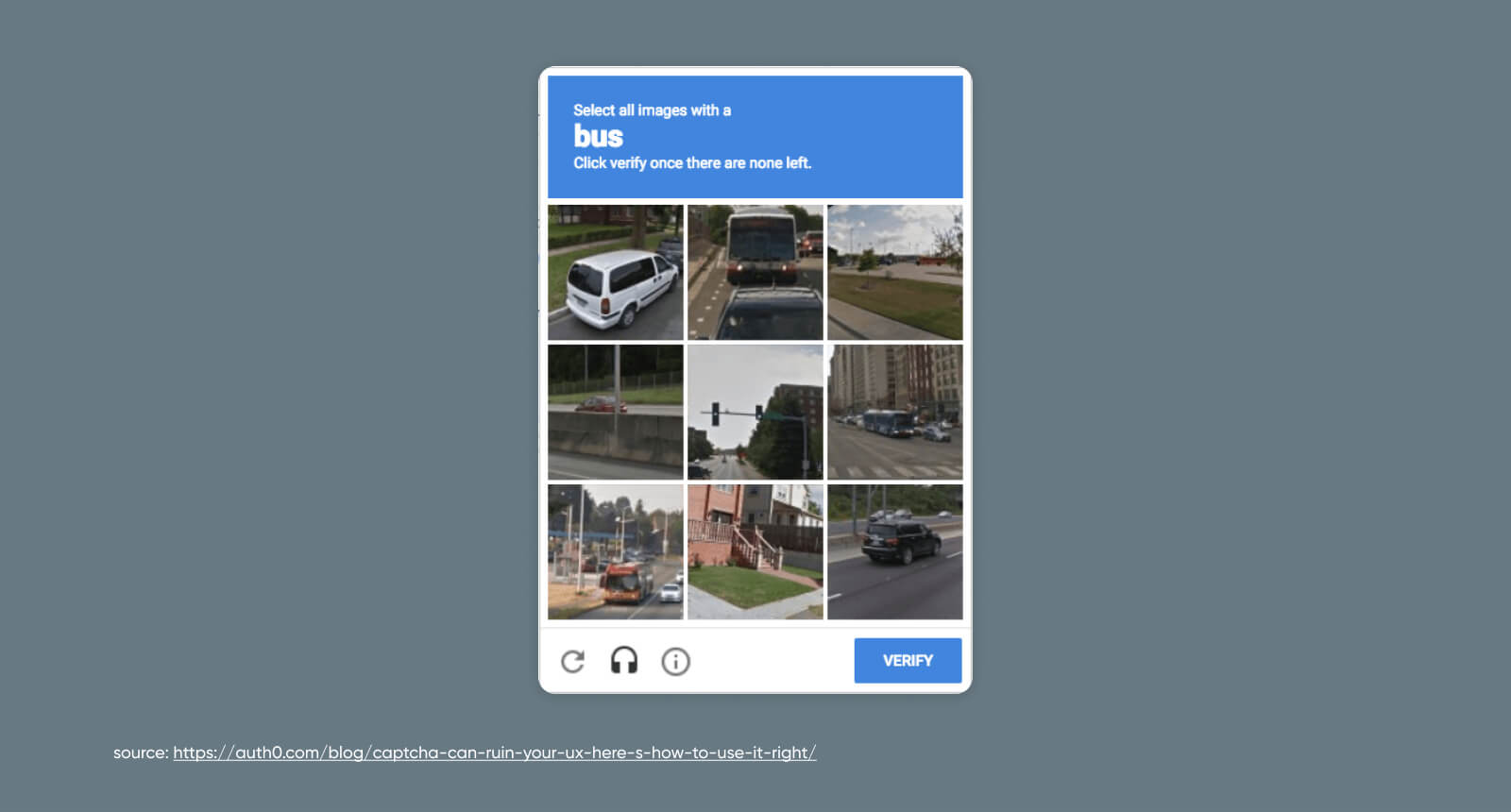
Every time you click a box to prove you aren't a robot, you trigger a complex cryptographic and behavioral exchange behind the scenes. This mechanism, known as a CAPTCHA challenge response, acts as the primary defense line protecting modern websites from automated scrapers, credential-stuffing attacks, and denial-of-service botnets. Without it, public-facing login pages and registration forms would collapse under millions of automated requests within seconds.
A CAPTCHA challenge response is a two-way digital handshake between a user's browser and a web server. The server issues a test—the challenge—designed to be easy for humans but difficult for scripts. Once the user interacts with the page or solves the puzzle, the browser sends back a verification token—the response. The server validates this token with an authority like Google reCAPTCHA or hCaptcha before granting access. This entire sequence happens in milliseconds, balancing rigid automated security with user friction.
The Evolution of CAPTCHA Technology
The term CAPTCHA stands for Completely Automated Public Turing test to tell Computers and Humans Apart. Developed in the year 2000 at Carnegie Mellon University, early iterations focused heavily on distorted text. Users had to decipher warped letters and numbers embedded in noisy images.
Early text-based puzzles relied on the inability of optical character recognition software to parse messy typography. However, as computer vision algorithms improved rapidly during the 2010s, bots began beating text CAPTCHAs faster and more accurately than humans. Hackers deployed machine learning models capable of reading distorted characters with a 99% success rate. To see the complete picture, we recommend the recent analysis by The New York Times.
This technological arms race forced security engineers to abandon static images. Modern systems shifted toward behavioral analysis. Instead of reading text, users now trigger passive background checks that measure mouse movements, keystroke dynamics, and device fingerprinting long before a visible puzzle ever appears.
Anatomy of a Challenge Response Protocol
Understanding how a CAPTCHA challenge response functions requires looking at the technical lifecycle of a web request. The process follows a structured sequence of network events and data evaluations.
1. Triggering the Challenge
When a user navigates to a secure page, the front-end JavaScript loads a CAPTCHA API script provided by a security vendor like Cloudflare Turnstile or Google. This script immediately begins gathering passive telemetry. It checks browser headers, cookies, rendering engines, and mouse trajectories. If the telemetry suggests a normal human user, the system might issue an invisible pass token immediately. If suspicious patterns emerge, a visible challenge renders on the screen.
2. Presenting the Challenge
If a test is required, the server-side application requests a challenge payload from the security provider. This payload might be a grid of images asking you to select traffic lights, or an audio clip for accessibility. The browser renders this challenge locally, isolating the interaction from the core application server.
3. Generating the Response Token
Once the user completes the visual task or passive telemetry verification finishes, the client-side script generates a cryptographic token. This token contains encrypted metadata about the session, a timestamp, an identifier for the site key, and a signature proving the test was passed legitimately.
4. Server-Side Verification
The browser submits this response token alongside the primary form data—such as a login username or contact message—back to the destination web server. The web server intercepts this token and sends a backend API request to the CAPTCHA vendor's server with a secret key. The vendor responds with a boolean true or false value along with a score representing the confidence level of the user's humanity. If the score clears the site administrator's threshold, the web server processes the form submission.
Modern Types of Challenges
Security providers have diversified their methods to reduce user frustration while maintaining high accuracy against automated threats.
Frictionless and Invisible Systems
The gold standard in modern user experience is the invisible CAPTCHA. Tools like reCAPTCHA v3 don't interrupt the user flow with puzzles. Instead, they assign a continuous score from 0.0 to 1.0 based on background activity. Developers can then set custom rules—for example, forcing multi-factor authentication for any score below 0.5 while letting high scores through instantly.
Interactive Image and Puzzle Grids
When invisible checks fail to yield high confidence, systems fall back on interactive challenges. Users might be asked to rotate an animal to face upright, track objects across a grid, or solve spatial puzzles. These tasks exploit the brain's superior ability to understand context, physical weight, and spatial relationships compared to standard AI models.
Cryptographic Proof-of-Work Challenges
Some decentralized or privacy-focused platforms use computational puzzles instead of visual tests. When a browser visits the site, the server assigns a cryptographic puzzle that requires a small amount of CPU processing power to solve. Real browsers can compute this hash in a fraction of a second, whereas malicious scripts attempting millions of concurrent requests will quickly exhaust their computational resources, effectively mitigating denial-of-service attempts.
Security Challenges and Bot Bypasses
Despite constant architectural updates, CAPTCHA systems face sophisticated adversaries. Threat actors routinely employ advanced techniques to bypass digital gatekeepers.
CAPTCHA Solving Services
An entire underground economy exists around human-in-the-loop solver farms. When an automated script encounters a hard CAPTCHA, it routes the image or challenge data via an API to a low-wage worker farm overseas. A human solves the puzzle within seconds, and the solution is sent back to the bot, allowing the attack to proceed uninterrupted.
Computer Vision and Deep Learning
Attackers also utilize custom convolutional neural networks trained on millions of scraped images to solve visual challenges programmatically. While providers constantly update their image datasets and introduce noise to break naive models, attackers continuously retrain their neural networks to maintain high bypass rates.
Browser Automation Leaks
Headless browsers—automated browser instances used for testing and scraping—often leak specific signatures in their JavaScript environment, such as missing plugins or default WebDriver properties. Modern CAPTCHA scripts inspect these environment variables immediately upon page load, flagging and blocking automated sessions before a challenge is even rendered.
Implementation Best Practices for Developers
Integrating a CAPTCHA challenge response into a web application requires careful planning to protect user data privacy while securing backend endpoints.
Choose the Right Tier for Your Risk Profile
Don't deploy intrusive visual puzzles on low-risk pages like a public blog comment section, as this drives away genuine visitors. Reserve aggressive challenge tiers for high-value endpoints such as payment processing, account creation, and password recovery forms.
Implement Server-Side Verification
Never rely solely on client-side JavaScript validation. Malicious actors can easily disable or intercept front-end scripts using browser developer tools. Always ensure your backend server makes a direct API call to verify the response token with the provider before executing database writes or user authentication.
Comply with Privacy Regulations
Because CAPTCHA tools track user behavior, device fingerprints, and IP addresses, their usage often intersects with privacy laws like the European Union's GDPR. Ensure your privacy policy discloses the use of third-party bot detection services, and consider privacy-focused alternatives if your audience operates in strictly regulated jurisdictions.
Frequently Asked Questions
Why do I keep failing CAPTCHA challenges?
Repeated failures usually stem from browser extensions blocking required tracking scripts, VPN connections sharing an IP address with known malicious botnets, or strict privacy settings that clear authentication cookies. Disabling aggressive ad-blockers on trusted sites often resolves the issue.
Do CAPTCHAs affect website SEO performance?
Standard CAPTCHAs do not harm SEO directly, provided they don't block web crawlers like Googlebot from indexing main content. However, if a CAPTCHA triggers on your main landing pages for human visitors, it increases bounce rates and frustrates users, which harms search rankings over time.
Can bots solve modern invisible CAPTCHAs?
Yes, sophisticated bots can bypass invisible CAPTCHAs by mimicking human mouse telemetry, spoofing device fingerprints, and using residential proxy networks to avoid IP reputation flags. Security is an ongoing game of cat and mouse rather than a permanent fix.
What is the difference between reCAPTCHA v2 and v3?
Version 2 requires direct user interaction, such as clicking a checkbox or solving a visual puzzle. Version 3 operates entirely in the background, analyzing user behavior across the page and returning a numeric score to let developers decide how to handle the traffic.



